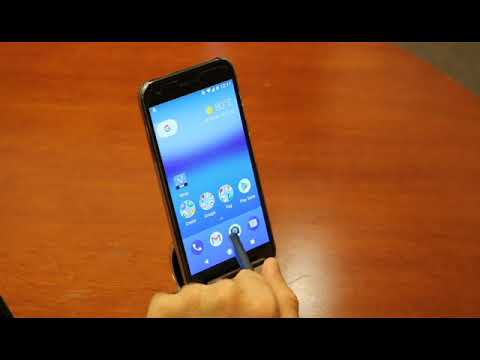
Playback starts YouTube’s embedded player (privacy-enhanced mode).
How To Turn on TalkBack, Android's Screen Reader
ChannelWirelessRERCDescription from the creator
Transcript: Enabling the screenreader, TalkBack, on Your Android Device
Screen shows: Salimah LaForce, Project Director, Policy and Outreach Initiatives
Voice of Salimah: Hello. We’ve created this series of videos to show you how you can customize the Wireless Emergency Alerting, or WEA, settings on your Android device so that it’s optimized for your needs. WEAs are government issued emergency messages that appear as child abduction alerts, severe weather or civil emergencies, or presidential alerts.
This video will show you how to turn on TalkBack, Android’s built-in screenreader for blind and low-vision users. Enabling TalkBack will ensure that your device reads Emergency Alerts out loud. Accessibility to Emergency Alerts is vitally important to people with disabilities. Let’s show you how to turn it on!
Voice of Ben Lippincott: TalkBack is Android’s gesture-based screenreader for users who are blind or have low-vision. To turn it on, first we go into the Settings menu and scroll down to locate the Accessibility settings. Once in Accessibility, our first feature on the screen is TalkBack. Let’s tap TalkBack. From here we use the toggle switch to turn TalkBack on or off. When we turn TalkBack on, it asks us to verify that we want to do this. This is because TalkBack isa gesture-based feature and it will operate quite a bit differently than by using the touchscreen in the normal way. You will have to learn two and three-finger taps and swipes in order to operate it. Android offers a short tutorial on how to use TalkBack after it is first enabled that will teach you how to use it correctly. TalkBack offers a powerful screenreader solution for blind users and once enabled will ensure that any Emergency Alert notifications you receive will be read back to you.
Voice of Salimah: We hope this video showed you how you can enable the TalkBack on your Android device. Thank you for watching and be sure to watch our other videos in this series where we show you how to turn on other accessibility settings so that Emergency Alerts are tailored to your needs. For more information on Wireless Emergency Alerts please visit our website!
Last screen shot shows:
Wireless RERC logo
www.wirelessrerc.org
The Wireless RERC is funded through a grant from the National Institute on Disability, Independent Living, and Rehabilitation Research (NIDILRR grant number 90RE5025-01-00). NIDILRR is a Center within the Administration for Community Living (ACL), Department of Health and Human Services (HHS). The contents of this paper do not necessarily represent the policy of NIDILRR, ACL, HHS, and you should not assume endorsement by the Federal Government.
Screen shows: Salimah LaForce, Project Director, Policy and Outreach Initiatives
Voice of Salimah: Hello. We’ve created this series of videos to show you how you can customize the Wireless Emergency Alerting, or WEA, settings on your Android device so that it’s optimized for your needs. WEAs are government issued emergency messages that appear as child abduction alerts, severe weather or civil emergencies, or presidential alerts.
This video will show you how to turn on TalkBack, Android’s built-in screenreader for blind and low-vision users. Enabling TalkBack will ensure that your device reads Emergency Alerts out loud. Accessibility to Emergency Alerts is vitally important to people with disabilities. Let’s show you how to turn it on!
Voice of Ben Lippincott: TalkBack is Android’s gesture-based screenreader for users who are blind or have low-vision. To turn it on, first we go into the Settings menu and scroll down to locate the Accessibility settings. Once in Accessibility, our first feature on the screen is TalkBack. Let’s tap TalkBack. From here we use the toggle switch to turn TalkBack on or off. When we turn TalkBack on, it asks us to verify that we want to do this. This is because TalkBack isa gesture-based feature and it will operate quite a bit differently than by using the touchscreen in the normal way. You will have to learn two and three-finger taps and swipes in order to operate it. Android offers a short tutorial on how to use TalkBack after it is first enabled that will teach you how to use it correctly. TalkBack offers a powerful screenreader solution for blind users and once enabled will ensure that any Emergency Alert notifications you receive will be read back to you.
Voice of Salimah: We hope this video showed you how you can enable the TalkBack on your Android device. Thank you for watching and be sure to watch our other videos in this series where we show you how to turn on other accessibility settings so that Emergency Alerts are tailored to your needs. For more information on Wireless Emergency Alerts please visit our website!
Last screen shot shows:
Wireless RERC logo
www.wirelessrerc.org
The Wireless RERC is funded through a grant from the National Institute on Disability, Independent Living, and Rehabilitation Research (NIDILRR grant number 90RE5025-01-00). NIDILRR is a Center within the Administration for Community Living (ACL), Department of Health and Human Services (HHS). The contents of this paper do not necessarily represent the policy of NIDILRR, ACL, HHS, and you should not assume endorsement by the Federal Government.
About this tutorial
WirelessRERC published this 2:26 video tutorial on November 12, 2017. It has been watched 39,078 times on YouTube.
- Channel
- WirelessRERC
- Category
- Science & Technology
- Duration
- 2:26
- Published
- November 12, 2017
- Views
- 39,078
- Likes
- 119
Share
This tutorial in other languages
- FRComment faire pour activer TalkBack, lecteur de l'écran d'Android
- ESCómo dar vuelta a TalkBack, de Android lector de pantalla
- PTComo ativar o TalkBack, do Android tela Leitor
- ITCome attivare TalkBack, schermo di Android Reader
- DEWie Schalten Sie Talkback, Android Bildschirmleser
- NLHet inschakelen van TalkBack, Android Screen Reader
- RUКак включить TalkBack, Screen Reader, Android,
- PLJak włączyć mową, Android ekranu Reader
- JAトークバック、Androidのスクリーン・リーダーをオンにする方法
- ARكيفية تشغيل TalkBack، الروبوت شاشة قارئ
- HITalkBack का एंड्रॉयड के स्क्रीन रीडर को चालू करने के लिए कैसे
- IDCara Aktifkan TalkBack, Android Layar Pembaca