Playback starts YouTube’s embedded player (privacy-enhanced mode).
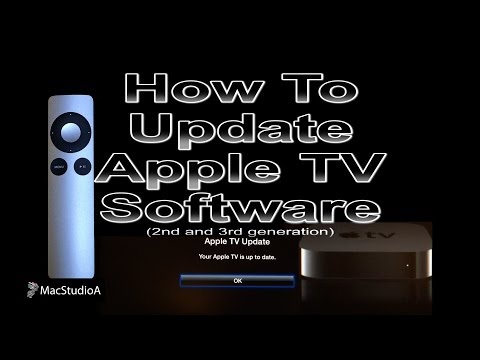
How To Update Apple TV Software
ChannelSerge SiouDescription from the creator
How To Update Apple TV 2nd and 3rd generation Software to version 6.1.1. Easy to follow Tutorial.
SUBSCRIBE For More Videos Like This:goo.gl/88PNgx
*Buy on Amazon*
(affiliate links):
My MAIN Camera: amzn.to/2OBWusS
External Dummy Battery for Camera: amzn.to/2RLgNGr
Backup Power Bank I use: amzn.to/2RLe8MX
ND Filter I use: amzn.to/2OyY8eI
The Camera Mic I use: amzn.to/2JRjK5s
My Lapel Mic: amzn.to/2JSE4mQ
Must have Gadget for Recording HDMI Output: amzn.to/2Dslv93
Get those crisp overhead shots with this tripod: amzn.to/2PIOcnV
Versatile Super Tripod Clamp: amzn.to/2DvXPk2
Mini Tripod I use: amzn.to/2PNePrx
My iPhone Tripod Mount: amzn.to/2DvD8Vh
LED Spot Lighting I use: amzn.to/2JSDZjd
LED Wide Angle Lighting: amzn.to/2Dvuu9w
My Scenery LED Kit: amzn.to/2DtVjKZ
My Storage Devices
(affiliate links):
For Video Editing SSD: amzn.to/2PMRhTD
USB 3.0 SSD External Enclosure I use: amzn.to/2DvDoUf
USB 3.0 Flash Drive I use: amzn.to/2SXu4wU
My High Speed Camera Card: amzn.to/2Fanhxe
External Storage Drive I use USB Version: amzn.to/2JUlWta
External Storage Drive Thunderbolt & USB Version: amzn.to/2RIZ82c
Recommended Gear
(affiliate links):
RAID Thunderbolt 3 External Hard Drive: amzn.to/2POl2Ul
2TB Thunderbolt and USB 3.0 Portable Hard Drive: amzn.to/2DvLX1u
4TB USB-C and USB 3.0 Portable Hard Drive: amzn.to/2JRzF3N
5TB Rugged Thunderbolt / USB-C Mobile Drive: amzn.to/2PNfzwP
Variable Friction Magic Arm: amzn.to/2qEhJ3S
Rode VideoMic Pro Plus: amzn.to/2yZ1Tp0
Follow me on:
instagram.com/sergesiou
twitter.com/SergeSiou
This is Series 1, Episode 2 of getting the best experience from an Apple TV 3rd, Generation.
To Watch Series 1 Episode 1: How To Setup Apple TV 3rd Generation Using 3 Setup Options
click the following link: youtu.be/NKqPcI4GCcE
Performed and Tested On Apple TV 3rd Generation
iOS 7
iPhone 5s,
iPad 3rd Generation
1080p Display
Ethernet Cable
Wi-Fi
HDMI Cable
iTunes
SUBSCRIBE For More Videos Like This:goo.gl/88PNgx
*Buy on Amazon*
(affiliate links):
My MAIN Camera: amzn.to/2OBWusS
External Dummy Battery for Camera: amzn.to/2RLgNGr
Backup Power Bank I use: amzn.to/2RLe8MX
ND Filter I use: amzn.to/2OyY8eI
The Camera Mic I use: amzn.to/2JRjK5s
My Lapel Mic: amzn.to/2JSE4mQ
Must have Gadget for Recording HDMI Output: amzn.to/2Dslv93
Get those crisp overhead shots with this tripod: amzn.to/2PIOcnV
Versatile Super Tripod Clamp: amzn.to/2DvXPk2
Mini Tripod I use: amzn.to/2PNePrx
My iPhone Tripod Mount: amzn.to/2DvD8Vh
LED Spot Lighting I use: amzn.to/2JSDZjd
LED Wide Angle Lighting: amzn.to/2Dvuu9w
My Scenery LED Kit: amzn.to/2DtVjKZ
My Storage Devices
(affiliate links):
For Video Editing SSD: amzn.to/2PMRhTD
USB 3.0 SSD External Enclosure I use: amzn.to/2DvDoUf
USB 3.0 Flash Drive I use: amzn.to/2SXu4wU
My High Speed Camera Card: amzn.to/2Fanhxe
External Storage Drive I use USB Version: amzn.to/2JUlWta
External Storage Drive Thunderbolt & USB Version: amzn.to/2RIZ82c
Recommended Gear
(affiliate links):
RAID Thunderbolt 3 External Hard Drive: amzn.to/2POl2Ul
2TB Thunderbolt and USB 3.0 Portable Hard Drive: amzn.to/2DvLX1u
4TB USB-C and USB 3.0 Portable Hard Drive: amzn.to/2JRzF3N
5TB Rugged Thunderbolt / USB-C Mobile Drive: amzn.to/2PNfzwP
Variable Friction Magic Arm: amzn.to/2qEhJ3S
Rode VideoMic Pro Plus: amzn.to/2yZ1Tp0
Follow me on:
instagram.com/sergesiou
twitter.com/SergeSiou
This is Series 1, Episode 2 of getting the best experience from an Apple TV 3rd, Generation.
To Watch Series 1 Episode 1: How To Setup Apple TV 3rd Generation Using 3 Setup Options
click the following link: youtu.be/NKqPcI4GCcE
Performed and Tested On Apple TV 3rd Generation
iOS 7
iPhone 5s,
iPad 3rd Generation
1080p Display
Ethernet Cable
Wi-Fi
HDMI Cable
iTunes
About this tutorial
Serge Siou published this 2:08 video tutorial on October 29, 2014. It has been watched 68,538 times on YouTube.
- Channel
- Serge Siou
- Category
- Science & Technology
- Duration
- 2:08
- Published
- October 29, 2014
- Views
- 68,538
- Likes
- 229
Tags
Share
This tutorial in other languages
- FRComment mettre à jour Apple TV Software
- ESCómo actualizar el software del Apple TV
- PTComo Apple Software Update TV
- ITCome aggiornare il software Apple TV
- DEWie Aktualisieren von Apple TV Software
- NLHoe updaten Apple TV-software
- RUКак обновить программное обеспечение Apple, TV
- PLJak zaktualizować oprogramowanie Apple TV
- JAどのように更新してApple TVのソフトウェア
- ARكيفية تحديث البرامج آبل
- HIकैसे करने के लिए एप्पल टी वी सॉफ़्टवेयर अद्यतन
- IDCara Update Software Apple TV