Playback starts YouTube’s embedded player (privacy-enhanced mode).
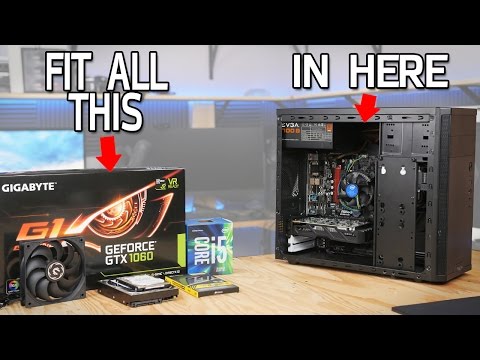
How To Upgrade A Computer
ChannelPaul's HardwareDescription from the creator
How To Upgrade A Computer - from $500 to $750
Memory: 3:50 | Fan: 5:37 | GPU: 8:45 | HDD: 10:20 | CPU: 15:11
PARTS LIST - bit.ly/2dB8Aq2
Intel Core i5-6500 3.2GHz Quad-Core Processor - amzn.to/2dAytDK
ASRock B150M-HDV Micro ATX LGA1151 Motherboard - amzn.to/2bNnR0h
Corsair Vengeance LPX 16GB (2x8GB) DDR4 DRAM 2666MHz - amzn.to/2efT7re
PSU - EVGA 450W 80+ Bronze ATX Power Supply - amzn.to/2bNoQ0r
GPU - GTX 1060 6GB, Choose From Filter or use this Zotac Mini: amzn.to/2dAz8Fb
Fractal Design Core 1100 MicroATX Case - amzn.to/2aCc1VM
A-Data Premier SP550 240GB 2.5" Solid State Drive - amzn.to/2bNoeYK
HDD - salvage used, or choose form parametric filter
Kingwin 120mm Case Fan - amzn.to/2dJCZ1k
HOW TO BUILD A $500 GAMING PC - youtube.com/watch?v=XQEwQ-sRUZU
▷ MY STORE - shirts, mugs, pint glasses & hoodies
store.paulshardware.net
▷ SOCIAL
Twitter: @paulhardware
twitter.com/paulhardware
Facebook:
facebook.com/pages/Pauls-Hardware/1954258773295…
Instagram:
instagram.com/paulhardware
► Edited by Joe Aguilar - ShaostylePostProductions
facebook.com/ShaostylePostProductions/
Music by Kevin MacLeod
Audio file(s) provided by AudioMicro
www.audiomicro.com
Memory: 3:50 | Fan: 5:37 | GPU: 8:45 | HDD: 10:20 | CPU: 15:11
PARTS LIST - bit.ly/2dB8Aq2
Intel Core i5-6500 3.2GHz Quad-Core Processor - amzn.to/2dAytDK
ASRock B150M-HDV Micro ATX LGA1151 Motherboard - amzn.to/2bNnR0h
Corsair Vengeance LPX 16GB (2x8GB) DDR4 DRAM 2666MHz - amzn.to/2efT7re
PSU - EVGA 450W 80+ Bronze ATX Power Supply - amzn.to/2bNoQ0r
GPU - GTX 1060 6GB, Choose From Filter or use this Zotac Mini: amzn.to/2dAz8Fb
Fractal Design Core 1100 MicroATX Case - amzn.to/2aCc1VM
A-Data Premier SP550 240GB 2.5" Solid State Drive - amzn.to/2bNoeYK
HDD - salvage used, or choose form parametric filter
Kingwin 120mm Case Fan - amzn.to/2dJCZ1k
HOW TO BUILD A $500 GAMING PC - youtube.com/watch?v=XQEwQ-sRUZU
▷ MY STORE - shirts, mugs, pint glasses & hoodies
store.paulshardware.net
▷ SOCIAL
Twitter: @paulhardware
twitter.com/paulhardware
Facebook:
facebook.com/pages/Pauls-Hardware/1954258773295…
Instagram:
instagram.com/paulhardware
► Edited by Joe Aguilar - ShaostylePostProductions
facebook.com/ShaostylePostProductions/
Music by Kevin MacLeod
Audio file(s) provided by AudioMicro
www.audiomicro.com
About this tutorial
Paul's Hardware published this 25:39 video tutorial on November 8, 2016. It has been watched 1,068,894 times on YouTube.
- Channel
- Paul's Hardware
- Category
- Science & Technology
- Duration
- 25:39
- Published
- November 8, 2016
- Views
- 1,068,894
- Likes
- 17,152
Tags
Share
This tutorial in other languages
- FRComment faire pour mettre à niveau un ordinateur
- ESCómo actualizar un ordenador
- PTComo atualizar um computador
- ITCome per aggiornare un computer
- DEWie aktualisiere Computer
- NLHow To Een upgrade van een computer
- RUКак обновить компьютер
- PLJak uaktualnienia komputera
- JAAコンピュータをアップグレードする方法
- ARكيفية ترقية جهاز كمبيوتر
- HIअपग्रेड करने का तरीका एक कंप्यूटर
- IDCara Upgrade A Komputer