Playback starts YouTube’s embedded player (privacy-enhanced mode).
How To Use MacOS Disk Utility To Create Delete Merge Resize Hard Disk Partition Without Losing Data
ChannelHikmat E UstadChapters
Description from the creator
Use Mac Disk Utility To Safely Resize System Volume (Startup Volume/ Startup Disk) Partition On Mac OS. Safely Create Delete Merge And Resize Hard/Disk Drive Partition Without Losing Data Using MacOS/Mac OS Disk Utility In Catalina. Check Your Disk For Errors Using First Aid.
Sit back and relax while I show you all the above steps in one single video.
Learn the partition rules and avoid gotchas.
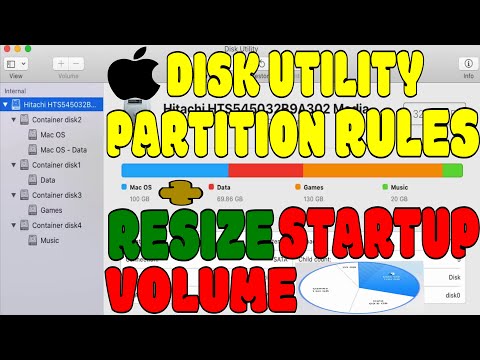
Partition Rules
Enlarging a partition requires that the partition coming after it be deleted.
Reducing the size of a partition will cause a new partition to be created directly behind the partition you’re reducing. This new partition will be sized to fill the available space.
Deleting a partition will cause the freed up space to be added to the partition that precedes it.
The last partition cannot be enlarged, though it can be deleted
The first partition cannot be deleted.
If you found this video useful and want to support my work, you can buy me a coffee!☕️
buymeacoffee.com/hikmateustad
Follow And Support Me
odysee.com/$/invite/@hikmateustad:b
My Channel
youtube.com/channel/UCi_6--KS6qRmOn5bNQsxLNw?su…
====================================================================
Track: In the Void
Music provided by YouTube Audio Library
====================================================================
Timestamps
0:00 Mac OS Disk Utility Partition First Aid Demonstration
1:10 Startup Disk Volume Inspection Using Disk Utility
1:45 Startup Disk Volume Resizing Gotcha
2:13 Mac OS Disk Partition Rules
2:55 Mac OS Resize Startup Disk Volume - Create Partition
4:20 Mac OS Disk Structure Explained. Volume and Containers
4:54 Run Disk Utility First Aid To Check Mac OS Catalina Installation
6:40 Partition Inspection In Mac Finder
7:30 Resize Enlarge A Mac Partition
7:53 Deleting A Mac Partition
8:08 Deleting The Last Partition
8:20 Fixing The Resizing Gotcha With Disk Utility
Linux Command Line On Windows
youtu.be/qUyt7V1NVvg
Install macOS VM On macOS
youtu.be/nTBTWbpOokI
Install Windows 11 On VirtualBox On macOS
youtu.be/q0-RqW_LcDo
Install VirtualBox And VirtualBox Extension Pack On Mac
youtu.be/f_TyaD_Aya4
Install Windows 10 VM On Mac
youtu.be/kyoU6blrEto
Install Windows 11 VM On Linux
youtu.be/q76BqwHb7JQ
Install QEMU On Windows Correctly
youtu.be/cJzBHXZWxy4
Build Your Own Custom Windows 11 ISO To Cut The Crap
youtu.be/sTK-_YOfx5k
Install Visual Studio 2022 On A Windows 11 Virtual Machine
youtu.be/pz2Hov1JTsU
Run macOS Big Sur VM On Linux
youtu.be/c30RLycIpVY
Run macOS Monterey VM On Linux
youtu.be/6Yz0uZKK3SQ
Improvements and Fixes For macOS Monterey On Linux
youtu.be/y70dYsh8TLs
Dual Boot macOS and Linux
youtu.be/GuhoXFfeblc
How To Install And Use QEMU On macOS
youtu.be/EZ56AdVO2Mc
Thank you for your continued patronage.
Follow And Support Me
odysee.com/$/invite/@hikmateustad:b
My Channel
youtube.com/c/HikmatEUstad?sub_confirmation=1
Sit back and relax while I show you all the above steps in one single video.
Learn the partition rules and avoid gotchas.
Partition Rules
Enlarging a partition requires that the partition coming after it be deleted.
Reducing the size of a partition will cause a new partition to be created directly behind the partition you’re reducing. This new partition will be sized to fill the available space.
Deleting a partition will cause the freed up space to be added to the partition that precedes it.
The last partition cannot be enlarged, though it can be deleted
The first partition cannot be deleted.
If you found this video useful and want to support my work, you can buy me a coffee!☕️
buymeacoffee.com/hikmateustad
Follow And Support Me
odysee.com/$/invite/@hikmateustad:b
My Channel
youtube.com/channel/UCi_6--KS6qRmOn5bNQsxLNw?su…
====================================================================
Track: In the Void
Music provided by YouTube Audio Library
====================================================================
Timestamps
0:00 Mac OS Disk Utility Partition First Aid Demonstration
1:10 Startup Disk Volume Inspection Using Disk Utility
1:45 Startup Disk Volume Resizing Gotcha
2:13 Mac OS Disk Partition Rules
2:55 Mac OS Resize Startup Disk Volume - Create Partition
4:20 Mac OS Disk Structure Explained. Volume and Containers
4:54 Run Disk Utility First Aid To Check Mac OS Catalina Installation
6:40 Partition Inspection In Mac Finder
7:30 Resize Enlarge A Mac Partition
7:53 Deleting A Mac Partition
8:08 Deleting The Last Partition
8:20 Fixing The Resizing Gotcha With Disk Utility
Linux Command Line On Windows
youtu.be/qUyt7V1NVvg
Install macOS VM On macOS
youtu.be/nTBTWbpOokI
Install Windows 11 On VirtualBox On macOS
youtu.be/q0-RqW_LcDo
Install VirtualBox And VirtualBox Extension Pack On Mac
youtu.be/f_TyaD_Aya4
Install Windows 10 VM On Mac
youtu.be/kyoU6blrEto
Install Windows 11 VM On Linux
youtu.be/q76BqwHb7JQ
Install QEMU On Windows Correctly
youtu.be/cJzBHXZWxy4
Build Your Own Custom Windows 11 ISO To Cut The Crap
youtu.be/sTK-_YOfx5k
Install Visual Studio 2022 On A Windows 11 Virtual Machine
youtu.be/pz2Hov1JTsU
Run macOS Big Sur VM On Linux
youtu.be/c30RLycIpVY
Run macOS Monterey VM On Linux
youtu.be/6Yz0uZKK3SQ
Improvements and Fixes For macOS Monterey On Linux
youtu.be/y70dYsh8TLs
Dual Boot macOS and Linux
youtu.be/GuhoXFfeblc
How To Install And Use QEMU On macOS
youtu.be/EZ56AdVO2Mc
Thank you for your continued patronage.
Follow And Support Me
odysee.com/$/invite/@hikmateustad:b
My Channel
youtube.com/c/HikmatEUstad?sub_confirmation=1
About this tutorial
Hikmat E Ustad published this 11:05 video tutorial on October 5, 2020. It has been watched 66,517 times on YouTube.
- Channel
- Hikmat E Ustad
- Category
- Science & Technology
- Duration
- 11:05
- Published
- October 5, 2020
- Views
- 66,517
- Likes
- 395
Tags
Share
This tutorial in other languages
- FRComment faire pour utiliser l'utilitaire de disque MacOS Pour créer Supprimer Merge Redimensionner dur la partition du disque sans perdre de données
- ESCómo utilizar MacOS disco de utilidad para crear Combinar Eliminar Redimensionar la partición del disco duro sin perder datos
- PTComo usar MacOS Disk Utility Para criar Apagar Fundir Partição Redimensionar disco rígido sem perder dados
- ITCome usare MacOS Disk Utility per creare Cancella Unisci ridimensionamento delle partizioni del disco rigido senza perdere i dati
- DEWie zu verwenden MacOS Disk Utility Erstellen Löschen Merge Resize Festplattenpartition ohne Datenverlust
- NLHoe te gebruiken MacOS Disk Utility te creëren Delete Merge grootte van de harde schijf partitie zonder verlies van gegevens
- RUКак использовать MacOS Disk Utility создать Удалить Объединить Изменение размера разделов жесткого диска без потери данных
- PLJak używać MacOS Disk Utility Tworzenie Delete Merge Resize partycji twardego dysku bez utraty danych
- JAどのようにするために使用するMacOSのディスクユーティリティは、データを失うことなく、DELETE、MERGEリサイズハードディスクのパーティションを作成するには
- ARكيفية استخدام ماك القرص الأداة المساعدة لإنشاء دمج حذف التقسيم تغيير حجم القرص الصلب دون فقدان البيانات
- HIकैसे करने के लिए उपयोग MacOS डिस्क उपयोगिता के लिए डेटा खोए बिना हटाएँ मर्ज आकार हार्ड डिस्क विभाजन बनाएं
- IDCara Gunakan MacOS Disk Utility Untuk Membuat Hapus Gabung Resize Hard Disk Partition Tanpa Kehilangan Data