Playback starts YouTube’s embedded player (privacy-enhanced mode).
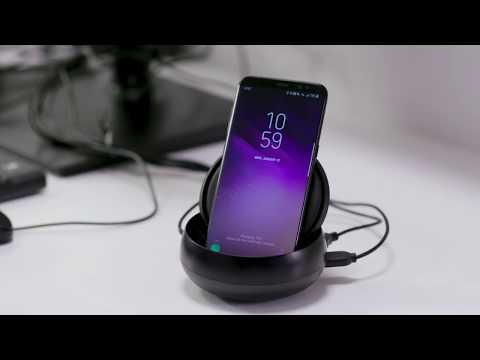
How to use Samsung DeX Station
ChannelTIZEN IndonesiaDescription from the creator
The Samsung DeX Station enables you to turn your Galaxy Note9, Galaxy S9, Galaxy S9+, Galaxy Note8, Galaxy S8 or Galaxy S8+ into a true desktop PC experience. By docking the Galaxy Note9, Galaxy S9, Galaxy S9+, Galaxy Note8, Galaxy S8 or Galaxy S8+ into the DeX Station, your phone will launch a special DeX mode on the connected external monitor and applications can be opened in multiple separate windows. Connect a mouse, keyboard, and Ethernet cable for added productivity.
Open your app tray and launch that Android app on the big screen. View and share pictures on a large display or launch a map to find directions.
Samsung DeX Station comes with two USB-A 2.0, a LAN Ethernet , an HDMI output, and a USB-C charging port.
When there is heavy duty work, you can always launch a virtual desktop application to mirror and control your desktop computer on your Galaxy Note9, Galaxy S9, Galaxy S9+, Galaxy Note8, Galaxy S8 or Galaxy S8+.
When docked in DeX Station, your Galaxy Note9, Galaxy S9, Galaxy S9+, Galaxy Note8, Galaxy S8 or Galaxy S8+ will charge via USB-C and stay cool with a built-in fan, all while powering your desktop experience.
Open your app tray and launch that Android app on the big screen. View and share pictures on a large display or launch a map to find directions.
Samsung DeX Station comes with two USB-A 2.0, a LAN Ethernet , an HDMI output, and a USB-C charging port.
When there is heavy duty work, you can always launch a virtual desktop application to mirror and control your desktop computer on your Galaxy Note9, Galaxy S9, Galaxy S9+, Galaxy Note8, Galaxy S8 or Galaxy S8+.
When docked in DeX Station, your Galaxy Note9, Galaxy S9, Galaxy S9+, Galaxy Note8, Galaxy S8 or Galaxy S8+ will charge via USB-C and stay cool with a built-in fan, all while powering your desktop experience.
About this tutorial
TIZEN Indonesia published this 3:51 video tutorial on October 28, 2018. It has been watched 73,004 times on YouTube.
- Channel
- TIZEN Indonesia
- Category
- Science & Technology
- Duration
- 3:51
- Published
- October 28, 2018
- Views
- 73,004
- Likes
- 200
Tags
Share
This tutorial in other languages
- FRComment utiliser Samsung DeX station
- ESCómo utilizar la estación de DeX Samsung
- PTComo usar DeX Station Samsung
- ITCome utilizzare Samsung Station Dex
- DEWie verwenden Samsung DeX-Station
- NLHoe kan Samsung DeX Station gebruiken
- RUКак использовать DEX станции Samsung
- PLJak korzystać Dex Station Samsung
- JAサムスンDEXステーションを使用する方法
- ARكيفية استخدام محطة سامسونج التنفيذ المباشر
- HIसैमसंग डेक्स स्टेशन का उपयोग कैसे करें
- IDCara menggunakan Samsung dex Station