Playback starts YouTube’s embedded player (privacy-enhanced mode).
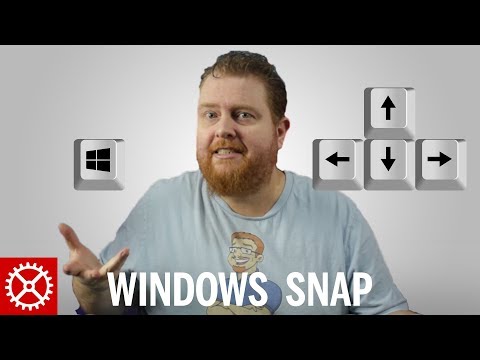
How To Use the Windows Snap Feature in Windows 10
ChannelTechWizTimeDescription from the creator
Snippity Snap! Get more out of Windows 10 with windows snap! Learn the moves with only a few key strokes.Make sure your subscribe to this channel for new videos each week: youtube.com/TechWizTime?sub_confirmation=1
Grab Windows 10 64-Bit from Amazon here: u2b.re/a/rxoWsw or eBay here: u2b.re/e/FxhQqS
Window Snap was first introduced in in Windows 7 as Aero Snap, but got an overhaul in Windows 8 and Windows 8.1. Fast forward to Microsoft Windows 10 and we see the feature that started as a way to be more productive on tablets become a major feature of the new windows.
The Windows snap feature is something that I use everyday in this video I show you a few different ways of achieving a more productive workflow in Windows 10. Let's get snapping :)
YouTuber ShoutOut
================
** EPOSVOX **
Creates videos on tutorials and technology!
youtube.com/channel/UCRBHiacaQb5S70pljtJYB2g
Editor: Kim Groth
🕛 NEW YouTube videos every Monday and Friday🕛
💛 Get your FREE 30 day trial to Amazon PRIME ► geni.us/BocqBQ5
👁️🗨️ What to WATCH NEXT in 2019? 👁️🗨️
1️⃣ PC Builds ► bit.ly/2YrXQ3a
2️⃣ Raspberry Pi ► bit.ly/2ZDpg2L
3️⃣ Synology NAS ► bit.ly/2sLeRF4
💯 Consider SUPPORTING TechWizTime 💯
💗 Patreon ► bit.ly/2YvrEMy
💗 Buy me a Coffee ► bit.ly/2MIj85D
💗 Translate our Videos ► bit.ly/2Mu65W1
💬 FOLLOW TechWizTime 💬
🔔 YouTube ► bit.ly/31raah5
🔔 Twitter ► twitter.com/TechWizTime
🔔 Website ► techwiztime.com
💟 Affiliate & Sponsor Links 💟
🈹 Amazon ► geni.us/Kb0E
🈹 BangGood ► bit.ly/31qOp1g
🈹 PIA VPN ► bit.ly/2YQL2ia
🈹 TubeBuddy ► bit.ly/2M4ON1A
⛔Please send business, marketing and sponsorship emails to ⛔
[email protected]
DISCLAIMER
This video is for educational purposes only. TechWizTime assumes no liability for damage, misuse or misunderstanding of the information contained in this video. Information is provided at your own risk.TechWizTime cannot guarantee any particular result from the information contained in this video, and all information was presented as correct as of filming. TechWizTime accepts no liability for information being proven incorrect after the creation of the video, and all information should be taken as opinion and guidance, not fact.
Some of these links have an affiliate code. If you purchase anything with these links, I will receive a small commission at no additional cost to you. Thank you!
Video © TechWizTime 2014 - 2019. All Rights Reserved.
#techwiztime
Grab Windows 10 64-Bit from Amazon here: u2b.re/a/rxoWsw or eBay here: u2b.re/e/FxhQqS
Window Snap was first introduced in in Windows 7 as Aero Snap, but got an overhaul in Windows 8 and Windows 8.1. Fast forward to Microsoft Windows 10 and we see the feature that started as a way to be more productive on tablets become a major feature of the new windows.
The Windows snap feature is something that I use everyday in this video I show you a few different ways of achieving a more productive workflow in Windows 10. Let's get snapping :)
YouTuber ShoutOut
================
** EPOSVOX **
Creates videos on tutorials and technology!
youtube.com/channel/UCRBHiacaQb5S70pljtJYB2g
Editor: Kim Groth
🕛 NEW YouTube videos every Monday and Friday🕛
💛 Get your FREE 30 day trial to Amazon PRIME ► geni.us/BocqBQ5
👁️🗨️ What to WATCH NEXT in 2019? 👁️🗨️
1️⃣ PC Builds ► bit.ly/2YrXQ3a
2️⃣ Raspberry Pi ► bit.ly/2ZDpg2L
3️⃣ Synology NAS ► bit.ly/2sLeRF4
💯 Consider SUPPORTING TechWizTime 💯
💗 Patreon ► bit.ly/2YvrEMy
💗 Buy me a Coffee ► bit.ly/2MIj85D
💗 Translate our Videos ► bit.ly/2Mu65W1
💬 FOLLOW TechWizTime 💬
🔔 YouTube ► bit.ly/31raah5
🔔 Twitter ► twitter.com/TechWizTime
🔔 Website ► techwiztime.com
💟 Affiliate & Sponsor Links 💟
🈹 Amazon ► geni.us/Kb0E
🈹 BangGood ► bit.ly/31qOp1g
🈹 PIA VPN ► bit.ly/2YQL2ia
🈹 TubeBuddy ► bit.ly/2M4ON1A
⛔Please send business, marketing and sponsorship emails to ⛔
[email protected]
DISCLAIMER
This video is for educational purposes only. TechWizTime assumes no liability for damage, misuse or misunderstanding of the information contained in this video. Information is provided at your own risk.TechWizTime cannot guarantee any particular result from the information contained in this video, and all information was presented as correct as of filming. TechWizTime accepts no liability for information being proven incorrect after the creation of the video, and all information should be taken as opinion and guidance, not fact.
Some of these links have an affiliate code. If you purchase anything with these links, I will receive a small commission at no additional cost to you. Thank you!
Video © TechWizTime 2014 - 2019. All Rights Reserved.
#techwiztime
About this tutorial
TechWizTime published this 4:10 video tutorial on November 9, 2016. It has been watched 31,316 times on YouTube.
- Channel
- TechWizTime
- Category
- Science & Technology
- Duration
- 4:10
- Published
- November 9, 2016
- Views
- 31,316
- Likes
- 806
Tags
Share
This tutorial in other languages
- FRComment faire pour utiliser la fonction Aligner de Windows dans Windows 10
- ESCómo utilizar la característica de Windows Snap en Windows 10
- PTComo usar o recurso Windows snap no Windows 10
- ITCome utilizzare la funzionalità Windows Snap in Windows 10
- DEWie man die Windows-Snap-Funktion in Windows 10 verwenden
- NLHoe gebruik je de Windows Snap-functie in Windows 10
- RUКак использовать функцию Windows, оснастку в Windows 10
- PLJak korzystać z funkcji systemu Windows w systemie Windows 10 Snap
- JAWindowsの10でWindowsのスナップ機能の使用方法
- ARكيفية استخدام ميزة ويندوز المفاجئة في نظام التشغيل Windows 10
- HIकैसे Windows 10 में Windows स्नैप सुविधा का उपयोग करने
- IDBagaimana Menggunakan fitur Windows Snap di Windows 10