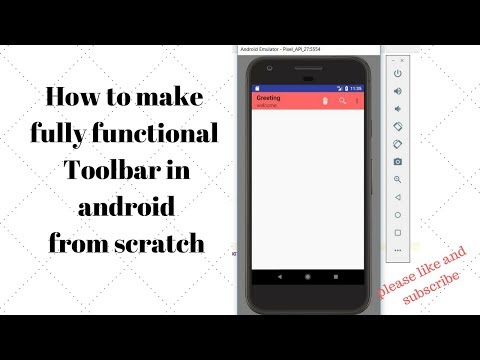
Playback starts YouTube’s embedded player (privacy-enhanced mode).
How to use Toolbar in android as Actionbar ||with icon and search button || android material design
ChannelSagar RanaDescription from the creator
drive.google.com/open?id=1z7k6cXEqdY-CBhC7xD5Ey…
If you feel any trouble and problem please comment
In this tutorial, we are making functional toolbar using application icon, overflow menu pop menu and onclick button as well item clicked functionality. We will show to use icon on app.
Step:
This Android Tutorial shows you an example of ToolBar in Android by letting you specify the ToolBar as the default ActionBar or App Bar inside your app using the setSupportActionBar method inside your Activity. You need to use a Theme.AppCompat.NoActionBar or Theme.AppCompat.Light.NoActionBar to prevent the default action bar from displaying.Here we are implementating the toolbar in android studio hence it is about toolbar tutorial.android studio action bar tutorial
Toolbar in android Toolbar in android studio
actionbar vs toolbar toolbar tutorial in android actiobar tutorial in android implementation of toolbar as action bar.
toolbar amdroid material design action bar.
toolbar in android app how to use toolbar in android app app bar .
appbar app bar in android tutorial
Keyword:
Toolbar tutorial,android toolbar example,toolbar android,android tutorial for beginners,android tutorials,android
"android toolbar","toolbar example","tool bar","actionbar","action bar","material design toolbar",
,android material design tutorial,"Material Design"
About this tutorial
Sagar Rana published this 20:43 video tutorial on October 26, 2018. It has been watched 55,654 times on YouTube.
- Channel
- Sagar Rana
- Category
- Science & Technology
- Duration
- 20:43
- Published
- October 26, 2018
- Views
- 55,654
- Likes
- 407
Tags
Share
Further reading
-
ToolBar Tutorial With Example In Android Studio | Android ...
abhiandroid.com
Toolbar was introduced in Material Design in API level 21 (Android 5.0 i.e Lollipop). Material Design brings lot of new features in Android that changed a lot the visual design patterns regarding the designing of modern…
-
Android Toolbar Example: Using Toolbar in Your Application
simplifiedcoding.net
The toolbar was introduced from Android Lollipop when Material Design came into existence. Before Toolbar we were using ActionBar, the position of ActionBar was fix at the top of the screen. But in case of Toolbar, it i…
-
How to create custom actionbar in android?
tutorialspoint.com
Either we can use same action bar for all screen or we can change action bar for particular activity. This example demonstrate about how to create a custom action bar in Android. Step 1 − Create a new project in Android…
This tutorial in other languages
- FRComment utiliser la barre d'outils dans Android comme actionbar || avec l'icône et la recherche bouton || conception matériel android
- ESCómo utilizar la barra de herramientas en Android como actionbar || con el icono y el botón buscar || diseño de materiales androide
- PTComo usar a barra de ferramentas no android como ActionBar || com o ícone eo botão procurar || design de material de android
- ITCome utilizzare Google Toolbar in Android come ActionBar || con l'icona e il pulsante di ricerca || disegno materiale Android
- DEWie Toolbar in Android als ActionBar || mit Symbol verwendet wird und Knopf suchen || android-Material-Design
- NLHoe wordt Toolbar gebruiken in Android als Actionbar || met pictogram en zoekknop || android materiaalontwerp
- RUКак использовать панель инструментов в Android, как ActionBar || с иконкой и кнопки поиска || андроид материал дизайн
- PLJak korzystać z paska narzędzi w android jak Actionbar || przycisk z ikoną i szukać || android projektowania materiałów
- JAアイコンとアクションバー||としてアンドロイドでツールバーを使用し、ボタンを検索する方法|| Androidの材料設計
- ARكيفية استخدام شريط أدوات في الروبوت كما Actionbar || مع رمز وزر بحث || تصميم المادي الروبوت
- HIआइकन के साथ Actionbar के रूप में एंड्रॉयड में || टूलबार का उपयोग और खोज बटन कैसे || एंड्रॉयड सामग्री डिजाइन
- IDCara menggunakan Toolbar di android sebagai Actionbar || dengan ikon dan tombol pencarian || desain material android