Playback starts YouTube’s embedded player (privacy-enhanced mode).
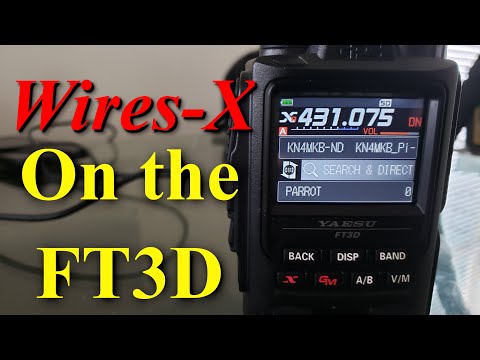
How to use Wires-X on the FT3D and C4FM (System Fusion)
ChannelModernHamDescription from the creator
After covering APRS on the ft-3dr, someone asked about the red "x" button on the radio.
So today we are covering wires x, or the Wide-Coverage Internet Repeater Enhancement system ability on the ft3dr in detail. WiresX allows users to connect repeaters to other repeaters using rooms and nodes. C4FM allows stations to transmit and receive crystal clear quality audio, as well as their callsign and GPS location in text form.
The Yaesu Ft3dr supports this feature, and many other, so this video aims to get into the details of configuring it, and making it work.
Wires-X enabled Repeaters:
yaesu.com/jp/en/wires-x/id/active_node.php
If you like this content, make sure you hit the subscribe button, and the notification bell, so you will see my future videos. Uploads will go up on Monday and Fridays at 14:00 eastern time, and a live-stream will be held Sunday evenings.
Follow me on Twitter:
twitter.com/HamModern
Follow my Instagram:
instagram.com/modernham/
Make sure to check out my blog, and shop over at:
themodernham.com .
⚡ Join the ModernHams Discord: ⚡
discord.gg/EbP9dTMrTU
➡️Join this channel to get access to perks⬅️
youtube.com/channel/UCOe0_RzGUDm73XNtRozPfMw/jo…
So today we are covering wires x, or the Wide-Coverage Internet Repeater Enhancement system ability on the ft3dr in detail. WiresX allows users to connect repeaters to other repeaters using rooms and nodes. C4FM allows stations to transmit and receive crystal clear quality audio, as well as their callsign and GPS location in text form.
The Yaesu Ft3dr supports this feature, and many other, so this video aims to get into the details of configuring it, and making it work.
Wires-X enabled Repeaters:
yaesu.com/jp/en/wires-x/id/active_node.php
If you like this content, make sure you hit the subscribe button, and the notification bell, so you will see my future videos. Uploads will go up on Monday and Fridays at 14:00 eastern time, and a live-stream will be held Sunday evenings.
Follow me on Twitter:
twitter.com/HamModern
Follow my Instagram:
instagram.com/modernham/
Make sure to check out my blog, and shop over at:
themodernham.com .
⚡ Join the ModernHams Discord: ⚡
discord.gg/EbP9dTMrTU
➡️Join this channel to get access to perks⬅️
youtube.com/channel/UCOe0_RzGUDm73XNtRozPfMw/jo…
About this tutorial
ModernHam published this 13:58 video tutorial on April 29, 2020. It has been watched 82,919 times on YouTube.
- Channel
- ModernHam
- Category
- Science & Technology
- Duration
- 13:58
- Published
- April 29, 2020
- Views
- 82,919
- Likes
- 1,455
Tags
Share
This tutorial in other languages
- FRComment utiliser des fils-X sur la FT3D et MF4C (Fusion System)
- ESCómo utilizar cables-X en el FT3D y C4FM (Fusion System)
- PTComo usar Wires-X na FT3D e C4FM (Sistema de Fusão)
- ITCome usare Fili-X sul FT3D e C4FM (Sistema Fusion)
- DEWie man Wires-X auf der FT3D und C4FM (System Fusion) verwenden
- NLHoe wordt Wires-X te gebruiken op de FT3D en C4FM (System Fusion)
- RUКак использовать провода-X на FT3D и C4FM (система Fusion)
- PLJak stosować przewody-X na FT3D i C4FM (System Fusion)
- JAFT3DとC4FM(システムの融合)にワイヤ-Xの使い方
- ARكيفية استخدام أسلاك-X على FT3D وC4FM (نظام فيوجن)
- HIFT3D और C4FM (सिस्टम फ्यूजन) पर तारों एक्स का उपयोग कैसे करें
- IDCara menggunakan Kabel-X pada FT3D dan C4FM (Sistem Fusion)