Playback starts YouTube’s embedded player (privacy-enhanced mode).
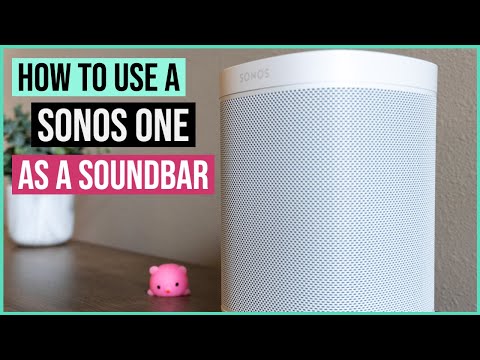
How to use your Sonos One as a Soundbar | Chris Huerta Reviews
ChannelChris HuertaDescription from the creator
Skip to 05:05 for step #1 :)
UPDATED TIME STAMPS
Long, verbose intro 0:00
Step 1 05:05
Step 2 05:19
Step 3 05:41
Things to consider 06:27
So I accidentally turned my #SonosOne into a #soundbar because I wasn't really looking for one. I had an old Sony soundbar that... okay, it sucked, but I still wasn't necessarily looking for one.
--GEAR--
Sony A6400: amzn.to/2XO7ThM
Rode VideoMicro: amzn.to/3bqOuHG
Blue Yeti USB Mic: amzn.to/3blEnUo
Metal thing to mount my mic on my camera and not get in the way of the flip screen (Small Rig): amzn.to/2z4rEaf
Tripod: amzn.to/2ROKk4B
Lights: amzn.to/2Vnqdg5
Artificial succulents (tech YouTuber must have): amzn.to/2z4rrUv
This Sonos replaced an old echo dot that I connected to the crappy Sony soundbar.
It was a gift from my younger brother and after having it for a few weeks I can say that I'm all in on Sonos. The sound quality is great and I love the idea of building out whole home audio on my own whenever I want.
I knew Sonos supported Air Play 2 and I know that Apple TV’s have Air Play. I just never thought of using them together.
The real reason has to do with Lord of the Rings. I haven’t watched Lord of The Rings. I know I know, roast me in the comments if you so please, but I hadn’t watched it. My wife finally convinced me to watch it one day before bed and we started the first movie on our Samsung TV in our bedroom. It looked great, but the sound was lacking and if you are a fan of lord of the rings, you know how much sound plays into the overall watching experience.
So, after falling asleep an hour into the movie, because I was tired and not because I was bored, we decided to pick the movie back up in the living room and as I was getting the Apple TV remote to connect, I held the play button and noticed the audio sources came up and my Living Room Sonos was an option! I selected it, went to the HBO Max app and played the movie and OH MY GOD IT MADE ALL THE DIFFERENCE.
How did I get my Sonos One to work as a soundbar with my 50 black friday LG TV? Here's what you need:
• A Sonos that supports AirPlay2. I have the Sonos One Gen2 but the Sonos One SL and some more expensive versions support it
• An Apple TV 4K
Quick note, even though some newer TVs have Air Play support, they can only receive content, not distribute it. I have a Samsung TV with Air Play 2 and wasn't able to pair it with my Sonos. Not a big deal, but something to note!
Step 1
• Make sure your Apple TV and Sonos are on the same wireless network. In my case, both my Sonos and TV are connected via ethernet.
Step 2
• Go to your Apple TV home screen and press + hold the play button on the Apple TV Remote. You’ll see your Sonos One available as an audio source in addition to any other AirPlay sources.
BONUS
• If you have AirPods, you can change watch TV using your AirPods. This has come in handy for me when I wake up early and want to catch in some Premier League. of course, it’s been a while since that happened. Now I just use it to watch TV without disturbing my wife if she’s working or on a call.
Step 3
• Select your Sonos(es) and hit the Menu button to exit
Step 4
• Head to your streaming service of choice and enjoy whatever it is you wanted to watch with a lot better audio!
Now you're ready to have a better TV viewing experience. A few things to note before we go:
• I don't use the Sonos every time I'm watching something on TV. Just when watching movies or sports (thank goodness PL is back)
• You might have to reconnect to your Sonos if your TV turns off. It won't go out while you're watching TV, but if you watch something, turn the TV off and come back, you might have to go through the set up process again. It's not than painful, but something to remember so you don't have to interrupt your tv session
• Volume control is interesting. I'm not sure if it's because of my TV, but when I adjust the volume using the Apple TV remote, it's only controlling my TV audio and not my Sonos audio. To adjust the Sonos audio, I either have to:
(1) Go back to the audio selection screen and adjust Sonos audio
(2)Get up and manually adjust the Sonos volume
(3) Open the Sonos controller app and adjust volume
It takes a second or two for the audio to come out from the Sonos. It's not that big of a deal and understandable since it's being done wirelessly. There was no lag between the audio and what I was watching
I also have a blog where I write about technology, finance, lifestyle and travel
itschrishuerta.com
Check out my YouTube Starter Kit!
kit.co/chrishuerta/my-youtube...
Follow me on the socials!
twitter: twitter.com/itschrishuerta
instagram: instagram.com/chrishuerta/
website: itschrishuerta.com
Music by Gil Wanders - Dreams - thmatc.co/?l=2B7B2597
Music by Reggie San Miguel - Daydream - thmatc.co/?l=279B7AA
UPDATED TIME STAMPS
Long, verbose intro 0:00
Step 1 05:05
Step 2 05:19
Step 3 05:41
Things to consider 06:27
So I accidentally turned my #SonosOne into a #soundbar because I wasn't really looking for one. I had an old Sony soundbar that... okay, it sucked, but I still wasn't necessarily looking for one.
--GEAR--
Sony A6400: amzn.to/2XO7ThM
Rode VideoMicro: amzn.to/3bqOuHG
Blue Yeti USB Mic: amzn.to/3blEnUo
Metal thing to mount my mic on my camera and not get in the way of the flip screen (Small Rig): amzn.to/2z4rEaf
Tripod: amzn.to/2ROKk4B
Lights: amzn.to/2Vnqdg5
Artificial succulents (tech YouTuber must have): amzn.to/2z4rrUv
This Sonos replaced an old echo dot that I connected to the crappy Sony soundbar.
It was a gift from my younger brother and after having it for a few weeks I can say that I'm all in on Sonos. The sound quality is great and I love the idea of building out whole home audio on my own whenever I want.
I knew Sonos supported Air Play 2 and I know that Apple TV’s have Air Play. I just never thought of using them together.
The real reason has to do with Lord of the Rings. I haven’t watched Lord of The Rings. I know I know, roast me in the comments if you so please, but I hadn’t watched it. My wife finally convinced me to watch it one day before bed and we started the first movie on our Samsung TV in our bedroom. It looked great, but the sound was lacking and if you are a fan of lord of the rings, you know how much sound plays into the overall watching experience.
So, after falling asleep an hour into the movie, because I was tired and not because I was bored, we decided to pick the movie back up in the living room and as I was getting the Apple TV remote to connect, I held the play button and noticed the audio sources came up and my Living Room Sonos was an option! I selected it, went to the HBO Max app and played the movie and OH MY GOD IT MADE ALL THE DIFFERENCE.
How did I get my Sonos One to work as a soundbar with my 50 black friday LG TV? Here's what you need:
• A Sonos that supports AirPlay2. I have the Sonos One Gen2 but the Sonos One SL and some more expensive versions support it
• An Apple TV 4K
Quick note, even though some newer TVs have Air Play support, they can only receive content, not distribute it. I have a Samsung TV with Air Play 2 and wasn't able to pair it with my Sonos. Not a big deal, but something to note!
Step 1
• Make sure your Apple TV and Sonos are on the same wireless network. In my case, both my Sonos and TV are connected via ethernet.
Step 2
• Go to your Apple TV home screen and press + hold the play button on the Apple TV Remote. You’ll see your Sonos One available as an audio source in addition to any other AirPlay sources.
BONUS
• If you have AirPods, you can change watch TV using your AirPods. This has come in handy for me when I wake up early and want to catch in some Premier League. of course, it’s been a while since that happened. Now I just use it to watch TV without disturbing my wife if she’s working or on a call.
Step 3
• Select your Sonos(es) and hit the Menu button to exit
Step 4
• Head to your streaming service of choice and enjoy whatever it is you wanted to watch with a lot better audio!
Now you're ready to have a better TV viewing experience. A few things to note before we go:
• I don't use the Sonos every time I'm watching something on TV. Just when watching movies or sports (thank goodness PL is back)
• You might have to reconnect to your Sonos if your TV turns off. It won't go out while you're watching TV, but if you watch something, turn the TV off and come back, you might have to go through the set up process again. It's not than painful, but something to remember so you don't have to interrupt your tv session
• Volume control is interesting. I'm not sure if it's because of my TV, but when I adjust the volume using the Apple TV remote, it's only controlling my TV audio and not my Sonos audio. To adjust the Sonos audio, I either have to:
(1) Go back to the audio selection screen and adjust Sonos audio
(2)Get up and manually adjust the Sonos volume
(3) Open the Sonos controller app and adjust volume
It takes a second or two for the audio to come out from the Sonos. It's not that big of a deal and understandable since it's being done wirelessly. There was no lag between the audio and what I was watching
I also have a blog where I write about technology, finance, lifestyle and travel
itschrishuerta.com
Check out my YouTube Starter Kit!
kit.co/chrishuerta/my-youtube...
Follow me on the socials!
twitter: twitter.com/itschrishuerta
instagram: instagram.com/chrishuerta/
website: itschrishuerta.com
Music by Gil Wanders - Dreams - thmatc.co/?l=2B7B2597
Music by Reggie San Miguel - Daydream - thmatc.co/?l=279B7AA
About this tutorial
Chris Huerta published this 10:09 video tutorial on June 29, 2020. It has been watched 162,423 times on YouTube.
- Channel
- Chris Huerta
- Category
- Science & Technology
- Duration
- 10:09
- Published
- June 29, 2020
- Views
- 162,423
- Likes
- 631
Tags
Share
This tutorial in other languages
- FRComment utiliser votre Sonos One comme Soundbar | Avis sur Chris Huerta
- ESCómo utilizar el Sonos Uno como una barra de sonido | Los comentarios de Chris Huerta
- PTComo usar o seu Sonos Um como um Soundbar | Chris Huerta Comentários
- ITCome utilizzare Sonos Uno come Soundbar | Chris Huerta Recensioni
- DEWie Ihr Sonos One als Soundbar verwenden | Chris Huerta Bewertungen
- NLHoe kunt u uw Sonos One als een Soundbar gebruiken | Reviews Chris Huerta
- RUКак использовать Sonos One в качестве Soundbar | Chris Huerta Отзывы
- PLJak korzystać z Sonos on jako Soundbar | Recenzje Chris Huerta
- JAサウンドバーのようにあなたのSonosのいずれかを使用する方法|クリス・ウエルタレビュー
- ARكيفية استخدام سونوس احد باعتباره مكبرات الصوت | كريس هويرتا التعليقات
- HIकैसे एक साउंड का के रूप में अपने Sonos एक का उपयोग करने के | क्रिस Huerta समीक्षा
- IDCara menggunakan Anda Sonos One sebagai Soundbar | Ulasan Chris Huerta