Playback starts YouTube’s embedded player (privacy-enhanced mode).
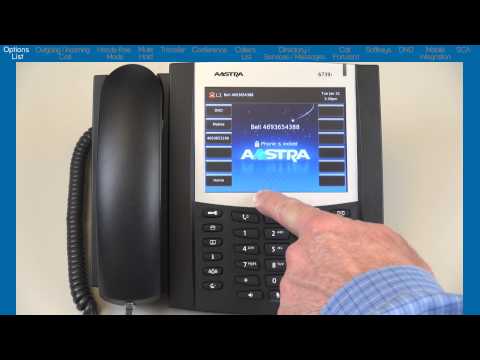
Mitel® 6739i Tutorial - End User Training and Features
ChannelMitel CloudDescription from the creator
This End User tutorial has been developed by Aastra in support of the Bell Total Connect -- Voice Service. This tutorial is for end-users wanting to customize and learn how to use the basic features on their Aastra 6739i phone. The demonstration goes through the Options List menus and shows how to customize your phone. The options include how to setup Ring Tones, LCD Contrast Levels, how the hands-free button works, Headset Microphone levels, how to find your IP Address and Password field. Then the video demonstrates basic features such as; how to Transfer a call, setup a Conference call, use the Callers List, Call Forward, Mobile Integration and more. For more information on the set up and use of your Aastra phone, please contact your company administrator. For additional information on the Bell Total Connect -- Voice Service, please contact your Bell Sales Representative. For general information about the phone, please visit: www.Aastra.com
About this tutorial
Mitel Cloud published this 21:11 video tutorial on October 30, 2013. It has been watched 1,358 times on YouTube.
- Channel
- Mitel Cloud
- Category
- Science & Technology
- Duration
- 21:11
- Published
- October 30, 2013
- Views
- 1,358
- Likes
- 2
Tags
Share
This tutorial in other languages
- FRMitel® 6739i Tutoriel - formation utilisateur et fonctionnalités
- ESMitel® 6739i Tutorial - Fin de formación de usuarios y Características
- PTMitel® 6739i Tutorial - Treinamento de usuário final e Características
- ITMitel® 6739i Tutorial - Fine formazione degli utenti e Caratteristiche
- DEMitel® 6739i Tutorial - Endbenutzer-Schulung und Funktionen
- NLMitel® 6739i Tutorial - Training voor eindgebruikers en functies
- RUMitel® 6739i Учебник - обучение пользователей и особенности
- PLMitel® 6739i Tutorial - End User Szkolenia i funkcje
- JAMitel®6739iチュートリアル - エンドユーザーのトレーニングと機能
- ARMitel® 6739i دروس - نهاية تدريب المستخدمين والميزات
- HIMitel® 6739i ट्यूटोरियल - अंतिम उपयोगकर्ता प्रशिक्षण और विशेषताएं
- IDMitel® 6739i Tutorial - Pengguna Akhir Pelatihan dan Fitur