Playback starts YouTube’s embedded player (privacy-enhanced mode).
Model an Egg Shape in SketchUp with Follow Me and Scale - SketchUp Quick Tutorials
ChannelTheSketchUpEssentialsDescription from the creator
PLEASE LIKE AND SUBSCRIBE
Model an Egg Shape in SketchUp with Follow Me and Scale - SketchUp Quick Tutorials
More SketchUp tutorials and resources at thesketchupessentials.com
Check Us Out On -
Twitter - twitter.com/easysketchup
Facebook - facebook.com/thesketchupessentials
Pinterest - pinterest.com/easysketchup/
------------------------------------------------------------------------------------------
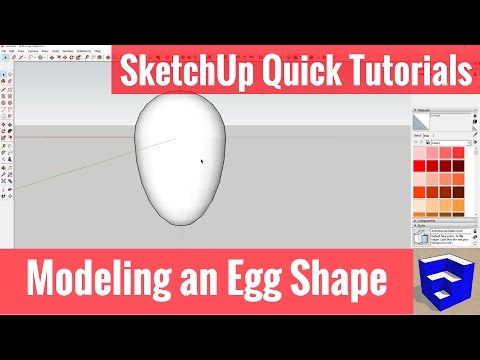
This week's SketchUp quick tutorial will teach you how to use SketchUp's native modeling tools to model an egg shape. You'll create an arc and extrude it using follow me, then create a copy and use the scale tool to create the form that you want. This is a quick, easy to follow tutorial that will have you modeling in minutes.
------------------------------------------------------------------------------
Model an Egg Shape in SketchUp with Follow Me and Scale - SketchUp Quick Tutorials
More SketchUp tutorials and resources at thesketchupessentials.com
Check Us Out On -
Twitter - twitter.com/easysketchup
Facebook - facebook.com/thesketchupessentials
Pinterest - pinterest.com/easysketchup/
------------------------------------------------------------------------------------------
This week's SketchUp quick tutorial will teach you how to use SketchUp's native modeling tools to model an egg shape. You'll create an arc and extrude it using follow me, then create a copy and use the scale tool to create the form that you want. This is a quick, easy to follow tutorial that will have you modeling in minutes.
------------------------------------------------------------------------------
About this tutorial
TheSketchUpEssentials published this 3:47 video tutorial on November 12, 2017. It has been watched 11,622 times on YouTube.
- Channel
- TheSketchUpEssentials
- Category
- Science & Technology
- Duration
- 3:47
- Published
- November 12, 2017
- Views
- 11,622
- Likes
- 170
Tags
Share
This tutorial in other languages
- FRModèle d'une forme d'oeuf dans SketchUp avec Suivez-moi et Scale - SketchUp Tutoriels rapides
- ESModelar una forma de huevo en SketchUp con Follow Me y Escala - SketchUp tutoriales rápidos
- PTModelar a forma de ovo no SketchUp com segue-me e Escala - SketchUp Tutoriais rápidos
- ITModellare una forma di uovo in SketchUp con Follow Me e Scala - SketchUp rapidi Esercitazioni
- DEModell eine Ei-Form in SketchUp mit Follow Me und Scale - SketchUp Schnell Tutorials
- NLModelleren een eivorm in SketchUp met Follow Me and Scale - SketchUp Quick Tutorials
- RUМодель яйцо Форма в SketchUp с Следуй за мной и Scale - SketchUp Быстрый Tutorials
- PLModelować kształt jajka w SketchUp z Follow Me i Scale - SketchUp Szybki Poradniki
- JASketchUpのクイックチュートリアル - フォローミーとスケールでSketchUpで卵形をモデル化
- ARنموذج لشكل البيض في SketchUp مع اتبعني ومقياس - سكتشب السريع دروس
- HIस्केचअप त्वरित ट्यूटोरियल - मैं और स्केल का पालन के साथ SketchUp में एक अंडा आकार मॉडल
- IDModel sebuah Shape Telur di SketchUp dengan Follow Me dan Skala - SketchUp Tutorial Cepat