Playback starts YouTube’s embedded player (privacy-enhanced mode).
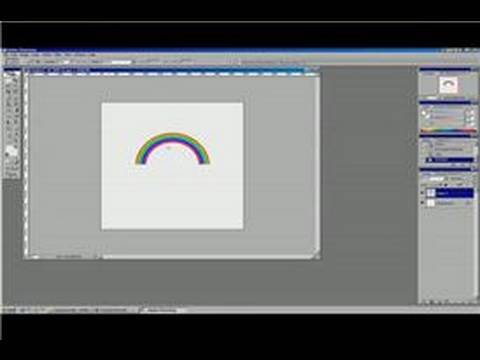
Photoshop Tutorial : How to Make a Rainbow in Photoshop
ChanneleHowTechDescription from the creator
In order to make a rainbow in Photoshop, start with a rectangle and fill it with a rainbow pattern that is found under "Paint Bucket." Find out how to create an arch to mimic the shape of a rainbow in Photoshop with help from a graphic and Web designer in this free video on Photoshop.
Expert: Nathaniel Jasper
Contact: www.itutor.biz
Bio: Nathaniel Jasper has a BA in graphic and Web design.
Filmmaker: Christian Munoz-Donoso
Expert: Nathaniel Jasper
Contact: www.itutor.biz
Bio: Nathaniel Jasper has a BA in graphic and Web design.
Filmmaker: Christian Munoz-Donoso
About this tutorial
eHowTech published this 4:10 video tutorial on November 11, 2009. It has been watched 51,212 times on YouTube.
- Channel
- eHowTech
- Category
- Science & Technology
- Duration
- 4:10
- Published
- November 11, 2009
- Views
- 51,212
- Likes
- 135
Tags
Share
This tutorial in other languages
- FRTutoriel Photoshop: Comment faire un arc-en dans Photoshop
- ESPhotoshop Tutorial: Cómo hacer un arco iris en Photoshop
- PTPhotoshop Tutorial: Como fazer um arco-íris no Photoshop
- ITPhotoshop Tutorial: Come fare un arcobaleno in Photoshop
- DEPhotoshop Tutorial: Wie man einen Regenbogen in Photoshop Machen
- NLPhotoshop Tutorial: Hoe maak je een regenboog maken in Photoshop
- RUPhotoshop Учебник: Как сделать радугу в фотошопе
- PLPhotoshop Tutorial: Jak zrobić tęczę w Photoshopie
- JAPhotoshopのチュートリアル:Photoshopで虹を作る方法
- ARدروس فوتوشوب: كيفية جعل قوس قزح في فوتوشوب
- HIफ़ोटोशॉप ट्यूटोरियल: कैसे Photoshop में एक इंद्रधनुष बनाने के लिए
- IDPhotoshop Tutorial: Cara Membuat Rainbow di Photoshop