Playback starts YouTube’s embedded player (privacy-enhanced mode).
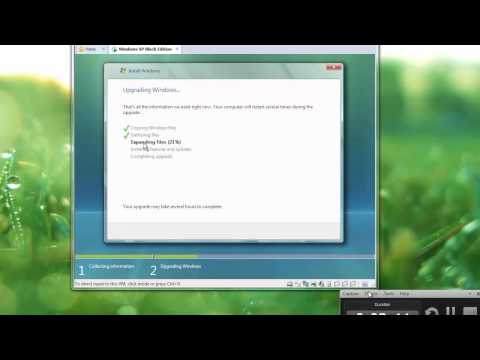
Tutorial: How to upgrade from Windows XP to Windows Vista (links updated as of May 2018)
ChannelWinClient5270Description from the creator
Hello. This video shows step by step on how to upgrade from Windows XP to Windows Vista. If you need any help, please feel free to comment or send me a private message. MUSIC NOT MADE BY ME AT ALL. I TAKE NO CREDIT FOR IT!
Song 1: Windows NTune by FalkorX on newgrounds
Song 2: The Windows Vista Sample Shuffle by PhonicUK on newgrounds.
All credit for songs goes to them, not me.
Link to All-in-One Vista ISO: hitnfind.com/operating-system-2/windows-vista-a…
------------------------------------------------------------------------------------------------------------------------------------
Requirements for Windows Vista:
Home Premium, Business, and Ultimate:
1-gigahertz (GHz) 32-bit (x86) processor or 1-GHz 64-bit (x64) processor
1 GB of system memory
128 MB of graphics memory (minimum)
40-GB hard disk that has 15 GB of free hard disk space (the 15GB of free space provides room for temporary file storage during the install or upgrade.)
Internal or external DVD drive
Windows Aero-capable graphics card
Home Basic or Starter (I recommend Home Basic if you have a low-end machine):
800-megahertz (MHz) 32-bit (x86) processor or 800-MHz 64-bit (x64) processor
512 megabytes (MB) of system memory
DirectX 9-class graphics card
32 MB of graphics memory
20-gigabyte (GB) hard disk that has 15 GB of free hard disk space
Not sure if your PC meets the system requirements? Here's how to check:
Open the Start menu, right click on My Computer, and select properties, and then your processor, clock speed (example, 1.5 ghz), and RAM (example, 2.0 GB) should be listed towards the bottom of the dialogue box. Then, comment here what you see there on your screen and I can further assist you from there.
How to check amount of hard drive space available:
Open the start menu and click on My Computer. Then, right click on your Windows XP drive (typically the C:\ drive labeled "Local Disk" typically) and click Properties in the drop-down menu. Then you should get a pie chart showing the amount of free & used space. Review the amount of free space, and there should be at least 15 GB free to upgrade to Windows Vista.
Don't have enough space?
Download Windows Vista Lite Edition: thepiratebay.se/torrent/3991864/Windows_Vista_H…
Windows XP and Windows Vista are trademarks of Microsoft Corporation.
Copyright (c) 2001, 2007 Microsoft Corporation
Song 1: Windows NTune by FalkorX on newgrounds
Song 2: The Windows Vista Sample Shuffle by PhonicUK on newgrounds.
All credit for songs goes to them, not me.
Link to All-in-One Vista ISO: hitnfind.com/operating-system-2/windows-vista-a…
------------------------------------------------------------------------------------------------------------------------------------
Requirements for Windows Vista:
Home Premium, Business, and Ultimate:
1-gigahertz (GHz) 32-bit (x86) processor or 1-GHz 64-bit (x64) processor
1 GB of system memory
128 MB of graphics memory (minimum)
40-GB hard disk that has 15 GB of free hard disk space (the 15GB of free space provides room for temporary file storage during the install or upgrade.)
Internal or external DVD drive
Windows Aero-capable graphics card
Home Basic or Starter (I recommend Home Basic if you have a low-end machine):
800-megahertz (MHz) 32-bit (x86) processor or 800-MHz 64-bit (x64) processor
512 megabytes (MB) of system memory
DirectX 9-class graphics card
32 MB of graphics memory
20-gigabyte (GB) hard disk that has 15 GB of free hard disk space
Not sure if your PC meets the system requirements? Here's how to check:
Open the Start menu, right click on My Computer, and select properties, and then your processor, clock speed (example, 1.5 ghz), and RAM (example, 2.0 GB) should be listed towards the bottom of the dialogue box. Then, comment here what you see there on your screen and I can further assist you from there.
How to check amount of hard drive space available:
Open the start menu and click on My Computer. Then, right click on your Windows XP drive (typically the C:\ drive labeled "Local Disk" typically) and click Properties in the drop-down menu. Then you should get a pie chart showing the amount of free & used space. Review the amount of free space, and there should be at least 15 GB free to upgrade to Windows Vista.
Don't have enough space?
Download Windows Vista Lite Edition: thepiratebay.se/torrent/3991864/Windows_Vista_H…
Windows XP and Windows Vista are trademarks of Microsoft Corporation.
Copyright (c) 2001, 2007 Microsoft Corporation
About this tutorial
WinClient5270 published this 5:39 video tutorial on October 31, 2014. It has been watched 104,208 times on YouTube.
- Channel
- WinClient5270
- Category
- Science & Technology
- Duration
- 5:39
- Published
- October 31, 2014
- Views
- 104,208
- Likes
- 621
Tags
Share
This tutorial in other languages
- FRTutoriel: Comment mettre à niveau de Windows XP vers Windows Vista (liens mis à jour en mai 2018)
- ESTutorial: Cómo actualizar desde Windows XP a Windows Vista (enlaces actualizados a mayo de 2018)
- PTTutorial: Como fazer o upgrade a partir do Windows XP para o Windows Vista (links atualizados a partir de maio 2018)
- ITTutorial: Come aggiornare da Windows XP a Windows Vista (link aggiornato al maggio 2018)
- DETutorial: Wie von Windows XP auf Windows Vista (Links aktualisiert Stand Mai 2018) aktualisieren
- NLTutorial: Hoe om te upgraden van Windows XP naar Windows Vista (links bijgewerkt met ingang van mei 2018)
- RUУчебник: Как обновить Windows XP до Windows Vista (ссылки обновлены по состоянию на май 2018 года)
- PLTutorial: Jak przejść z systemu Windows XP do systemu Windows Vista (linki aktualizowana od maja 2018)
- JAチュートリアル:どのようにWindowsのXPからWindows Vistaにアップグレードする(2018年5月のように更新リンク)
- ARالبرنامج التعليمي: كيفية الترقية من Windows XP إلى ويندوز فيستا (وصلات تجديد اعتبارا من مايو 2018)
- HIट्यूटोरियल: Windows XP से Windows Vista (लिंक मई 2018 के रूप में अद्यतन) को अपग्रेड करने का तरीका
- IDTutorial: Cara meng-upgrade dari Windows XP ke Windows Vista (link diperbarui dari Mei 2018)