Playback starts YouTube’s embedded player (privacy-enhanced mode).
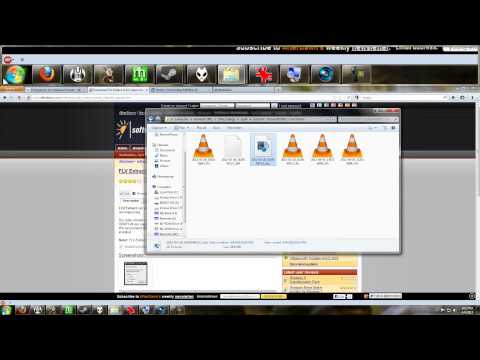
Tutorial Time: Convert FLV to MP4 - No Quality Loss, No Re-Encoding
ChannelVicious ComputersDescription from the creator
Todays tutorial time is from a xsplit user that could not import a .flv file into sony vegas for editing.
Sony Vegas does not support the .FLV container even if it supports the raw formats contained inside. Many people fall victim to these all in one video converts that will convert your files to a new format by re-encoding and re-compressing the raw streams to a new format and then placing them into a new container.
This uses valuable system resources, takes lots of time, and worst yet will cause your files to lose quality!
The true answer to todays question is how to change the container on a file from one to another without loss of quality and using free tools, so that is exactly what I will show you how to do.
Enjoy and if you find the video helpfull please thumbs up and share with friends.
Sony Vegas does not support the .FLV container even if it supports the raw formats contained inside. Many people fall victim to these all in one video converts that will convert your files to a new format by re-encoding and re-compressing the raw streams to a new format and then placing them into a new container.
This uses valuable system resources, takes lots of time, and worst yet will cause your files to lose quality!
The true answer to todays question is how to change the container on a file from one to another without loss of quality and using free tools, so that is exactly what I will show you how to do.
Enjoy and if you find the video helpfull please thumbs up and share with friends.
About this tutorial
Vicious Computers published this 7:20 video tutorial on November 2, 2012. It has been watched 106,764 times on YouTube.
- Channel
- Vicious Computers
- Category
- Science & Technology
- Duration
- 7:20
- Published
- November 2, 2012
- Views
- 106,764
- Likes
- 1,178
Tags
Share
This tutorial in other languages
- FRTemps tutoriel: Convertir FLV en MP4 - Pas de perte de qualité, No réencodage
- ESTutorial Tiempo: convertir FLV a MP4 - Pérdida No Calidad, Sin recodificación
- PTTutorial Time: converter FLV para MP4 - Perda Sem qualidade, não Re-Encoding
- ITTutorial Tempo: Conversione FLV in MP4 - Perdita No Quality, No re-encoding
- DETutorial Time: Convert FLV to MP4 - ohne Qualitätsverlust, kein Re-Encoding
- NLTutorial Tijd: FLV converteren naar MP4 - zonder kwaliteitsverlies, No Re-Encoding
- RUУчебное пособие по времени: Преобразование FLV в MP4 - Потеря Нет качества, нет перекодирования
- PLTutorial Czas: Konwersja FLV na MP4 - Utrata Nie Jakości, nr Re-Encoding
- JAチュートリアル時間:MP4に変換FLV - いいえ、品質損失、ノー再エンコード
- ARدروس الوقت: تحويل FLV إلى MP4 - لا جودة الخسارة، لا إعادة ترميز
- HIट्यूटोरियल समय: MP4 करने के लिए Convert FLV - कोई गुणवत्ता की कमी, कोई फिर से एन्कोडिंग
- IDTutorial Waktu: Convert FLV ke MP4 - Tidak Kualitas Loss, ada Re-Encoding