Playback starts YouTube’s embedded player (privacy-enhanced mode).
Virgil UI - CSV to DDI tutorial demonstration
ChannelSamuel SpencerDescription from the creator
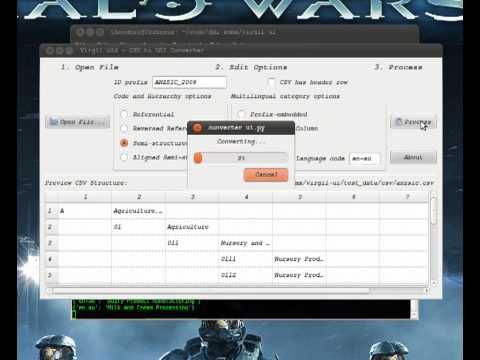
Again there is no audio, but I've included a brief transcription below so people can get a better idea of what the demonstration is trying to illustrate:
* Open the anzsic.csv file to briefly view the contents of the CSV holding the labels and some descriptions of categories in the 2006 Australia and New Zealand Standard Industrial Classification.
* Execute the conversion tool, and load the ansic.csv file
* Select the correct structure options for the CSV, as per the allowed structures described in a previous post.
* Add a default language code and ID prefix for the DDI Instance and all codes and categories.
* Demoing the preview table, showing how the header row can be ignored.
* Convert the file, in the background you can see debug text for each code encountered.
* Open a folder to save, and confirm the folder is empty.
* Open the newly created file.
* Add some line breaks to the automatically created XML and serach for a term from the original CSV.
* Open the anzsic.csv file to briefly view the contents of the CSV holding the labels and some descriptions of categories in the 2006 Australia and New Zealand Standard Industrial Classification.
* Execute the conversion tool, and load the ansic.csv file
* Select the correct structure options for the CSV, as per the allowed structures described in a previous post.
* Add a default language code and ID prefix for the DDI Instance and all codes and categories.
* Demoing the preview table, showing how the header row can be ignored.
* Convert the file, in the background you can see debug text for each code encountered.
* Open a folder to save, and confirm the folder is empty.
* Open the newly created file.
* Add some line breaks to the automatically created XML and serach for a term from the original CSV.
About this tutorial
Samuel Spencer published this 2:10 video tutorial on October 29, 2011. It has been watched 133 times on YouTube.
- Channel
- Samuel Spencer
- Category
- Science & Technology
- Duration
- 2:10
- Published
- October 29, 2011
- Views
- 133
Tags
Share
This tutorial in other languages
- FRUI Virgil - CSV DDI démonstration tutoriel
- ESVirgilio UI - CSV para la demostración tutorial DDI
- PTVirgil UI - CSV para DDI tutorial demonstração
- ITVirgilio UI - CSV per DDI esercitazione manifestazione
- DEVirgil UI - CSV zu DDI Tutorial Demonstration
- NLVirgil UI - CSV naar DDI les demonstratie
- RUВергилий UI - CSV для DDI учебник демонстрации
- PLVirgil UI - CSV do DDI samouczka demonstracji
- JAバージルUI - DDIチュートリアルデモにCSV
- ARفيرجيل UI - CSV إلى DDI مظاهرة تعليمي
- HIवर्जिल यूआई - DDI ट्यूटोरियल प्रदर्शन करने के लिए सीएसवी
- IDVirgil UI - CSV ke tutorial demonstrasi DDI