Playback starts YouTube’s embedded player (privacy-enhanced mode).
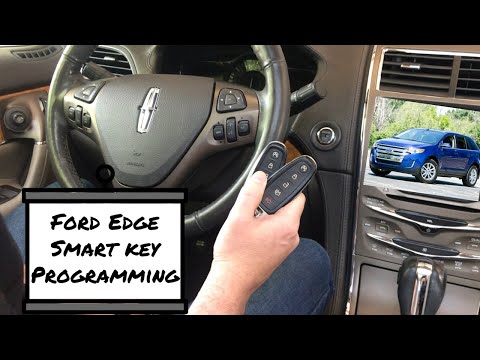
How To Program A Ford Edge Smart Key Remote Fob 2011 - 2015
ChannelProgram Your RemoteDescription from the creator
An easy to follow video on how to program a smart key remote fob to a 2011 - 2015 Ford Edge.
Find a Locksmith in your area with LocateALocksmith.com
More free programming instructions available at ProgramYourRemote.com
Ensure that your Edge is off before beginning this procedure. Ensure that all doors are closed before beginning this procedure and that all doors remain closed throughout the procedure. Perform this procedure exactly as described below, and perform all steps within 30 seconds of starting the sequence. If any steps are performed out of sequence, stop and wait for at least one minute before starting again. Please read and understand the entire procedure before you begin.
1. Place the new unprogrammed smart key in the pocket inside of the center console.
2. Press the driver or passenger power door unlock control three times.
3. Press and release the brake pedal one time.
4. Press the driver or passenger power door lock control three times.
5. Press and release the brake pedal one time. The indicator on the Start/Stop button should begin to rapidly flash, indicating that programming mode has been entered and two programmed smart keys have been detected in the vehicle.
6. Within one minute, press the start/stop button. *If four Intelligent Access Keys have already been programmed to your vehicle, the message MAX # OF FOBS LEARNED will be displayed on the message center. *
7. Remove the smart key from the center console pocket and press the UNLOCK or Lock control on the newly programmed smart key to exit programming mode.
8. Verify that the remote entry functions operate (lock, unlock) and that the vehicle starts with new smart key. If the smart key has been successfully programmed, it can be used to activate the smart key with push button Start feature and can be used to start your vehicle.
Find a Locksmith in your area with LocateALocksmith.com
More free programming instructions available at ProgramYourRemote.com
Ensure that your Edge is off before beginning this procedure. Ensure that all doors are closed before beginning this procedure and that all doors remain closed throughout the procedure. Perform this procedure exactly as described below, and perform all steps within 30 seconds of starting the sequence. If any steps are performed out of sequence, stop and wait for at least one minute before starting again. Please read and understand the entire procedure before you begin.
1. Place the new unprogrammed smart key in the pocket inside of the center console.
2. Press the driver or passenger power door unlock control three times.
3. Press and release the brake pedal one time.
4. Press the driver or passenger power door lock control three times.
5. Press and release the brake pedal one time. The indicator on the Start/Stop button should begin to rapidly flash, indicating that programming mode has been entered and two programmed smart keys have been detected in the vehicle.
6. Within one minute, press the start/stop button. *If four Intelligent Access Keys have already been programmed to your vehicle, the message MAX # OF FOBS LEARNED will be displayed on the message center. *
7. Remove the smart key from the center console pocket and press the UNLOCK or Lock control on the newly programmed smart key to exit programming mode.
8. Verify that the remote entry functions operate (lock, unlock) and that the vehicle starts with new smart key. If the smart key has been successfully programmed, it can be used to activate the smart key with push button Start feature and can be used to start your vehicle.
About this tutorial
Program Your Remote published this 2:56 video tutorial on November 15, 2019. It has been watched 161,828 times on YouTube.
- Channel
- Program Your Remote
- Category
- Autos & Vehicles
- Duration
- 2:56
- Published
- November 15, 2019
- Views
- 161,828
- Likes
- 871
Share
This tutorial in other languages
- FRComment programmer un Ford Edge Smart Key à distance Fob 2011 - 2015
- ES¿Cómo programa a un borde de Ford del llavero inteligente remoto 2011 - 2015
- PTComo programa para um Ford Edge chave inteligente remoto FOB 2011 - 2015
- ITCome programmare un Ford Edge chiave Smart Remote Fob 2011 - 2015
- DEHow To Programm A Ford Edge Smart Key Remote-2011 fob - 2015
- NLHow To Programma A Ford Edge Smart Key Remote FOB 2011 - 2015
- RUКак запрограммировать Ford Edge Smart Key Remote FoB 2011 - 2015
- PLJak zaprogramować Ford Edge Inteligentny kluczyk FOB 2011 - 2015
- JAどのようにするプログラムAフォードエッジスマートキーリモート2011 FOB - 2015
- ARكيفية برنامج A فورد إيدج الذكية مفتاح فوب بعيد 2011 - 2015
- HIकैसे करने के लिए कार्यक्रम एक फोर्ड एज स्मार्ट की रिमोट 2011 एफओबी - 2015
- IDCara Program Untuk Sebuah Ford Edge Pintar Key remote FOB 2011 - 2015