Playback starts YouTube’s embedded player (privacy-enhanced mode).
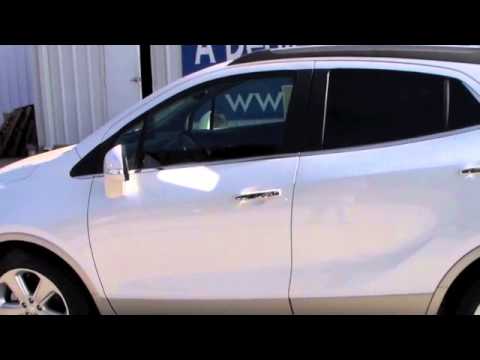
How to use Remote Start in a 2015 Buick Encore
ChannelMcKaigGladewaterDescription from the creator
Mike from McKaig Chevrolet Buick, Your East Texas Dealer For The People, here to show you how to use the remote start feature in your new 2015 Buick Encore.
1. Lock the car
2. Press the Remote Start button your key fob (horseshoe shape)
3. Car will start.
4. Car will automatically shut off after 10 minutes if left idle.
McKaig Chevrolet Buick - Your East Texas Dealer FOR the People
www.mckaig.net
903-845-2132
1. Lock the car
2. Press the Remote Start button your key fob (horseshoe shape)
3. Car will start.
4. Car will automatically shut off after 10 minutes if left idle.
McKaig Chevrolet Buick - Your East Texas Dealer FOR the People
www.mckaig.net
903-845-2132
About this tutorial
McKaigGladewater published this 1:18 video tutorial on November 15, 2015. It has been watched 34,476 times on YouTube.
- Channel
- McKaigGladewater
- Category
- Autos & Vehicles
- Duration
- 1:18
- Published
- November 15, 2015
- Views
- 34,476
- Likes
- 85
Tags
Share
This tutorial in other languages
- FRComment utiliser de démarrage à distance dans une Buick Encore 2015
- ESCómo utilizar el comienzo alejado en un Buick Encore 2015
- PTComo usar remoto Iniciar em um Buick Encore 2015
- ITCome usare Inizio a distanza in una Buick Encore 2015
- DESo verwenden Sie Remote Start in einem 2015 Buick Encore
- NLHoe wordt Remote starten in een 2015 Buick Encore
- RUКак использовать Remote Start в 2015 году Buick Encore
- PLJak używać zdalnego uruchamiania w 2015 Buick Encore
- JA2015ビュイックアンコールにリモートスタートを使用する方法
- ARكيفية استخدام عن بعد البدء في 2015 سيم بويك
- HI2015 के ब्यूक एनकोर में रिमोट प्रारंभ का उपयोग कैसे करें
- IDCara menggunakan Remote Mulai di 2015 Buick Encore