Playback starts YouTube’s embedded player (privacy-enhanced mode).
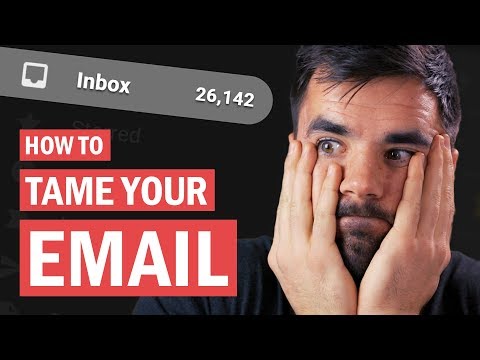
How to Achieve Inbox Zero - 4 Email Productivity Hacks
ChannelThomas FrankDescription from the creator
Improve your online security at dashlane.com/collegeinfogeek - and be among the first 200 people to use the code "collegeinfogeek" at checkout to get 10% off Dashlane Premium.
Huge thanks to Dashlane for sponsoring this video and supporting my channel!
Email is kind of like a hydra. Answer one, and two more will take its place. And for the longest time, my overflowing inbox was a significant cause of stress in my life.
But over the past couple of years, I've learned how to get my inbox under control - and today, I'll show you how to do the same. In this video we'll talk about how email should fit in with your task manager or to-do list, whether to archive or delete messages, and how to use labels and filters effectively.
Put these tips into action, and you'll find yourself spending a lot more time at inbox zero.
Get my book "10 Steps to Earning Awesome Grades" FREE:
collegeinfogeek.com/get-better-grades/
Follow Me:
Instagram ➔ instagram.com/tomfrankly
Twitter ➔ twitter.com/tomfrankly
Podcast ➔ youtube.com/TheCollegeInfoGeekPodcast
Subscribe to My Channel:
buff.ly/1vQP5ar
The email app I use: frontapp.com/ - I don't recommend this for individuals, but if you've gotten to the point where it makes sense to hire an assistant or share email duties with a team, Front is amazing.
Otherwise, I still recommend Gmail!
My Video Gear:
amazon.com/shop/thomasfrank
Huge thanks to Dashlane for sponsoring this video and supporting my channel!
Email is kind of like a hydra. Answer one, and two more will take its place. And for the longest time, my overflowing inbox was a significant cause of stress in my life.
But over the past couple of years, I've learned how to get my inbox under control - and today, I'll show you how to do the same. In this video we'll talk about how email should fit in with your task manager or to-do list, whether to archive or delete messages, and how to use labels and filters effectively.
Put these tips into action, and you'll find yourself spending a lot more time at inbox zero.
Get my book "10 Steps to Earning Awesome Grades" FREE:
collegeinfogeek.com/get-better-grades/
Follow Me:
Instagram ➔ instagram.com/tomfrankly
Twitter ➔ twitter.com/tomfrankly
Podcast ➔ youtube.com/TheCollegeInfoGeekPodcast
Subscribe to My Channel:
buff.ly/1vQP5ar
The email app I use: frontapp.com/ - I don't recommend this for individuals, but if you've gotten to the point where it makes sense to hire an assistant or share email duties with a team, Front is amazing.
Otherwise, I still recommend Gmail!
My Video Gear:
amazon.com/shop/thomasfrank
About this tutorial
Thomas Frank published this 12:09 video tutorial on October 27, 2019. It has been watched 227,261 times on YouTube.
- Channel
- Thomas Frank
- Category
- Education
- Duration
- 12:09
- Published
- October 27, 2019
- Views
- 227,261
- Likes
- 5,492
Share
This tutorial in other languages
- FRComment atteindre la boîte de réception zéro - 4 Email Productivité Hacks
- ESCómo lograr la bandeja de entrada Cero - 4 Email Productividad Hacks
- PTComo conseguir o Inbox Zero - 4 Email Produtividade Hacks
- ITCome realizzare Inbox Zero - 4 Email Produttività Hacks
- DEWie erreichen Posteingang Null - 4 E-Mail-Produktivität Hacks
- NLHoe te bereiken Inbox Zero - 4 E-mail Productiviteit Hacks
- RUКак достичь Входящие Zero - 4 Email Производительность Hacks
- PLJak osiągnąć Inbox Zero - 4 Email Productivity Hacks
- JA4メールの生産性ハックス - 受信トレイゼロを達成する方法
- ARكيفية تحقيق الوارد صفر - 4 البريد الإلكتروني الإنتاجية المأجورون
- HIइनबॉक्स शून्य प्राप्त करने के लिए कैसे - 4 ईमेल उत्पादकता हैक्स
- IDBagaimana Mencapai Inbox Zero - 4 Email Produktivitas Hacks