Playback starts YouTube’s embedded player (privacy-enhanced mode).
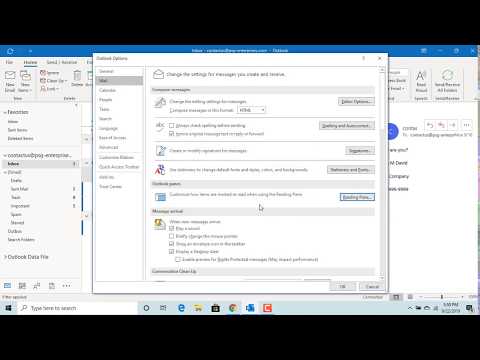
How to change Options for Marking an email as Read in Outlook - Office 365
ChannelFind Easy SolutionDescription from the creator
How to change Options for Marking an email as Read in Outlook - Ofice 365. If you want outlook to mark an email as read only when you double click on the email and open it you need to change the default options of outlook for marking an email as read. This video explains how you can change the default options.
About this tutorial
Find Easy Solution published this 1:55 video tutorial on October 31, 2019. It has been watched 129,264 times on YouTube.
- Channel
- Find Easy Solution
- Category
- Education
- Duration
- 1:55
- Published
- October 31, 2019
- Views
- 129,264
- Likes
- 985
Tags
Share
This tutorial in other languages
- FRComment modifier les options pour marquer un e-mail comme lu dans Outlook - Office 365
- ESCómo cambiar las opciones para marcar un correo electrónico como leído en Outlook - Office 365
- PTComo alterar as opções para marcar um email como lidas no Outlook - Office 365
- ITCome cambiare opzioni per contrassegnare un'email Leggi in Outlook - Office 365
- DEWie eine E-Mail lesen in Outlook-Optionen ändern, die Marking - Office 365
- NLHoe om opties te wijzigen voor het markeren van een e-mail als lezen in Outlook - Office 365
- RUКак изменить параметры для маркировки сообщения как прочитанные в Outlook, - Office 365
- PLJak zmienić opcje do oznaczania wiadomości e-mail jako przeczytanej w programie Outlook - Office 365
- JAOutlookで読み取りとして電子メールをマークするためのオプションを変更する方法 - Office 365の
- ARكيفية تغيير الخيارات لوضع علامات على البريد الإلكتروني للقراءة في Outlook - مكتب 365
- HIOutlook में पढ़ें के रूप में एक ईमेल अंकन के लिए विकल्प बदलने के लिए - Office 365
- IDBagaimana mengubah Pilihan untuk Menandai email sebagai Baca di Outlook - Office 365