Playback starts YouTube’s embedded player (privacy-enhanced mode).
How To Change The Default Browser On Android
ChannelWebPro EducationDescription from the creator
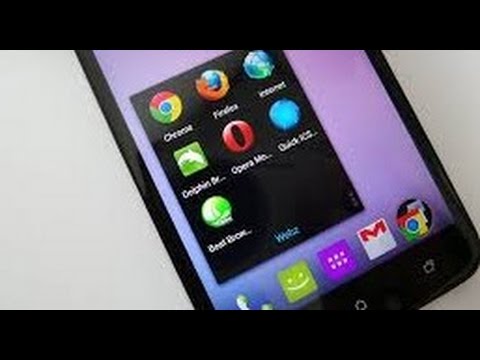
Learn how to change your default browser on your Android device.
If you have installed one ore more browsers on your Android device, then you might want to change the default browser for opening links from time to time.
Go to your application settings on your device as shown in the video. Simply tap on settings the 'Applications'.
Select the current default browser and tap on the 'clear defaults' button.
Then try to open any link, your device will ask you which browser you want to open with.
Select the new browser you want to use from the list, then select the "Use by Default for This Action" check box. The new Web browser is now the default browser.
If you have installed one ore more browsers on your Android device, then you might want to change the default browser for opening links from time to time.
Go to your application settings on your device as shown in the video. Simply tap on settings the 'Applications'.
Select the current default browser and tap on the 'clear defaults' button.
Then try to open any link, your device will ask you which browser you want to open with.
Select the new browser you want to use from the list, then select the "Use by Default for This Action" check box. The new Web browser is now the default browser.
About this tutorial
WebPro Education published this 1:58 video tutorial on November 7, 2015. It has been watched 156,199 times on YouTube.
- Channel
- WebPro Education
- Category
- Education
- Duration
- 1:58
- Published
- November 7, 2015
- Views
- 156,199
- Likes
- 724
Tags
Share
This tutorial in other languages
- FRComment faire pour changer le navigateur par défaut Sur Android
- ESCómo cambiar el navegador por defecto En Android
- PTComo alterar o navegador padrão do Android
- ITCome cambiare il browser predefinito di Android
- DESo ändern Sie den Standard-Browser auf Android
- NLHow To Change de standaard browser op Android
- RUКак изменить браузер по умолчанию на Android
- PLJak zmienić domyślną przeglądarkę na Androida
- JAどのように変更しますアンドロイドのデフォルトのブラウザ
- ARكيفية تغيير المتصفح الافتراضي في نظام Android
- HIकैसे करने के लिए The Change डिफ़ॉल्ट ब्राउज़र एंड्रॉयड पर
- IDCara Ganti Default Browser Pada Android