Playback starts YouTube’s embedded player (privacy-enhanced mode).
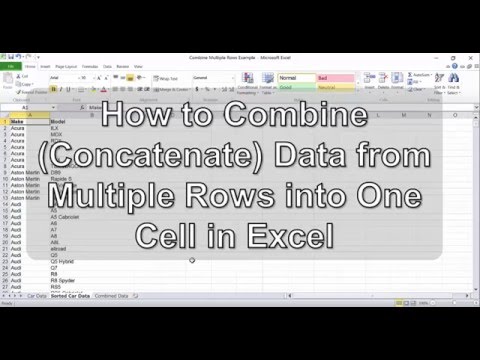
How to Combine (Concatenate) Data from Multiple Rows into One Cell in Excel
ChannelExcel TacticsDescription from the creator
A full, step-by-step version of this tutorial is available at Excel Tactics here:
exceltactics.com/combine-data-multiple-rows-one…
Get the latest Excel tips, tricks, and tutorials at Excel Tactics! exceltactics.com
Excel Tactics will always be free, but we'd really appreciate your support! Become a Patron of Excel Tactics at Patreon! patreon.com/exceltactics
exceltactics.com/combine-data-multiple-rows-one…
Get the latest Excel tips, tricks, and tutorials at Excel Tactics! exceltactics.com
Excel Tactics will always be free, but we'd really appreciate your support! Become a Patron of Excel Tactics at Patreon! patreon.com/exceltactics
About this tutorial
Excel Tactics published this 6:31 video tutorial on October 28, 2016. It has been watched 577,116 times on YouTube.
- Channel
- Excel Tactics
- Category
- Education
- Duration
- 6:31
- Published
- October 28, 2016
- Views
- 577,116
- Likes
- 2,171
Tags
Share
This tutorial in other languages
- FRComment combiner (Concatenate) Les données de plusieurs lignes dans une cellule dans Excel
- ESCómo combinar (concatenación) Los datos de múltiples filas en una celda en Excel
- PTComo combinar (Concatenate) dados de várias linhas em uma célula no Excel
- ITCome combinare (Concatenate) dati da più righe in una cella in Excel
- DEWie kombinieren (verketten) Daten aus mehreren Zeilen in eine Zelle in Excel
- NLHoe te combineren (Concatenate) Gegevens uit meerdere rijen in één cel in Excel
- RUКак объединить (Concatenate) данных из нескольких строк в одну ячейку в Excel
- PLJak połączyć (łączenia) dane z wielu wierszy do jednej komórki w programie Excel
- JAExcelで一つのセルに複数行から(を連結)のデータを結合する方法
- ARكيفية الجمع بين (سلسل) بيانات من صفوف متعددة في خلية واحدة في Excel
- HIकैसे Excel में एक सेल में एकाधिक पंक्तियों से (जुटना) डेटा को संयोजित करने
- IDCara Gabungkan (Concatenate) Data dari Beberapa Rows menjadi Satu Sel di Excel