Playback starts YouTube’s embedded player (privacy-enhanced mode).
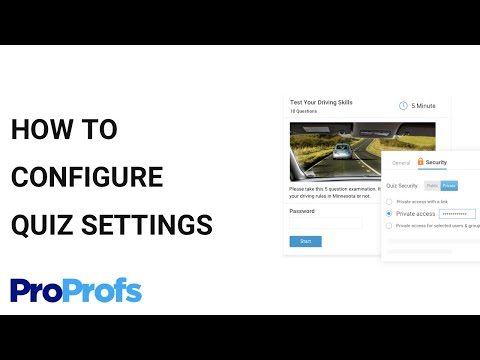
How to Configure Your ProProfs Quiz Settings
ChannelProProfsDescription from the creator
How to Configure Your ProProfs Quiz Settings
Create brainstorming quizzes using ProProfs Quiz Maker. It is the world’s simplest platform which is perfect for developing employee assessment quizzes, educational exams, online tests, personality quizzes, polls, and so on. The software is user-friendly and has multiple features to help you create amazing quizzes. You can configure the quiz settings just the way you like.
Take a Tour : bit.ly/2X561y4
The software covers settings for security, notifications, social media, language, price, themes, and many more.
- General Settings
Configure the ‘general settings’ and perform multiple tasks such as:
Decide, how the quiz will be presented to your learners?
Score & Time Settings
These two settings enable you to:
Assign an overall score to your quizzes
Assign specific points to the quiz questions
Set a timer for each quiz completion
Determine the time when the quizzes will be available to them
- Result Settings
The setting ‘result’ allows you to:
Create score-based customizable results
Display quiz results based on scores
Display ‘pass’ or ‘fail’ as quiz results
Letter Grades as quiz results
Comparative ‘good’ and ‘excellent’ results
Besides adjusting the software settings, you can also:
Shuffle and re-shuffle questions and answer options
Select questions from question banks
Control the number of times a learner can attempt your quiz
Presentation, on the other hand, allows you to control the different aspects of your quizzes such as:
What quiz takers will see at the end of each quiz?
Provide customized quiz certificates to quiz takers
- Security Settings
You can enable security tracking to change the access from ‘public’ to ‘private’
Assign individual ‘username’ and ‘password’ for each learner
Decide what information you need from the quiz-takers before they attempt your quizzes
- Language and Notification Settings
Our user interface supports 72+ languages.
The ‘notification’ settings will notify one or more people when someone takes your quiz. ProProfs also supports ‘notifications’ through API which allows quizzes to be integrated with Salesforce, LMS, HR Systems and more.
- Price Settings
You can set the price for your quizzes and sell it via the ProProfs store.
- Theme Settings
You can create beautiful quizzes by customizing different design elements such as:
Creating a quiz header
Adjusting the background theme
Adjusting the fonts and colors
- Social Media Settings
The social media settings allows you to easily share the quizzes across different social media platforms like Facebook and Twitter
- Advanced Settings
This particular setting allows you to perform multiple tasks such as:
Set quiz expiration dates
Quiz completion dates
Customize quiz certificates
Share quizzes across social media
Make specific quizzes ‘private’ for particular users
Adjust the different settings and create amazing quizzes in no time. All you need to do is understand the different ProProfs Quiz Maker settings and configure them accordingly.
-------------------------------
Try for Free: bit.ly/2GsJuX6
Take a Tour: bit.ly/2X561y4
-------------------------------
STAY TUNED:
Facebook ► facebook.com/proprofs
Twitter ► twitter.com/proprofs
LinkedIn ► linkedin.com/company/proprofs
#employeeselectiontestquiz #onlinequizzesconfiguration
Create brainstorming quizzes using ProProfs Quiz Maker. It is the world’s simplest platform which is perfect for developing employee assessment quizzes, educational exams, online tests, personality quizzes, polls, and so on. The software is user-friendly and has multiple features to help you create amazing quizzes. You can configure the quiz settings just the way you like.
Take a Tour : bit.ly/2X561y4
The software covers settings for security, notifications, social media, language, price, themes, and many more.
- General Settings
Configure the ‘general settings’ and perform multiple tasks such as:
Decide, how the quiz will be presented to your learners?
Score & Time Settings
These two settings enable you to:
Assign an overall score to your quizzes
Assign specific points to the quiz questions
Set a timer for each quiz completion
Determine the time when the quizzes will be available to them
- Result Settings
The setting ‘result’ allows you to:
Create score-based customizable results
Display quiz results based on scores
Display ‘pass’ or ‘fail’ as quiz results
Letter Grades as quiz results
Comparative ‘good’ and ‘excellent’ results
Besides adjusting the software settings, you can also:
Shuffle and re-shuffle questions and answer options
Select questions from question banks
Control the number of times a learner can attempt your quiz
Presentation, on the other hand, allows you to control the different aspects of your quizzes such as:
What quiz takers will see at the end of each quiz?
Provide customized quiz certificates to quiz takers
- Security Settings
You can enable security tracking to change the access from ‘public’ to ‘private’
Assign individual ‘username’ and ‘password’ for each learner
Decide what information you need from the quiz-takers before they attempt your quizzes
- Language and Notification Settings
Our user interface supports 72+ languages.
The ‘notification’ settings will notify one or more people when someone takes your quiz. ProProfs also supports ‘notifications’ through API which allows quizzes to be integrated with Salesforce, LMS, HR Systems and more.
- Price Settings
You can set the price for your quizzes and sell it via the ProProfs store.
- Theme Settings
You can create beautiful quizzes by customizing different design elements such as:
Creating a quiz header
Adjusting the background theme
Adjusting the fonts and colors
- Social Media Settings
The social media settings allows you to easily share the quizzes across different social media platforms like Facebook and Twitter
- Advanced Settings
This particular setting allows you to perform multiple tasks such as:
Set quiz expiration dates
Quiz completion dates
Customize quiz certificates
Share quizzes across social media
Make specific quizzes ‘private’ for particular users
Adjust the different settings and create amazing quizzes in no time. All you need to do is understand the different ProProfs Quiz Maker settings and configure them accordingly.
-------------------------------
Try for Free: bit.ly/2GsJuX6
Take a Tour: bit.ly/2X561y4
-------------------------------
STAY TUNED:
Facebook ► facebook.com/proprofs
Twitter ► twitter.com/proprofs
LinkedIn ► linkedin.com/company/proprofs
#employeeselectiontestquiz #onlinequizzesconfiguration
About this tutorial
ProProfs published this 2:40 video tutorial on November 5, 2015. It has been watched 7,678 times on YouTube.
Tags
Share
This tutorial in other languages
- FRComment configurer votre ProProfs Paramètres Quiz
- ESCómo configurar su ProProfs configuración de la prueba
- PTComo configurar seu ProProfs configurações do questionário
- ITCome configurare il ProProfs Impostazioni Quiz
- DEWie Sie Ihre ProProfs Quiz-Einstellungen konfigurieren
- NLHoe te configureren Uw ProProfs Quiz Instellingen
- RUКак настроить ProProfs Викторина Настройки
- PLJak skonfigurować ustawienia Quiz ProProfs
- JAあなたのProProfsクイズ設定を構成する方法
- ARكيفية تكوين ProProfs إعدادات مسابقة
- HIआपका ProProfs प्रश्नोत्तरी सेटिंग कॉन्फ़िगर कैसे
- IDBagaimana Konfigurasi ProProfs Anda Quiz Settings