Playback starts YouTube’s embedded player (privacy-enhanced mode).
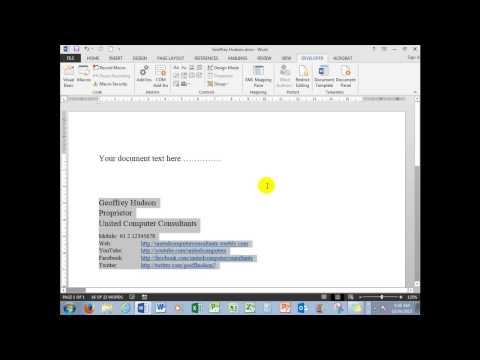
How to create and use a Word macro to insert any information with one click. Fast and efficient.
ChannelUnited ComputersDescription from the creator
Increase the efficiency of your Word work with these easily learned procedures.
An explanation and demonstration on how to create a Word macro to insert data with one click from a macro button in the Quick Access toolbar.
Also shows how to insert data into the Quick Parts Gallery and use a macro to place the data in the document
Web: unitedcomputerconsultants.weebly.com
Facebook: facebook.com/unitedcomputerconsultants
Twitter: twitter.com/geoffhudson7
An explanation and demonstration on how to create a Word macro to insert data with one click from a macro button in the Quick Access toolbar.
Also shows how to insert data into the Quick Parts Gallery and use a macro to place the data in the document
Web: unitedcomputerconsultants.weebly.com
Facebook: facebook.com/unitedcomputerconsultants
Twitter: twitter.com/geoffhudson7
About this tutorial
United Computers published this 4:09 video tutorial on November 15, 2015. It has been watched 81,455 times on YouTube.
- Channel
- United Computers
- Category
- Education
- Duration
- 4:09
- Published
- November 15, 2015
- Views
- 81,455
- Likes
- 373
Tags
Share
This tutorial in other languages
- FRComment créer et utiliser une macro Word pour insérer toutes les informations en un seul clic. Rapide et efficace.
- ESCómo crear y utilizar una macro de Word para insertar cualquier información con un solo clic. Rápido y eficiente.
- PTComo criar e utilizar uma macro do Word para inserir qualquer informação com um clique. Rápido e eficiente.
- ITCome creare e utilizzare una macro di Word per inserire tutte le informazioni con un solo clic. Veloce ed efficiente.
- DEWie zu erstellen und einen Word-Makro verwenden, um alle Informationen mit einem Klick einfügen. Schnell und effizient.
- NLHoe maken en gebruiken een Word-macro om alle informatie in te voegen met één klik. Snel en efficiënt.
- RUКак создать и использовать макрос Word, чтобы вставить любую информацию, одним щелчком мыши. Быстро и эффективно.
- PLJak tworzyć i wykorzystywać makra Word, aby wstawić żadnych danych za pomocą jednego kliknięcia. Szybki i skuteczny.
- JAワンクリックですべての情報を挿入するWordマクロを作成して使用する方法。高速かつ効率的。
- ARكيفية إنشاء واستخدام ماكرو Word إدراج أي معلومات مع ضغطة واحدة. بسرعة وكفاءة.
- HIकैसे बना सकते हैं और एक क्लिक के साथ किसी भी जानकारी को सम्मिलित करने के लिए एक शब्द मैक्रो का उपयोग करने के लिए। फास्ट और कुशल।
- IDCara membuat dan menggunakan makro Word untuk memasukkan informasi dengan satu kali klik. Cepat dan efisien.