Playback starts YouTube’s embedded player (privacy-enhanced mode).
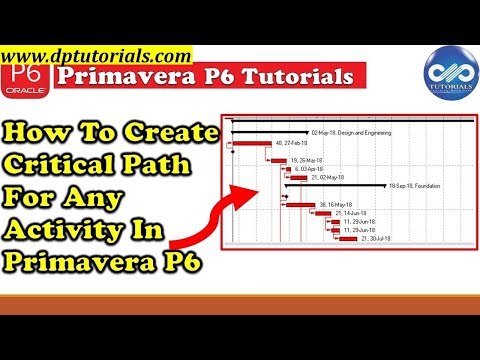
How To Create Critical Path For Any Activity In Primavera P6 || Primavera Tips || dptutorials
ChanneldptutorialsDescription from the creator
If we want to show critical path for an specific activity which is somewhere in middle of project, but not the last one.
Now, let us see in this tutorial how to do that?
We will be using “Multiple float paths” feature.
Press F9 or go to Tool and then Schedule
Click on Options and then go to Advanced tab
Tick the Checkbox “Calculate multiple float paths”
Check “Free Float”
In “Display multiple float paths ending with activity”, you choose the activity you want the critical path ending with.
In “Specify the number of paths to calculate”, Choose “1”
Click Close and Run Schedule.
Now in the Activity Table, Right click and select on Group and Sort.
Under Group by, select “Float Path”
To hide all unnecessary activities, you can also create a Filter like Float Path 1
Thats it Friends, Now we have the Critical Path for the specific activity that has been selected to end with.
For Personalized detail learning, write to [email protected]
If you found this video valuable, give it a like. If you know someone who needs to see it, share it. Leave a comment below with your thoughts. Add it to a playlist if you want to watch it later.
***********************************************
★ My Online Tutorials ► dptutorials.com
LEARNING RESOURCES I Recommend: dptutorials.com/resources
Subscribe for more Awesome Tutorials: goo.gl/NyAtg2
Support the Channel via shopping: ift.tt/2jH38PR
Tools that I use for Vlogging:
• Laptop: amzn.to/2E5U3MO
• Canon 200D Camera: amzn.to/2HglDYA
• Benro Tripod: amzn.to/2ExRvYj
• Blue yeti microphone: amzn.to/2VwZyPn
• Collar Microphone: amzn.to/2VyOdcM
• Bluedio Headset: amzn.to/2W3xUZX
• Screen recorder: techsmith.pxf.io/2BMjA
• Boom Arm Stand: amzn.to/2VCQNi7
• Zoom H1 Audio Recorder: amzn.to/2VDumsT
• Harison Softbox Studio Lights: amzn.to/2LY7x3u
• Chroma Key Green Screen: amzn.to/2ExTr31
• Background Support Stand: amzn.to/2McqnEv
• Acoustic Foam Background: amzn.to/2EoQ1zj
• USB RGB LED Strip: amzn.to/2VItKm4
• Wireless Mouse: amzn.to/2E23cpN
Note: This description contains affiliate links, which means at no additional cost to you, we will receive a small commission if you make a purchase using the links. This helps support the channel and allows us to continue to make videos like this. Thank you for your support!
***********************************************
You Can Connect with Me at
YouTube: www.youtube.com/c/dptutorials
G+: ift.tt/2kAOpa6
Twitter: twitter.com/dptutorials15
Facebook: ift.tt/2kfRnDi
BlogSpot: ift.tt/2kB14dh
Follow:
www.dptutorials.com
www.askplanner.blogspot.com
Tags: -
P6:
primavera p6 training online, primavera p6, primavera p6 training, primavera p6 tutorial, oracle primavera, primavera p6 download, primavera 6, oracle primavera p6, primavera p6 free download, primavera project management, primavera project planner, primavera download, primavera online, primavera training, primavera software free download, youtube primavera, primavera tutorial, is primavera online easy, p6 online, primavera p6 complete video tutorial free download, critical path, oracle primavera, primavera p6, primavera, primavera software, construction project management software, project management software, project management books, microsoft project, project management courses, project management certification, online project management, project management tools, free project management software, project management training, best project management software, pmp certification, free project management tools, project management apps, microsoft project management, project management professional certification, google project management, ms project, agile project management, basecamp project management, project portfolio management, project management, project management system, scrum project management, open source project management, project management template, construction project management, project plan, project management professional, free project management, it project manager, project manager jobs, project management excel, project management consultant, pmi, project management plan, certified associate in project management, pmp, project management examples, what is project management, project management skills, engineering project manager, project risk management, project management steps, project management methodologies, project management process, marketing project manager, p6, primavera online, project management life cycle, project manager resume, project management phases, project management definition, project manager interview questions, project integration management, project manager responsibilities
About this tutorial
dptutorials published this 3:55 video tutorial on October 26, 2018. It has been watched 59,393 times on YouTube.
- Channel
- dptutorials
- Category
- Education
- Duration
- 3:55
- Published
- October 26, 2018
- Views
- 59,393
- Likes
- 618
Tags
Share
Further reading
-
How To Create Critical Path For Any Activity In Primavera P6 ...
askplanner.blogspot.com
In Primavera when we use the default Filter called “Critical”, it will show the critical path for the entire project ending with the last activity of the project. If we want to show critical path for an specific activit…
-
Create critical path for "any activity" in Primavera P6 - Blog
projectcontrolsinstitute.com
Create critical path for “any activity” In Primavera when we use the default “Critical” filter, it will show the critical path for the whole project (for the last activity). How about if we want to show critical path fo…
-
How to Display the Critical Path Leading to a "Specific ...
projectcontrolacademy.com
This is how you can display the critical path leading to a specific activity in Primavera P6. If you have any question, please post them down below. I will make sure that I will go through as many questions as I can and…
This tutorial in other languages
- FRComment faire pour créer le chemin critique pour toute activité Primavera P6 || Conseils Primavera || dptutorials
- ESCómo crear ruta crítica para cualquier actividad en la Primavera P6 || Primavera Consejos || dptutorials
- PTComo criar Critical Path para qualquer atividade Na Primavera P6 || Primavera Dicas || dptutorials
- ITCome creare Critical Path per qualsiasi attività In Primavera P6 || Primavera Consigli || dptutorials
- DEWie Critical Path Erstellen für jede Aktivität im Primavera P6 || Primavera Tipps || dptutorials
- NLHow To Critical Path maken voor activiteiten zoals Primavera P6 || Primavera Tips || dptutorials
- RUКак создать критический путь для любой деятельности в Primavera P6 || Primavera советы || dptutorials
- PLJak utworzyć ścieżkę krytyczną dla jakiejkolwiek działalności w Primavera P6 || Primavera Porady || dptutorials
- JAプリマベーラP6のいずれかの活性のためにクリティカルパスを作成する方法||プリマベーラのヒント|| dptutorials
- ARكيفية إنشاء المسار الحرج لأي نشاط في بريمافيرا P6 || بريمافيرا نصائح || dptutorials
- HIकैसे Primavera पी 6 में किसी भी गतिविधि के लिए महत्वपूर्ण पथ बनाने के लिए || Primavera टिप्स || dptutorials
- IDCara Membuat Critical Path Untuk Segala Aktivitas Dalam Primavera P6 || Primavera Tips || dptutorials