Playback starts YouTube’s embedded player (privacy-enhanced mode).
How to create custom css underline less than width of headline | CSS3 Quick Tip 2016 - Youtube
ChannelsmashtheshellChapters
Description from the creator
How to create custom css underline less than width of headline using after pseudo selector | CSS3 Quick Tip 2016 - Youtube
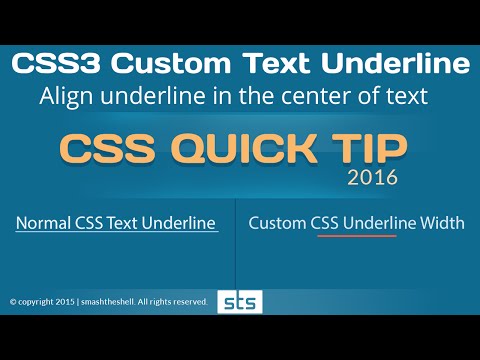
Learn to create a css underline aligned in the middle of the text by using after pseudo selector. It will not be created using a normal text-decoration property instead we'll use a little technique to create this custom css3 underline which will look like a short border bottom to text headline.
We will use css positioning to position or align the underline to the bottom of the text with reduced underline width, and underline aligned in the middle of the text.
How to create Custom Link Hover Effect using CSS Gradients - No extra markup or pseudo element selectors 2020 : youtu.be/KR_b5jtdsdA
We can't use normal text-decoration property to provide a short width to underline and color to this underline in all the browsers. Although there is a way to specify the color for the text underline using text-decoration-color: value; however its not supported in all the browsers. So here you will how we can provide colors to the underline using css3 custom border/underline using after pseudo selector.
***************************************************************
Navigate to specific portion of the video, Click on timestamp:
00:00 | Demo
00:21 | Understanding the underline problem and solution
1:15 | Writing heading text and styling the text with normal text-decoration property
2:10 | Creating custom underline with reduced width - using after pseudo selector
4:11 | Aligning the small width border / underline in center of the text headline
****************************************************************
===============Try Using SOURCE CODE================
codepen.io/smashtheshell/pen/XdEjbw
=======================================================
Have any questions, just comment below in comment section. I will try to respond as soon as possible.
Like share and comment!
Thanks
================Links to other playlists=================
- HTML5 Fundamental Video Tutorials 2016 Playlist
youtube.com/playlist?list=PLVTV0IQIXRztWItvjT1b…
- Three ways to create responsive equal height columns using CSS
youtube.com/playlist?list=PLVTV0IQIXRzsqX7CX9Rc…
- How to create a header navigation with centered logo
youtube.com/watch?v=zBRxUIYvNX4&list=PLVTV0…
- Creating Responsive Image Gallery using pure css3
youtube.com/playlist?list=PLVTV0IQIXRztYDt0GZb-…
============Awesome Videos on CSS3=============
Creating CSS3 Tooltip without using jquery or javascript
youtube.com/watch?v=5rVhVmVoI3s
Styling placeholder text using css3
youtube.com/watch?v=xCtmJogajxc
Creating three column responsive layout
youtube.com/watch?v=G8UTSXxu1ow
************************CONTACT and RESOURCES*************
Find all the source codes here:
codepen.io/smashtheshell
Follow on Twitter
twitter.com/amit4kp
Add on Facebook
facebook.com/kumaramit24chd
Like Page on Facebook
facebook.com/smashtheshell
Share this video and Subscribe to this channel for latest updates and web design tips and techniques.
Learn to create a css underline aligned in the middle of the text by using after pseudo selector. It will not be created using a normal text-decoration property instead we'll use a little technique to create this custom css3 underline which will look like a short border bottom to text headline.
We will use css positioning to position or align the underline to the bottom of the text with reduced underline width, and underline aligned in the middle of the text.
How to create Custom Link Hover Effect using CSS Gradients - No extra markup or pseudo element selectors 2020 : youtu.be/KR_b5jtdsdA
We can't use normal text-decoration property to provide a short width to underline and color to this underline in all the browsers. Although there is a way to specify the color for the text underline using text-decoration-color: value; however its not supported in all the browsers. So here you will how we can provide colors to the underline using css3 custom border/underline using after pseudo selector.
***************************************************************
Navigate to specific portion of the video, Click on timestamp:
00:00 | Demo
00:21 | Understanding the underline problem and solution
1:15 | Writing heading text and styling the text with normal text-decoration property
2:10 | Creating custom underline with reduced width - using after pseudo selector
4:11 | Aligning the small width border / underline in center of the text headline
****************************************************************
===============Try Using SOURCE CODE================
codepen.io/smashtheshell/pen/XdEjbw
=======================================================
Have any questions, just comment below in comment section. I will try to respond as soon as possible.
Like share and comment!
Thanks
================Links to other playlists=================
- HTML5 Fundamental Video Tutorials 2016 Playlist
youtube.com/playlist?list=PLVTV0IQIXRztWItvjT1b…
- Three ways to create responsive equal height columns using CSS
youtube.com/playlist?list=PLVTV0IQIXRzsqX7CX9Rc…
- How to create a header navigation with centered logo
youtube.com/watch?v=zBRxUIYvNX4&list=PLVTV0…
- Creating Responsive Image Gallery using pure css3
youtube.com/playlist?list=PLVTV0IQIXRztYDt0GZb-…
============Awesome Videos on CSS3=============
Creating CSS3 Tooltip without using jquery or javascript
youtube.com/watch?v=5rVhVmVoI3s
Styling placeholder text using css3
youtube.com/watch?v=xCtmJogajxc
Creating three column responsive layout
youtube.com/watch?v=G8UTSXxu1ow
************************CONTACT and RESOURCES*************
Find all the source codes here:
codepen.io/smashtheshell
Follow on Twitter
twitter.com/amit4kp
Add on Facebook
facebook.com/kumaramit24chd
Like Page on Facebook
facebook.com/smashtheshell
Share this video and Subscribe to this channel for latest updates and web design tips and techniques.
About this tutorial
smashtheshell published this 6:46 video tutorial on October 29, 2016. It has been watched 24,481 times on YouTube.
- Channel
- smashtheshell
- Category
- Education
- Duration
- 6:46
- Published
- October 29, 2016
- Views
- 24,481
- Likes
- 301
Tags
Share
This tutorial in other languages
- FRComment créer underline css personnalisé moins de largeur de titre | CSS3 rapide Astuce 2016 - Youtube
- ESCómo crear subrayado CSS personalizado menos de ancho de titular | CSS3 Consejo rápido 2016 - Youtube
- PTComo criar personalizado css sublinhado inferior a largura da manchete | CSS3 Dica rápida 2016 - Youtube
- ITCome creare css sottolineatura personalizzata meno di larghezza headline | CSS3 Quick Tip 2016 - Youtube
- DEWie benutzerdefinierte CSS unterstreichen schaffen weniger als die Breite der Überschrift | CSS3 Quick Tip 2016 - Youtube
- NLHoe u aangepaste css onderstreping maken minder dan breedte van headline | CSS3 Quick Tip 2016 - Youtube
- RUКак создать пользовательский CSS подчеркивание меньше ширины заголовка | CSS3 Quick Tip 2016 - Youtube
- PLJak stworzyć własny css podkreślenie mniejsza niż szerokość nagłówek | CSS3 Quick Tip 2016 - Youtube
- JA以下の見出しの幅よりもカスタムCSS下線を作成する方法| CSS3クイックヒント2016 - 動画
- ARكيفية إنشاء مخصص المغلق تسطير أقل من عرض عنوان | CSS3 نصيحة سريعة 2016 - يوتيوب
- HIकैसे शीर्षक की चौड़ाई से कस्टम सीएसएस रेखांकन कम बनाने के लिए | CSS3 के त्वरित टिप 2016 - यूट्यूब
- IDCara membuat kustom css garis bawah kurang dari lebar judul | CSS3 Tip Cepat 2016 - Youtube