Playback starts YouTube’s embedded player (privacy-enhanced mode).
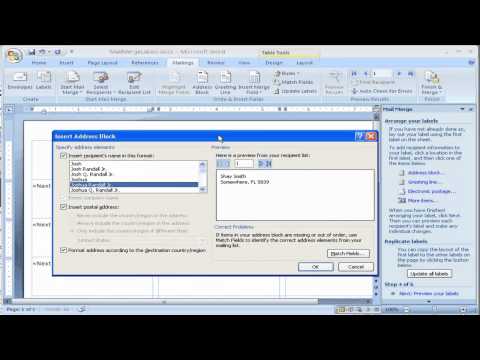
How to create Labels using Mail Merge in Microsoft Word 2007
ChannelSterling MillerDescription from the creator
This video shows you a simple way to create address labels from your address list in Microsoft Excel. See how to choose the correct label size, and connect it to your address information. Learn how to filter your list to only include specific addressees only. Set up one label and have the design carry over to all the labels. See how to fix errors that may occur with Word not recognizing your datat. This is a huge time saver!
About this tutorial
Sterling Miller published this 8:43 video tutorial on November 2, 2010. It has been watched 143,668 times on YouTube.
- Channel
- Sterling Miller
- Category
- Education
- Duration
- 8:43
- Published
- November 2, 2010
- Views
- 143,668
- Likes
- 297
Tags
Share
This tutorial in other languages
- FRComment créer des étiquettes à l'aide de publipostage dans Microsoft Word 2007
- ESCómo crear etiquetas utilizando la combinación de correspondencia en Microsoft Word 2007
- PTComo criar etiquetas usando mala direta no Microsoft Word 2007
- ITCome creare etichette utilizzando Stampa unione in Microsoft Word 2007
- DESo erstellen Sie Etiketten mit Seriendruck in Microsoft Word 2007
- NLHoe kan Labels met Mail Merge te maken in Microsoft Word 2007
- RUКак создать этикетки с помощью рассылки писем в Microsoft Word 2007
- PLJak do tworzenia etykiet za pomocą korespondencji seryjnej w programie Microsoft Word 2007
- JAマイクロソフトWord 2007で差し込み印刷を使用してラベルを作成する方法
- ARكيفية إنشاء تسميات استخدام دمج المراسلات في Microsoft Word 2007
- HIमाइक्रोसॉफ्ट वर्ड 2007 में मेल मर्ज का उपयोग कर लेबल बनाने के लिए कैसे
- IDCara membuat Label menggunakan Mail Merge di Microsoft Word 2007