Playback starts YouTube’s embedded player (privacy-enhanced mode).
How to use Mail Merge to create letters in Microsoft Word
ChannelCarefreeITDescription from the creator
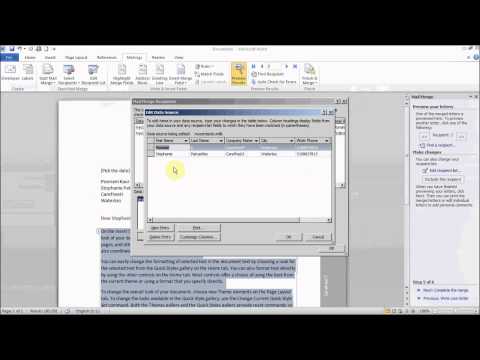
Learn how to use the Mail Merge feature to create letters in Microsoft Word. Mail Merge can be used to automatically add names, addresses and other information to letters, e-mails, envelopes and mailing labels. Mail Merge facilitates sending information to many recipients.
If your video quality appears poor, you can increase it by clicking on the gear icon in the bottom right corner of your video player, and selecting a higher quality.
About this tutorial
CarefreeIT published this 17:20 video tutorial on October 26, 2014. It has been watched 169,275 times on YouTube.
- Channel
- CarefreeIT
- Category
- Education
- Duration
- 17:20
- Published
- October 26, 2014
- Views
- 169,275
- Likes
- 629
Tags
Share
Further reading
-
How to use the Mail Merge feature in Word to create and to ...
support.microsoft.com
This article explains how to use the Mail Merge feature in Microsoft Word to create and to print form letters by using data from a Microsoft Excel worksheet. When you use the Word Mail Merge feature, Word merges a main…
-
Use mail merge for bulk email, letters, labels, and envelopes ...
support.microsoft.com
Data sources. Your first step in setting up a mail merge is to pick the source of data you'll use for the personalized information. Excel spreadsheets and Outlook contact lists are the most common data sources, but if y…
-
Use mail merge to personalize letters - Office Support
support.microsoft.com
Your mailing list is a data source that contains the information that Word uses to customize your letter. See Data sources you can use for a mail merge. If you need to sort or filter your mailing list, see Mail merge: E…
This tutorial in other languages
- FRComment utiliser le publipostage pour créer des lettres dans Microsoft Word
- ESCómo utilizar Combinar correspondencia para crear cartas en Microsoft Word
- PTComo usar mala direta para criar cartas no Microsoft Word
- ITCome utilizzare la stampa unione per creare lettere in Microsoft Word
- DEWie Verwenden von Serienbriefen in Microsoft Word erstellen
- NLAfdruk samenvoegen gebruiken om brieven in Microsoft Word creëren
- RUКак использовать Слияние почты для создания писем в Microsoft Word
- PLJak używać korespondencji seryjnej do tworzenia listów w Microsoft Word
- JAMicrosoft Wordで文字を作成するために、差し込み印刷を使用する方法
- ARكيفية استخدام دمج المراسلات لإنشاء رسائل في Microsoft Word
- HIमेल मर्ज का उपयोग कैसे करें माइक्रोसॉफ्ट वर्ड में पत्र बनाने के लिए
- IDCara menggunakan Mail Merge untuk membuat surat di Microsoft Word