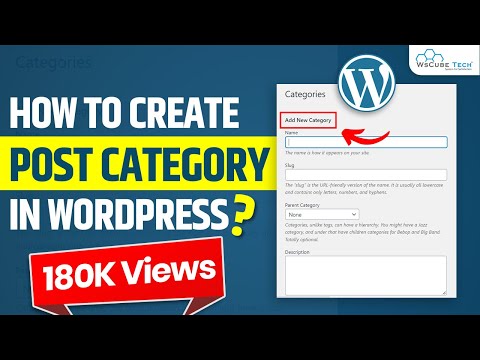
Playback starts YouTube’s embedded player (privacy-enhanced mode).
How to Create Post Category | How to Add Category in Menu | How to Display Post in Wordpress |Part-5
ChannelWsCube TechDescription from the creator
In this WordPress post category tutorial for beginners, you will learn how to create post categories in WordPress. Creating post categories and adding a WordPress post category page are explained in detail.
WordPress is an open-source network that allows developers to create websites for free. It is hassle-free as complex programming is not involved in website creation. You can select parent category as business development from default and edit it or there is an option of uncategorized as well.
Our trainer will explain the details with a practical example of a blog post, so you can better understand the whole concept of WordPress posts and categories. Menu posts and subcategories are explained as well.
You can't delete categories, but you will learn how to add categories in WordPress and how to edit the display post in WordPress.
This is just a part of our series on WordPress categories menu tutorial. Watch the complete WordPress playlist from WsCube tech and make the process of designing websites on WordPress look easy.
✅ CONNECT WITH THE FOUNDER (Mr. Kushagra Bhatia) -
👉 Instagram - instagram.com/kushagrabhatiaofficial
👉 LinkedIn - linkedin.com/in/kushagra-bhatia
Please don’t forget to Like, Share & Subscribe
►Subscribe: bit.ly/wscubechannel
► Facebook : facebook.com/wscubetech.india
► Twitter : twitter.com/wscube
► Instagram : instagram.com/wscubetechindia/
► LinkedIn : linkedin.com/company/wscube-tech/
► Youtube : youtube.com/c/wscubetechjodhpur
► Website: wscubetech.com
------------------------------------------| Thanks |--------------------------------------------
#WordpressTutorial #WordPress
WordPress is an open-source network that allows developers to create websites for free. It is hassle-free as complex programming is not involved in website creation. You can select parent category as business development from default and edit it or there is an option of uncategorized as well.
Our trainer will explain the details with a practical example of a blog post, so you can better understand the whole concept of WordPress posts and categories. Menu posts and subcategories are explained as well.
You can't delete categories, but you will learn how to add categories in WordPress and how to edit the display post in WordPress.
This is just a part of our series on WordPress categories menu tutorial. Watch the complete WordPress playlist from WsCube tech and make the process of designing websites on WordPress look easy.
✅ CONNECT WITH THE FOUNDER (Mr. Kushagra Bhatia) -
👉 Instagram - instagram.com/kushagrabhatiaofficial
👉 LinkedIn - linkedin.com/in/kushagra-bhatia
Please don’t forget to Like, Share & Subscribe
►Subscribe: bit.ly/wscubechannel
► Facebook : facebook.com/wscubetech.india
► Twitter : twitter.com/wscube
► Instagram : instagram.com/wscubetechindia/
► LinkedIn : linkedin.com/company/wscube-tech/
► Youtube : youtube.com/c/wscubetechjodhpur
► Website: wscubetech.com
------------------------------------------| Thanks |--------------------------------------------
#WordpressTutorial #WordPress
About this tutorial
WsCube Tech published this 10:18 video tutorial on November 13, 2019. It has been watched 440,649 times on YouTube.
- Channel
- WsCube Tech
- Category
- Education
- Duration
- 10:18
- Published
- November 13, 2019
- Views
- 440,649
- Likes
- 6,358
Tags
Share
This tutorial in other languages
- FRComment faire pour créer Post Catégorie | Comment Ajouter une catégorie dans le menu | Comment afficher Poster sur Wordpress | Part-5
- ESCómo crear Categoría del puesto | Cómo agregar Categoría en Menú | Cómo mostrar Publicar en Wordpress | Parte-5
- PTComo criar Publicar Categoria | Como adicionar categoria no menu | Como exibir Publicar no Wordpress | Parte-5
- ITCome creare Post Categoria | Come aggiungere categoria nel menu | Come visualizzare Share Wordpress | Part-5
- DESo erstellen Sie Post Kategorie | Wie Kategorie in Menü hinzufügen | So zeigen Beitrag in Wordpress | Part-5
- NLHoe kan ik Post Categorie maken | Hoe kan ik toevoegen Categorie in Menu | Hoe wilt zien Post in Wordpress | Part-5
- RUКак создать сообщение Категория | Как Добавить категорию в меню | Как отобразить сообщение в Wordpress | Часть-5
- PLJak utworzyć postu Kategoria | Jak dodać kategorię w menu | Jak wyświetlić Post w WordPress | Part-5
- JAポストカテゴリを作成する方法|メニューでカテゴリを追加する方法|パート5 | Wordpressの中でポストを表示する方法
- ARكيفية إنشاء Post الفئة | كيفية إضافة فئة في القائمة | كيفية عرض المشاركة في وورد | الجزء 5
- HIकैसे बनाने के लिए पोस्ट श्रेणी | कैसे मेनू में श्रेणी जोड़ें | भाग- 5 | Wordpress में पोस्ट प्रदर्शित करने के लिए कैसे
- IDCara Buat Posting Kategori | Bagaimana Tambahkan Kategori dalam Menu | Cara Menampilkan Posting di Wordpress | Part-5