Playback starts YouTube’s embedded player (privacy-enhanced mode).
How to create your own QR Code and Barcode scanner reader Android App? - complete source code
ChannelProgrammer WorldDescription from the creator
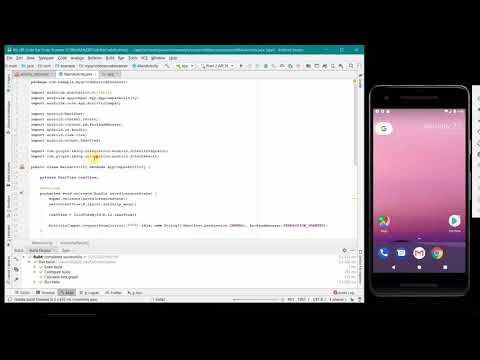
This video shows the steps to create your own QR code (Quick response) and barcode scanner Android App in Android Studio. It uses zxing library 'com.journeyapps:zxing-android-embedded:4.0.2'.
In this video it shows how to create an IntentIntegrator object to scan the codes from your phone. The code in this video has been kept very simple to follow.
The testing of the App has been done using a real phone as camera features aren't emulated in the emulator. The screenshots of the test results and complete project source code is available on the below webpage:
programmerworld.co/android/how-to-create-your-o…
For any suggestions, comments, queries or appreciations we will be glad to hear at: [email protected]
Some of the source code is being pasted below:
package com.example.myqrcodebarcodescanner;
import androidx.annotation.Nullable;
import androidx.appcompat.app.AppCompatActivity;
import androidx.core.app.ActivityCompat;
import android.Manifest;
import android.content.Intent;
import android.content.pm.PackageManager;
import android.os.Bundle;
import android.view.View;
import android.widget.TextView;
import com.google.zxing.integration.android.IntentIntegrator;
import com.google.zxing.integration.android.IntentResult;
public class MainActivity extends AppCompatActivity {
private TextView textView;
@Override
protected void onCreate(Bundle savedInstanceState) {
super.onCreate(savedInstanceState);
setContentView(R.layout.activity_main);
textView = findViewById(R.id.textView);
ActivityCompat.requestPermissions(this, new String[]{Manifest.permission.CAMERA}, PackageManager.PERMISSION_GRANTED);
}
public void ScanButton(View view){
IntentIntegrator intentIntegrator = new IntentIntegrator(this);
intentIntegrator.initiateScan();
}
@Override
protected void onActivityResult(int requestCode, int resultCode, @Nullable Intent data) {
IntentResult intentResult = IntentIntegrator.parseActivityResult(requestCode, resultCode, data);
if (intentResult != null){
if (intentResult.getContents() == null){
textView.setText("Cancelled");
}else {
textView.setText(intentResult.getContents());
}
}
super.onActivityResult(requestCode, resultCode, data);
}
}
/***************************/
apply plugin: 'com.android.application'
android {
compileSdkVersion 29
buildToolsVersion "29.0.2"
defaultConfig {
applicationId "com.example.myqrcodebarcodescanner"
minSdkVersion 26
targetSdkVersion 29
versionCode 1
versionName "1.0"
testInstrumentationRunner "androidx.test.runner.AndroidJUnitRunner"
}
buildTypes {
release {
minifyEnabled false
proguardFiles getDefaultProguardFile('proguard-android-optimize.txt'), 'proguard-rules.pro'
}
}
}
dependencies {
implementation fileTree(dir: 'libs', include: ['*.jar'])
implementation 'androidx.appcompat:appcompat:1.0.2'
implementation 'androidx.constraintlayout:constraintlayout:1.1.3'
testImplementation 'junit:junit:4.12'
androidTestImplementation 'androidx.test.ext:junit:1.1.0'
androidTestImplementation 'androidx.test.espresso:espresso-core:3.1.1'
implementation 'com.journeyapps:zxing-android-embedded:4.0.2'
}
/*********************************/
In this video it shows how to create an IntentIntegrator object to scan the codes from your phone. The code in this video has been kept very simple to follow.
The testing of the App has been done using a real phone as camera features aren't emulated in the emulator. The screenshots of the test results and complete project source code is available on the below webpage:
programmerworld.co/android/how-to-create-your-o…
For any suggestions, comments, queries or appreciations we will be glad to hear at: [email protected]
Some of the source code is being pasted below:
package com.example.myqrcodebarcodescanner;
import androidx.annotation.Nullable;
import androidx.appcompat.app.AppCompatActivity;
import androidx.core.app.ActivityCompat;
import android.Manifest;
import android.content.Intent;
import android.content.pm.PackageManager;
import android.os.Bundle;
import android.view.View;
import android.widget.TextView;
import com.google.zxing.integration.android.IntentIntegrator;
import com.google.zxing.integration.android.IntentResult;
public class MainActivity extends AppCompatActivity {
private TextView textView;
@Override
protected void onCreate(Bundle savedInstanceState) {
super.onCreate(savedInstanceState);
setContentView(R.layout.activity_main);
textView = findViewById(R.id.textView);
ActivityCompat.requestPermissions(this, new String[]{Manifest.permission.CAMERA}, PackageManager.PERMISSION_GRANTED);
}
public void ScanButton(View view){
IntentIntegrator intentIntegrator = new IntentIntegrator(this);
intentIntegrator.initiateScan();
}
@Override
protected void onActivityResult(int requestCode, int resultCode, @Nullable Intent data) {
IntentResult intentResult = IntentIntegrator.parseActivityResult(requestCode, resultCode, data);
if (intentResult != null){
if (intentResult.getContents() == null){
textView.setText("Cancelled");
}else {
textView.setText(intentResult.getContents());
}
}
super.onActivityResult(requestCode, resultCode, data);
}
}
/***************************/
apply plugin: 'com.android.application'
android {
compileSdkVersion 29
buildToolsVersion "29.0.2"
defaultConfig {
applicationId "com.example.myqrcodebarcodescanner"
minSdkVersion 26
targetSdkVersion 29
versionCode 1
versionName "1.0"
testInstrumentationRunner "androidx.test.runner.AndroidJUnitRunner"
}
buildTypes {
release {
minifyEnabled false
proguardFiles getDefaultProguardFile('proguard-android-optimize.txt'), 'proguard-rules.pro'
}
}
}
dependencies {
implementation fileTree(dir: 'libs', include: ['*.jar'])
implementation 'androidx.appcompat:appcompat:1.0.2'
implementation 'androidx.constraintlayout:constraintlayout:1.1.3'
testImplementation 'junit:junit:4.12'
androidTestImplementation 'androidx.test.ext:junit:1.1.0'
androidTestImplementation 'androidx.test.espresso:espresso-core:3.1.1'
implementation 'com.journeyapps:zxing-android-embedded:4.0.2'
}
/*********************************/
About this tutorial
Programmer World published this 19:40 video tutorial on February 2, 2020. It has been watched 36,603 times on YouTube.
- Channel
- Programmer World
- Category
- Education
- Duration
- 19:40
- Published
- February 2, 2020
- Views
- 36,603
- Likes
- 363
Share
This tutorial in other languages
- FRComment créer votre propre code QR et lecteur de Barcode scanner Android App? - le code source complet
- ESCómo crear su propio lector de escáner de código de barras QR y Android App? - el código fuente completo
- PTComo criar o seu próprio código de QR e Barcode Scanner Leitor Android App? - código-fonte completo
- ITCome creare il proprio QR Code e lettore di barcode scanner Android App? - codice sorgente completo
- DEWie Sie Ihre eigenen QR-Code und Barcode-Scanner-Leser Android App erstellen? - vollständige Quellcode
- NLHoe kunt u uw eigen QR Code en Barcode scanner lezer Android App te creëren? - volledige broncode
- RUКак создать свой собственный QR-код и штрих-кода сканер Android App? - полный исходный код
- PLJak stworzyć swój własny QR Code i skanera kodów kreskowych czytnik Android App? - kompletny kod źródłowy
- JAどのようにあなた自身のQRコードやバーコードスキャナリーダーのAndroidアプリケーションを作成するには? - 完全なソースコード
- ARكيفية إنشاء الخاصة بك رمز الاستجابة السريعة وماسح الباركود قارئ الروبوت التطبيق؟ - كامل شفرة المصدر
- HIकैसे अपनी खुद की QR कोड और बारकोड स्कैनर पाठक एंड्रॉयड ऐप बनाने के लिए? - पूरा स्रोत कोड
- IDCara membuat sendiri QR Code dan Barcode scanner reader Android App? - kode sumber lengkap