Playback starts YouTube’s embedded player (privacy-enhanced mode).
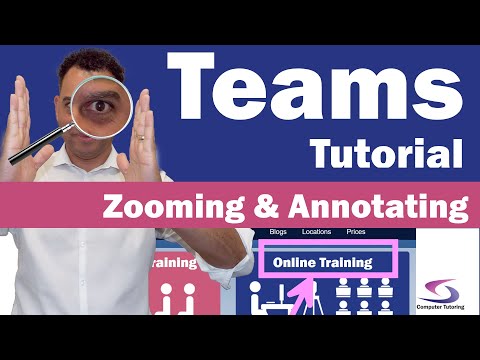
How to draw screen annotations when presenting in teams - Zoom into a certain section of the screen
ChannelComputer TutoringChapters
Description from the creator
This tutorial will show you how to draw screen annotations when presenting in Teams, it will also show you how to zoom into a certain section of the screen when presenting in Teams.
To follow this tutorial you will need to visit:
computertutoring.co.uk/teams-tutorials/draw-on-…
Drawing annotations on the screen will help teachers draw the attention of their students to the topic of discussion. This will help the student to focus. Along with drawing screen annotations zooming, or magnifying, a certain area of the screen will give greater attention to certain aspects of the software application you're training.
Training in Microsoft Teams is easier using this screen enlargement tool.
#computertutoring
00:00 Introduction
00:40 Download zoomit software
01:07 Open zoomit – set zoom level
01:33 Zoom in
01:57 Zoom back
02:00 Draw on the screen
02:35 Draw an arrow
02:45 Erase
02:50 Draw a circle
03:30 Share screen in Microsoft Teams
06:30 Highlight a section – change pen colour
07:15 Write on the shared screen
08:20 Take a screen shot, then annotate
09:00 Draw a line freehand
😊 Check out my website and social media to keep up to date - enjoy learning 😊
📱 computertutoring.co.uk/ 📱
📽 tiktok.com/@thecomptutor 📽
👨👩👧👦 facebook.com/ComputerTutoring.co.uk/ 👨👩👧👦
🦉 twitter.com/CT_Tutoring 🦉
📷 instagram.com/computer_tutoring/ 📷
📌 pinterest.co.uk/CT_Training/ 📌
To follow this tutorial you will need to visit:
computertutoring.co.uk/teams-tutorials/draw-on-…
Drawing annotations on the screen will help teachers draw the attention of their students to the topic of discussion. This will help the student to focus. Along with drawing screen annotations zooming, or magnifying, a certain area of the screen will give greater attention to certain aspects of the software application you're training.
Training in Microsoft Teams is easier using this screen enlargement tool.
#computertutoring
00:00 Introduction
00:40 Download zoomit software
01:07 Open zoomit – set zoom level
01:33 Zoom in
01:57 Zoom back
02:00 Draw on the screen
02:35 Draw an arrow
02:45 Erase
02:50 Draw a circle
03:30 Share screen in Microsoft Teams
06:30 Highlight a section – change pen colour
07:15 Write on the shared screen
08:20 Take a screen shot, then annotate
09:00 Draw a line freehand
😊 Check out my website and social media to keep up to date - enjoy learning 😊
📱 computertutoring.co.uk/ 📱
📽 tiktok.com/@thecomptutor 📽
👨👩👧👦 facebook.com/ComputerTutoring.co.uk/ 👨👩👧👦
🦉 twitter.com/CT_Tutoring 🦉
📷 instagram.com/computer_tutoring/ 📷
📌 pinterest.co.uk/CT_Training/ 📌
About this tutorial
Computer Tutoring published this 10:29 video tutorial on July 8, 2020. It has been watched 20,451 times on YouTube.
- Channel
- Computer Tutoring
- Category
- Education
- Duration
- 10:29
- Published
- July 8, 2020
- Views
- 20,451
- Likes
- 116
Share
This tutorial in other languages
- FRComment dessiner des annotations à l'écran lors de la présentation des équipes - Zoom sur une certaine partie de l'écran
- ESCómo dibujar comentarios en la pantalla cuando se presenta en equipos - Zoom en un sector determinado de la pantalla
- PTComo desenhar anotações de tela ao apresentar em equipes - Zoom em uma determinada seção da tela
- ITCome disegnare le annotazioni dello schermo quando si presenta in squadre - Zoom in una certa sezione dello schermo
- DEWie man Bildschirm Anmerkungen ziehen, wenn in Teams zu präsentieren - Zoom in einen bestimmten Bereich des Bildschirms
- NLHoe kan ik het scherm aantekeningen te tekenen bij de presentatie in teams - Zoom in een bepaald gedeelte van het scherm
- RUКак нарисовать экран аннотации при представлении в командах - Увеличить в определенную часть экрана
- PLJak narysować adnotacje na ekranie podczas prezentacji w zespołach - powiększenie w pewnej części ekranu
- JA画面の特定のセクションにズーム - チームに提示するときに、画面注釈を描画する方法
- ARكيفية رسم الشروح الشاشة عند عرض في فرق - التكبير في قسم معين من الشاشة
- HIस्क्रीन के किसी विशेष अनुभाग में ज़ूम - कैसे जब टीमों में पेश स्क्रीन एनोटेशन आकर्षित करने के लिए
- IDCara menggambar anotasi layar saat presentasi dalam tim - Zoom ke dalam bagian tertentu dari layar