Playback starts YouTube’s embedded player (privacy-enhanced mode).
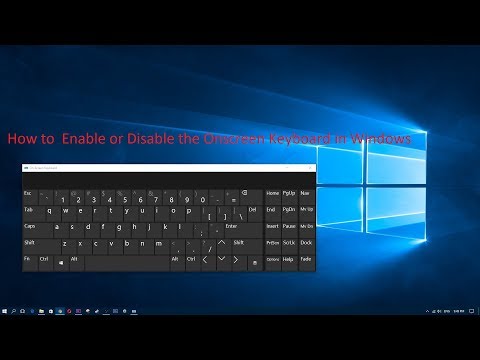
How to Enable or Disable the Onscreen Keyboard in Windows 10/7/8
ChannelThe-IT-FoxDescription from the creator
- In this video I will show How to Enable / disable On screen keyboard in windows
if no physical r external keyboard available do the following Click on:
- windows logo in your computer
- click on settings
- click on ease of access
- click on keyboards
- click on "Turn on the on-screen keyboard
if no physical r external keyboard available do the following Click on:
- windows logo in your computer
- click on settings
- click on ease of access
- click on keyboards
- click on "Turn on the on-screen keyboard
About this tutorial
The-IT-Fox published this 2:40 video tutorial on November 8, 2017. It has been watched 966,462 times on YouTube.
- Channel
- The-IT-Fox
- Category
- Education
- Duration
- 2:40
- Published
- November 8, 2017
- Views
- 966,462
- Likes
- 6,953
Tags
Share
This tutorial in other languages
- FRComment activer ou désactiver le clavier à l'écran dans Windows 10/7/8
- ESCómo activar o desactivar el teclado en pantalla en Windows 10/7/8
- PTComo ativar ou desativar o teclado na tela no Windows 10/7/8
- ITCome attivare o disattivare la tastiera su schermo in Windows 10/7/8
- DESo aktivieren oder deaktivieren Sie die Onscreen-Tastatur in Windows 10/7/8
- NLHoe kan in- of uitschakelen met het schermtoetsenbord in Windows 10/7/8
- RUКак включить или отключить экранную клавиатуру в Windows, 10/7/8
- PLJak włączyć lub wyłączyć klawiaturę ekranową w Windows 10/7/8
- JAWindowsでオンスクリーンキーボードを有効または無効にする方法10/7/8
- ARكيفية تمكين أو تعطيل لوحة المفاتيح التي تظهر على الشاشة في ويندوز 10/7/8
- HIकैसे विंडोज 10/7/8 में सक्षम या अक्षम करने के लिए ऑनस्क्रीन कीबोर्ड
- IDCara Aktifkan atau Nonaktifkan Keyboard Layar pada Windows 10/7/8