Playback starts YouTube’s embedded player (privacy-enhanced mode).
How To Force Eject a CD/Disk from a Mac
ChannelDusty PorterDescription from the creator
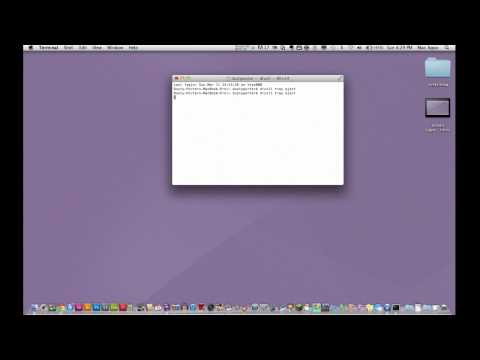
In this video I show you a few easy terminal commands that will help you in the case that a CD or Disk gets stuck in your mac. All you have to do is open up your terminal and type: Drutil Tray Eject
This should trigger the Mac's Optical Drive to try and force eject the stuck disk.
If you have any questions put them in the comment box below!
Follow me on Twitter @TechGuru77
MY TWITTER:
twitter.com/#!/TechGuru77
MY FACEBOOK:
facebook.com/pages/TechGuru77/376182275747539
MY GOOGLE+
plus.google.com/104240648623087067643/posts?hl=…
WEBSITE:
premiumtechtips.com
Support Our YouTube Creators Podcast On Patreon Here: goo.gl/zq3IWo
Support Our Podcast On Patreon And Get Your Channel Featured:
goo.gl/zq3IWo
Get A Free Audiobook Here:
audibletrial.com/creatorshub
My YouTube Setup:
Main Camera: Canon 80D - goo.gl/nEIttU
Webcam: Logitech C920 - goo.gl/WYp9ft
Main Monitor: LG UM57 - goo.gl/aFKRUp
Main Computer: Mac Pro - goo.gl/Dav2T3
Microphone: Heil PR40 - goo.gl/GFE7K2
Adobe Creative Cloud - goo.gl/8HJONR
I Use Screenflow To Record My Screencast Videos:
Get It Here: goo.gl/vRjuJg
Support me on Patreon to have access to a private YouTube Creators discord channel and join our community: goo.gl/YqtD4s
Come Hang Out With Me On Twitch:
twitch.tv/dusttbuster
Disclaimers: Links in the description are typically affiliate links that let you help support the channel at no extra cost.
This should trigger the Mac's Optical Drive to try and force eject the stuck disk.
If you have any questions put them in the comment box below!
Follow me on Twitter @TechGuru77
MY TWITTER:
twitter.com/#!/TechGuru77
MY FACEBOOK:
facebook.com/pages/TechGuru77/376182275747539
MY GOOGLE+
plus.google.com/104240648623087067643/posts?hl=…
WEBSITE:
premiumtechtips.com
Support Our YouTube Creators Podcast On Patreon Here: goo.gl/zq3IWo
Support Our Podcast On Patreon And Get Your Channel Featured:
goo.gl/zq3IWo
Get A Free Audiobook Here:
audibletrial.com/creatorshub
My YouTube Setup:
Main Camera: Canon 80D - goo.gl/nEIttU
Webcam: Logitech C920 - goo.gl/WYp9ft
Main Monitor: LG UM57 - goo.gl/aFKRUp
Main Computer: Mac Pro - goo.gl/Dav2T3
Microphone: Heil PR40 - goo.gl/GFE7K2
Adobe Creative Cloud - goo.gl/8HJONR
I Use Screenflow To Record My Screencast Videos:
Get It Here: goo.gl/vRjuJg
Support me on Patreon to have access to a private YouTube Creators discord channel and join our community: goo.gl/YqtD4s
Come Hang Out With Me On Twitch:
twitch.tv/dusttbuster
Disclaimers: Links in the description are typically affiliate links that let you help support the channel at no extra cost.
About this tutorial
Dusty Porter published this 2:06 video tutorial on November 12, 2012. It has been watched 83,973 times on YouTube.
- Channel
- Dusty Porter
- Category
- Education
- Duration
- 2:06
- Published
- November 12, 2012
- Views
- 83,973
- Likes
- 282
Tags
Share
This tutorial in other languages
- FRComment forcer Eject un CD / disque à partir d'un Mac
- ESCómo forzar la expulsión de un CD / disco desde un Mac
- PTComo forçar a ejeção a / Disk CD a partir de um Mac
- ITCome forzare espellere un CD / disco da un Mac
- DEWie zu erzwingen Auswerfen einer CD / Disk von einem Mac
- NLHow To Force Eject een CD / Disk vanaf een Mac
- RUКак выгрузка компакт-диск / диск с Mac
- PLJak zmusić wysunąć CD / Dysk z komputerem Mac
- JAどのように力取り出しのMacからCD /ディスク
- ARكيفية فرض إخراج قرص مضغوط / قرص من ماك
- HIकैसे करने के लिए सेना निकालें से एक मैक एक सीडी / डिस्क
- IDCara Angkatan Eject CD / Disk dari Mac