Playback starts YouTube’s embedded player (privacy-enhanced mode).
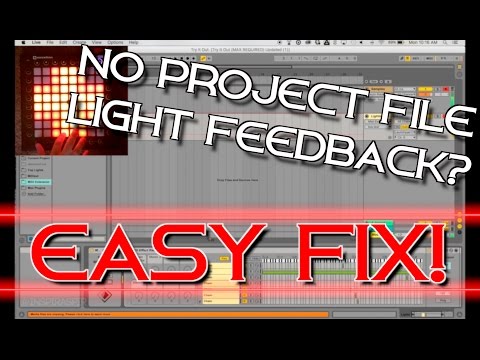
How to get Light Feedback from MIDI Extension Device in a Launchpad Project File
ChannelInspirAspirDescription from the creator
Are you unable to get light feedback from the MIDI extension device on a launchpad project file that you downloaded? Do you constantly run into the "infinite window" error when trying to load the lights? Then this is the video for you! In this tutorial video, my goal is to answer any questions you may have regarding this extension device and how to use it when downloading other people's project files.
NOTE: You will need Max4Live in order to use/open project files with this extension device. Max4Live is available for free with Ableton Suite, or available for purchase with Ableton Standard. Max4Live is NOT compatible with Ableton Lite/Intro.
Click here to subscribe to InspirAspir: goo.gl/754gsE
★ Check out my Official Merch Shop: shop.spreadshirt.com/InspirAspir/?noCache=true
★ SUPPORT ME ON PATREON ► patreon.com/inspiraspir
★ JOIN THE OFFICIAL INSPIRASPIR DISCORD SERVER ► discord.gg/HzPdh8d
Listen to my original songs here: goo.gl/R92oH9
Learn how to make launchpad light shows: goo.gl/XbHs1y
Watch every one of my launchpad light shows: goo.gl/8ixgHI
----------------------------------------------------------------------------------------------------------------Songs used (In order of appearance):
Phantom Sage - The Light: youtube.com/watch?v=1YRWKGBiwTw
More from Phantom Sage:
• soundcloud.com/phantomsage
• facebook.com/phaantomsage
• twitter.com/_phantomsage_
• youtube.com/c/phantomsage
Paul Flint - Savage: youtube.com/watch?v=8uSx3DyJjk0
More from Paul Flint:
• soundcloud.com/paulflintmusic
• facebook.com/paulflintmusic
• twitter.com/paulflintmusic
• instagram.com/paulflintmu...
----------------------------------------------------------------------------------------------------------------
[InspirAspir Intro]
Song:
Mataio & Toddzilla - Time & Space: goo.gl/qLTn4u
▪ Mataio
Soundcloud: soundcloud.com/mataiomusic
Twitter: twitter.com/X2Ruby
Facebook: facebook.com/Mataiomusic
▪ Toddzilla
Soundcloud: soundcloud.com/toddzilladubstep
Youtube: youtube.com/user/Drum4evr22
Courtesy of BreakingCopyright: youtube.com/user/BreakingTheCopyright
NOTE: You will need Max4Live in order to use/open project files with this extension device. Max4Live is available for free with Ableton Suite, or available for purchase with Ableton Standard. Max4Live is NOT compatible with Ableton Lite/Intro.
Click here to subscribe to InspirAspir: goo.gl/754gsE
★ Check out my Official Merch Shop: shop.spreadshirt.com/InspirAspir/?noCache=true
★ SUPPORT ME ON PATREON ► patreon.com/inspiraspir
★ JOIN THE OFFICIAL INSPIRASPIR DISCORD SERVER ► discord.gg/HzPdh8d
Listen to my original songs here: goo.gl/R92oH9
Learn how to make launchpad light shows: goo.gl/XbHs1y
Watch every one of my launchpad light shows: goo.gl/8ixgHI
----------------------------------------------------------------------------------------------------------------Songs used (In order of appearance):
Phantom Sage - The Light: youtube.com/watch?v=1YRWKGBiwTw
More from Phantom Sage:
• soundcloud.com/phantomsage
• facebook.com/phaantomsage
• twitter.com/_phantomsage_
• youtube.com/c/phantomsage
Paul Flint - Savage: youtube.com/watch?v=8uSx3DyJjk0
More from Paul Flint:
• soundcloud.com/paulflintmusic
• facebook.com/paulflintmusic
• twitter.com/paulflintmusic
• instagram.com/paulflintmu...
----------------------------------------------------------------------------------------------------------------
[InspirAspir Intro]
Song:
Mataio & Toddzilla - Time & Space: goo.gl/qLTn4u
▪ Mataio
Soundcloud: soundcloud.com/mataiomusic
Twitter: twitter.com/X2Ruby
Facebook: facebook.com/Mataiomusic
▪ Toddzilla
Soundcloud: soundcloud.com/toddzilladubstep
Youtube: youtube.com/user/Drum4evr22
Courtesy of BreakingCopyright: youtube.com/user/BreakingTheCopyright
About this tutorial
InspirAspir published this 6:58 video tutorial on November 13, 2016. It has been watched 43,704 times on YouTube.
- Channel
- InspirAspir
- Category
- Education
- Duration
- 6:58
- Published
- November 13, 2016
- Views
- 43,704
- Likes
- 453
Tags
Share
This tutorial in other languages
- FRComment obtenir la lumière de commentaires d'extension périphériques MIDI dans un fichier de projet Launchpad
- ESComo llegar Comentarios Luz del dispositivo de expansión MIDI en un archivo de proyecto de ejecución
- PTComo obter feedback Luz a partir de dispositivos MIDI Extensão em um arquivo Launchpad Projeto
- ITCome mai a risposte Luce da dispositivo MIDI di estensione in un file di progetto Launchpad
- DEWie Licht Des Feedback von MIDI-Extensionsgerät in einer Launchpad Projektdatei erhalten
- NLHow to Light Feedback van MIDI Extension apparaat te krijgen in een Launchpad Project File
- RUКак получить световую отдачу от MIDI Extension устройства в файле проекта Launchpad
- PLJak zdobyć światło zwrotne od urządzenia MIDI File Extension w Launchpad Projektu
- JALaunchpadのプロジェクトファイルにMIDIを拡張デバイスからの光フィードバックを取得する方法
- ARكيفية الحصول على ملاحظات خفيفة من جهاز MIDI التمديد في ملف مشروع انطلاق
- HIकैसे एक लॉन्चपैड परियोजना फ़ाइल में मिडी एक्सटेंशन डिवाइस से लाइट प्रतिक्रिया प्राप्त करने के लिए
- IDCara mendapatkan Masukan Cahaya dari MIDI Ekstensi Device File Launchpad Project