Playback starts YouTube’s embedded player (privacy-enhanced mode).
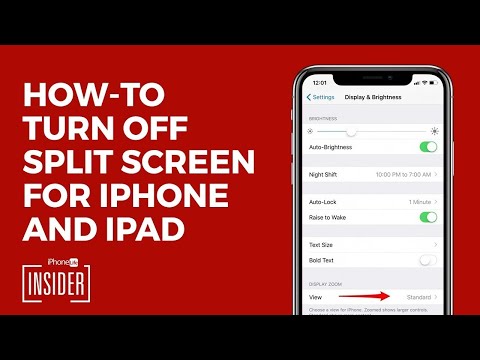
How to Get Rid of Split Screen on iPad & iPhone (UPDATED 2020)
ChanneliPhone Life magazineChapters
Description from the creator
Split screen on the iPad and iPhone can be very useful, but there are times when you might want to disable the feature on one or all of your devices. We'll teach you how to get rid of the iPad split screen and iPhone split screen!
0:00 - Intro
0:19 - Split Screen Off
0:43 - Subscribe for More Tips
#iPadTips #iPhoneTips #howto
To turn off split screen on the iPad:
1. Open the Settings app on your iPad.
2. Tap General.
3. Select Multitasking & Dock.
4. Toggle off Allow Multiple Apps.
To learn:
- How to Remove Split Screen on iPad
- How to Stop Split Screen on iPad from Happening Accidentally
- How to Close Split Screen on iPad
- iPad Safari Split Screen—How to Exit Split Screen on iPad in Safari
See the step-by-step screenshots here: bit.ly/3wj0xU9
What’s the Difference Between Split Screen on iPhone VS. iPad?
Split Screen operations aren't quite the same on the iPad and iPhone. For instance, to utilize your extra screen space on your iPhone, you can activate split screen by turning your iPhone on its side. This automatically activates landscape mode and allows your iPhone’s display to feature more content on a single screen. Common apps that use split screen on iPhone include Mail, Calendar, Messages, Stocks, Reminders, Voice Memos, Contacts, Settings, and Clock.
Related videos:
- How to Get Rid of Split Screen on iPad & iPhone in 2022: youtu.be/9TTaBmx6CP8
- How to Get Rid of Split Screen on iPad (iOS 15 Update): youtu.be/965fx0AaNKs
0:00 - Intro
0:19 - Split Screen Off
0:43 - Subscribe for More Tips
#iPadTips #iPhoneTips #howto
To turn off split screen on the iPad:
1. Open the Settings app on your iPad.
2. Tap General.
3. Select Multitasking & Dock.
4. Toggle off Allow Multiple Apps.
To learn:
- How to Remove Split Screen on iPad
- How to Stop Split Screen on iPad from Happening Accidentally
- How to Close Split Screen on iPad
- iPad Safari Split Screen—How to Exit Split Screen on iPad in Safari
See the step-by-step screenshots here: bit.ly/3wj0xU9
What’s the Difference Between Split Screen on iPhone VS. iPad?
Split Screen operations aren't quite the same on the iPad and iPhone. For instance, to utilize your extra screen space on your iPhone, you can activate split screen by turning your iPhone on its side. This automatically activates landscape mode and allows your iPhone’s display to feature more content on a single screen. Common apps that use split screen on iPhone include Mail, Calendar, Messages, Stocks, Reminders, Voice Memos, Contacts, Settings, and Clock.
Related videos:
- How to Get Rid of Split Screen on iPad & iPhone in 2022: youtu.be/9TTaBmx6CP8
- How to Get Rid of Split Screen on iPad (iOS 15 Update): youtu.be/965fx0AaNKs
About this tutorial
iPhone Life magazine published this 0:50 video tutorial on October 29, 2019. It has been watched 348,854 times on YouTube.
- Channel
- iPhone Life magazine
- Category
- Education
- Duration
- 0:50
- Published
- October 29, 2019
- Views
- 348,854
- Likes
- 382
Tags
Share
This tutorial in other languages
- FRComment se débarrasser de Split Screen sur iPad et iPhone (mise à jour 2020)
- ES¿Cómo deshacerse de la pantalla dividida en el iPad y el iPhone (ACTUALIZADO 2020)
- PTComo se livrar de Split Screen no iPad e iPhone (ATUALIZADO 2020)
- ITCome sbarazzarsi di Split Screen su iPad e iPhone (AGGIORNATO 2020)
- DEWie loswerden von Split Screen auf iPad & iPhone (AKTUALISIERT 2020) Get
- NLHow to Get Rid van Split Screen op iPad en iPhone (UPDATE 2020)
- RUКак избавиться от разделения экрана на IPad и iPhone (ОБНОВЛЕНО 2020)
- PLJak pozbyć się z Split Screen na iPad & iPhone (aktualizacja 2020)
- JAどのアプリ&iPhone上で分割画面を取り除くために(2020更新)
- ARكيفية التخلص من الشاشة سبليت في باد و آي فون (محدث 2020)
- HIकैसे iPad और iPhone पर स्प्लिट स्क्रीन की छुटकारा पाएं करने के लिए (UPDATED 2020)
- IDBagaimana Mencampak Split Screen pada iPad & iPhone (UPDATED 2020)