Playback starts YouTube’s embedded player (privacy-enhanced mode).
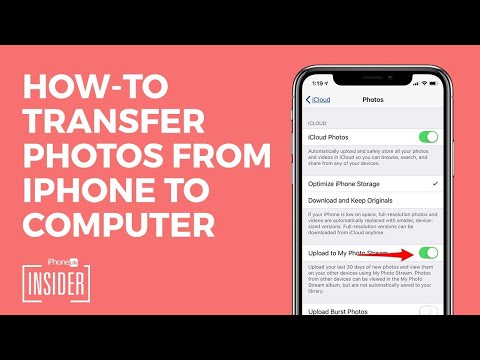
How to Transfer Photos from iPhone to Computer (Mac, PC, iCloud & AirDrop)
ChanneliPhone Life magazineChapters
Description from the creator
Our devices have become our go-to cameras, which means we can’t avoid importing our pictures from iPhone to computer forever. If you’re wanting to know how to transfer pictures from your iPhone to your computer, you have lots of options. For more detail, see the full article: iphonelife.com/tip/how-to-get-photos-off-iphone
0:00 - Info: Ways to Transfer Photos from iPhone
0:16 - Transfer Photos to Mac With a Cable
0:51 - Transfer Photos to PC With a Cable
2:15 - Import Photos from iCloud Photo Stream
3:13 - Sync Photos With iCloud
4:29 - AirDrop Photos
#iPhoneTips #MacTips
The classic way to download pictures from your iPhone is to use the photo transfer feature in the built-in Photos app that both Mac and PC offer. You can also import photos from iPhone to Mac wirelessly by using iCloud. Or if you have a newer Mac, you can use AirDrop for an incredibly easy transfer of photos to your computer.
Getting photos off your iPhone may be frustrating, but it doesn't have to be. This article will make transferring your pictures from iPhone or iPad (even the newest devices like the iPhone XS and the iPhone XR) to a Mac or PC a breeze.
Follow the step-by-step screenshots here: iphonelife.com/tip/how-to-get-photos-off-iphone
How to Transfer Photos from iPhone to Computer (Mac)
1. Connect your iPhone to your computer with the USB cable.
2. The Photos app on your Mac will automatically open. If it doesn't, open your Applications folder and select the Photos app.
3. Select File from the top menu, then select Import.
4. *Transfer Photos from iPhone to Computer*
You can download select photos by holding down the command key on your keyboard while clicking all the photos you want to transfer, then click Review for Import.
Related videos:
- iOS 15 Update: Photos Not Uploading to iCloud? 6 Ways to Fix iCloud Photo Syncing Issues (youtu.be/ASolaHOYbsg)
- How to Transfer Photos from iPhone to iPhone—Easiest Method! (2020) (youtu.be/-JcSnFnlMrc)
- How to Hide Your Photos on iPhone in 2022 (Password Protect Photos iPhone) (youtu.be/cOc9XpBjP00)
- iPhone Life Podcast Episode 154: Change Your Safari Homepage, Edit Photos & Plan for Travel (youtu.be/s3vuLbDCotY)
0:00 - Info: Ways to Transfer Photos from iPhone
0:16 - Transfer Photos to Mac With a Cable
0:51 - Transfer Photos to PC With a Cable
2:15 - Import Photos from iCloud Photo Stream
3:13 - Sync Photos With iCloud
4:29 - AirDrop Photos
#iPhoneTips #MacTips
The classic way to download pictures from your iPhone is to use the photo transfer feature in the built-in Photos app that both Mac and PC offer. You can also import photos from iPhone to Mac wirelessly by using iCloud. Or if you have a newer Mac, you can use AirDrop for an incredibly easy transfer of photos to your computer.
Getting photos off your iPhone may be frustrating, but it doesn't have to be. This article will make transferring your pictures from iPhone or iPad (even the newest devices like the iPhone XS and the iPhone XR) to a Mac or PC a breeze.
Follow the step-by-step screenshots here: iphonelife.com/tip/how-to-get-photos-off-iphone
How to Transfer Photos from iPhone to Computer (Mac)
1. Connect your iPhone to your computer with the USB cable.
2. The Photos app on your Mac will automatically open. If it doesn't, open your Applications folder and select the Photos app.
3. Select File from the top menu, then select Import.
4. *Transfer Photos from iPhone to Computer*
You can download select photos by holding down the command key on your keyboard while clicking all the photos you want to transfer, then click Review for Import.
Related videos:
- iOS 15 Update: Photos Not Uploading to iCloud? 6 Ways to Fix iCloud Photo Syncing Issues (youtu.be/ASolaHOYbsg)
- How to Transfer Photos from iPhone to iPhone—Easiest Method! (2020) (youtu.be/-JcSnFnlMrc)
- How to Hide Your Photos on iPhone in 2022 (Password Protect Photos iPhone) (youtu.be/cOc9XpBjP00)
- iPhone Life Podcast Episode 154: Change Your Safari Homepage, Edit Photos & Plan for Travel (youtu.be/s3vuLbDCotY)
About this tutorial
iPhone Life magazine published this 5:14 video tutorial on August 11, 2020. It has been watched 235,227 times on YouTube.
- Channel
- iPhone Life magazine
- Category
- Education
- Duration
- 5:14
- Published
- August 11, 2020
- Views
- 235,227
- Likes
- 542
Tags
Share
This tutorial in other languages
- FRComment transférer des photos de l'iPhone à l'ordinateur (Mac, PC, iCloud et Parachutage)
- ESCómo transferir fotos desde el iPhone al ordenador (Mac, PC, iCloud y lanzamiento desde el aire)
- PTComo transferir fotos do iPhone ao computador (Mac, PC, iCloud e Airdrop)
- ITCome trasferire foto da iPhone al computer (Mac, PC, iCloud e Airdrop)
- DESo übertragen Sie Fotos vom iPhone auf Computer (Mac, PC, iCloud & Abwurf)
- NLHoe kan ik foto's overzetten van iPhone naar computer (Mac, PC, iCloud & AirDrop)
- RUКак перенести фотографии с iPhone на компьютер (Mac, PC, ICloud и десантный)
- PLJak przenieść zdjęcia z iPhone do komputera (Mac, PC, iCloud i zrzut)
- JAコンピュータにiPhoneから写真を転送する方法(Mac、Windowsパソコン、iCloudの&AirDrop)
- ARكيفية نقل صور من اي فون إلى الكمبيوتر (ماك، وأجهزة الكمبيوتر، على iCloud وانزال)
- HIकैसे iPhone से कंप्यूटर के लिए स्थानांतरण करने के लिए तस्वीरें (मैक, पीसी, iCloud और AirDrop)
- IDCara Transfer Foto dari iPhone ke Komputer (Mac, PC, iCloud & AirDrop)