Playback starts YouTube’s embedded player (privacy-enhanced mode).
How to Install and Partition Windows 7
ChannelDIY PC RepairsDescription from the creator
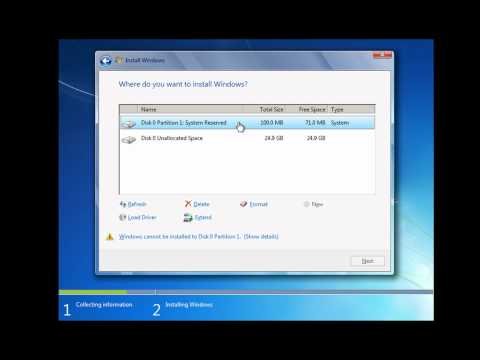
This video takes a look at how to both install Windows 7 and also repartition your hard drive at the point of install.
We know that you can repartition your hard drive from within Windows 7 after you have installed and setup the operating system but you can also manage you hard drive at the point you install Windows.
It is important that you back up your important files and folders before you follow anything in this screencast video to protect your data.
Please subscribe and also check out diypcrepairs.net
We know that you can repartition your hard drive from within Windows 7 after you have installed and setup the operating system but you can also manage you hard drive at the point you install Windows.
It is important that you back up your important files and folders before you follow anything in this screencast video to protect your data.
Please subscribe and also check out diypcrepairs.net
About this tutorial
DIY PC Repairs published this 4:29 video tutorial on November 2, 2011. It has been watched 1,939,274 times on YouTube.
- Channel
- DIY PC Repairs
- Category
- Education
- Duration
- 4:29
- Published
- November 2, 2011
- Views
- 1,939,274
- Likes
- 6,135
Share
This tutorial in other languages
- FRComment installer et partition Windows 7
- ESCómo instalar y partición de Windows 7
- PTComo instalar e partição do Windows 7
- ITCome installare e partizione di Windows 7
- DEWie zu Installieren und Partition Windows 7
- NLHoe te installeren en Partition Windows 7
- RUКак установить и разделов для Windows 7
- PLJak zainstalować i partycji Windows 7
- JAどのようにインストールし、パーティションのWindows 7へ
- ARكيفية تثبيت ويندوز 7 التقسيم
- HIकैसे स्थापित करें और विभाजन विंडोज 7 को
- IDCara Menginstal dan Partisi Windows 7