Playback starts YouTube’s embedded player (privacy-enhanced mode).
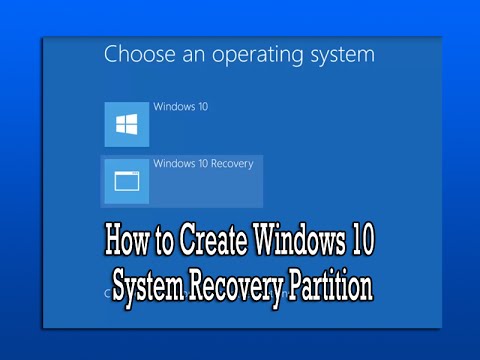
How to Create Windows 10 System Recovery Partition
ChannelBritec09Description from the creator
How to Create Windows 10 System Recovery Partition
In this video we are going to be creating a recovery partition in our windows 10 operating system, you can also do this on other versions of windows like Windows Vista, Windows 7, Windows 8 and 8.1.
Why should I do this?
If you're computer becomes infected with malware or you PC is suffer from registry corruption and you receiving a BSOD. You can use this recovery partition to reinstall windows, its basically a copy of windows store on a small partition, that lets you install windows from, without a CD or USB. We will be using EasyBCD and Windows Media Creation Tool
Download EasyBCD
neosmart.net/EasyBCD/
Download Windows Media Creation Tool
microsoft.com/en-gb/software-download/windows10
Warning: Before you follow this video, make sure you backup all your data and create a image of your machine.
So if your computer crashes and you want to put your machine back to default settings, you can use this method, just remember to backup your data first.
There is software you can use to do this for you which will probably work better for you, I have made videos show on how to use this type of software.
having trouble with your computer? need help? join our forum
briteccomputers.co.uk/forum
In this video we are going to be creating a recovery partition in our windows 10 operating system, you can also do this on other versions of windows like Windows Vista, Windows 7, Windows 8 and 8.1.
Why should I do this?
If you're computer becomes infected with malware or you PC is suffer from registry corruption and you receiving a BSOD. You can use this recovery partition to reinstall windows, its basically a copy of windows store on a small partition, that lets you install windows from, without a CD or USB. We will be using EasyBCD and Windows Media Creation Tool
Download EasyBCD
neosmart.net/EasyBCD/
Download Windows Media Creation Tool
microsoft.com/en-gb/software-download/windows10
Warning: Before you follow this video, make sure you backup all your data and create a image of your machine.
So if your computer crashes and you want to put your machine back to default settings, you can use this method, just remember to backup your data first.
There is software you can use to do this for you which will probably work better for you, I have made videos show on how to use this type of software.
having trouble with your computer? need help? join our forum
briteccomputers.co.uk/forum
About this tutorial
Britec09 published this 10:44 video tutorial on November 2, 2016. It has been watched 392,456 times on YouTube.
Tags
Share
This tutorial in other languages
- FRComment faire pour créer système Windows 10 partition de récupération
- ESCómo crear particiones Windows 10 Recuperación del sistema
- PTComo criar Windows 10 System Recovery Partition
- ITCome creare di Windows 10 System Recovery Partizione
- DEWie Erstellen von Windows 10 Systemwiederherstellungspartition
- NLHoe kan ik Windows 10 System Recovery Partitie maken
- RUКак создать Windows 10 восстановления системы раздела
- PLJak stworzyć system Windows 10 partycji odzyskiwania systemu
- JAWindowsの10システムのリカバリパーティションを作成する方法
- ARكيفية إنشاء قسم ويندوز 10 استرداد النظام
- HIWindows 10 सिस्टम वसूली विभाजन बनाने के लिए कैसे
- IDCara Membuat Windows 10 Sistem Pemulihan Partisi