Playback starts YouTube’s embedded player (privacy-enhanced mode).
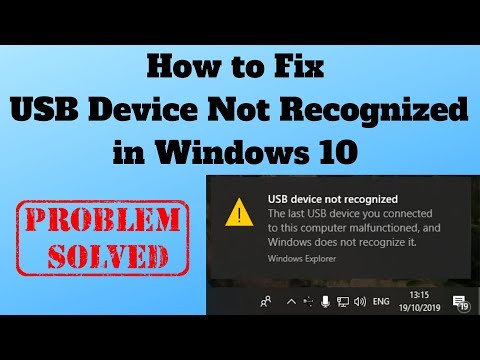
How to Fix USB Device Not Recognized in Windows 10
ChannelBritec09Description from the creator
How to Fix USB Device Not Recognized in Windows 10
►►►SUBSCRIBE for more: youtube.com/user/Britec09?sub_confirmation=1
Want to know what to do when a USB Device Is Not Recognized in Windows 10? USB connection errors, such as Error Code 43 message is very common. This error is caused by faulty hardware, out of date software, driver issue and conflicts. There are a couple of common types of yellow exclamation mark errors, one is the device has no driver and windows don’t recognize the device without it, the device might be named which is a good sign and easier to fix then the later USB problem, where the device is unknown to windows.
So, let’s start troubleshooting this USB problem:
1. Remove all USB devices from the computer apart from Keyboard and Mouse.
2. Try changing port and changing USB cable
3. Try updating windows
4. Try running Hardware and Devices Troubleshooter tool
5. Try updating drivers for all USB Hubs and USB Root
6. Try uninstalling drivers for all USB Hubs and USB Root and restart computer
7. Try Roll Back Drivers option if available, windows may of updated your driver and now it don’t work.
8. Download drivers from the hardware manufacturer website
9. Try flashing motherboard BIOS
10. Download latest USB chipset drivers and USB drivers from motherboard manufacturer website
11. Check for USB 3 and USB 2 compatibility, also check to make sure you are using the right USB cable if it’s a old device.
12. Check Hardware id code and search to find the correct driver
13. Check to see if hardware is even compatible with Windows 10
These are just some basic steps you can try and resolve How to Fix a USB Device Problem in Windows 10
✅ Britec Merchandise teespring.com/en-GB/stores/britec-store
——————— My Social Links:
🔵 View My Channel - youtube.com/Britec09
🔵 View My Playlists -youtube.com/user/Britec09/playlists
🔵 Follow on Twitter - twitter.com/Britec09
🔵 Follow on Facebook: facebook.com/BritecComputers
🔵 View my Website: BritecComputers.co.uk
🔵 My Official Email: [email protected]
🔵 My Discord: discord.gg/YAuGm5j
#Code43 #USBError #USB #USBNotRecognized #FixUSB
►►►SUBSCRIBE for more: youtube.com/user/Britec09?sub_confirmation=1
Want to know what to do when a USB Device Is Not Recognized in Windows 10? USB connection errors, such as Error Code 43 message is very common. This error is caused by faulty hardware, out of date software, driver issue and conflicts. There are a couple of common types of yellow exclamation mark errors, one is the device has no driver and windows don’t recognize the device without it, the device might be named which is a good sign and easier to fix then the later USB problem, where the device is unknown to windows.
So, let’s start troubleshooting this USB problem:
1. Remove all USB devices from the computer apart from Keyboard and Mouse.
2. Try changing port and changing USB cable
3. Try updating windows
4. Try running Hardware and Devices Troubleshooter tool
5. Try updating drivers for all USB Hubs and USB Root
6. Try uninstalling drivers for all USB Hubs and USB Root and restart computer
7. Try Roll Back Drivers option if available, windows may of updated your driver and now it don’t work.
8. Download drivers from the hardware manufacturer website
9. Try flashing motherboard BIOS
10. Download latest USB chipset drivers and USB drivers from motherboard manufacturer website
11. Check for USB 3 and USB 2 compatibility, also check to make sure you are using the right USB cable if it’s a old device.
12. Check Hardware id code and search to find the correct driver
13. Check to see if hardware is even compatible with Windows 10
These are just some basic steps you can try and resolve How to Fix a USB Device Problem in Windows 10
✅ Britec Merchandise teespring.com/en-GB/stores/britec-store
——————— My Social Links:
🔵 View My Channel - youtube.com/Britec09
🔵 View My Playlists -youtube.com/user/Britec09/playlists
🔵 Follow on Twitter - twitter.com/Britec09
🔵 Follow on Facebook: facebook.com/BritecComputers
🔵 View my Website: BritecComputers.co.uk
🔵 My Official Email: [email protected]
🔵 My Discord: discord.gg/YAuGm5j
#Code43 #USBError #USB #USBNotRecognized #FixUSB
About this tutorial
Britec09 published this 17:04 video tutorial on October 26, 2019. It has been watched 1,647,111 times on YouTube.
- Channel
- Britec09
- Category
- Education
- Duration
- 17:04
- Published
- October 26, 2019
- Views
- 1,647,111
- Likes
- 12,949
Tags
Share
This tutorial in other languages
- FRComment réparer un périphérique USB non reconnu dans Windows 10
- ESCómo arreglo del dispositivo USB no reconocido en Windows 10
- PTComo dispositivos USB Fix não reconhecido no Windows 10
- ITCome Fix Periferica USB non riconosciuta in Windows 10
- DEHow to Fix USB Gerät wurde nicht erkannt in Windows 10
- NLHow To USB-apparaat wordt niet herkend in Windows 10
- RUКак исправить USB устройство не распознается в Windows 10
- PLJak ustalić Nie rozpoznano urządzenia USB w systemie Windows 10
- JAWindowsの10で認識されないUSBデバイスを修正する方法
- ARكيفية إصلاح جهاز USB غير المعترف بها في نظام التشغيل Windows 10
- HIकैसे फिक्स यूएसबी डिवाइस के लिए Windows 10 में मान्यता प्राप्त नहीं
- IDCara Perbaiki USB Device Tidak Diakui di Windows 10