Playback starts YouTube’s embedded player (privacy-enhanced mode).
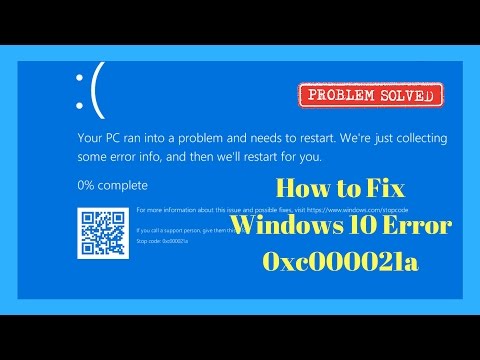
How to Fix Windows 10 Error 0xc000021a
ChannelBritec09Description from the creator
How to Fix Windows 10 Error 0xc000021a
This is a common BSOD error which occurs when WinLogon or (CSRSS) Client Server Runtime Subsystem are causing a BSOD or it could be Winlogon or CSRSS are corrupted. You can also get this error from a corrupt or failed Windows update. This error code 0xc000021a can also point towards Malware. The error will cause can continuous boot loop. I will show you things you can try to fix the error 0xc000021a.
The 0xC000021A error can occur if Winlogon.exe or Csrss.exe stops working. This happens if:
* Corrupt operating system files.
* There was a failed Windows upgrade.
* Corrupt Windows Update
* Incomplete installation of a software program.
* Malware
I hope these resolve your error.
1. First, try a system restore.
2. chk disk /f /r
3. sfc /scannow
4. dism/online/cleanup-image/restorehealth
5. dism /image:C:\ /cleanup-image /revertpendingactions
6. Disable Driver Signature Enforcement
7. Try booting to safemode with networking
8. Roll computer back to a previous version of Windows
9. Restore files from RegBack folder ( I have made video on how to do this)
10. When all else fails try Reset your PC
If you need any more help please join my forum
briteccomputers.co.uk/forum
This is a common BSOD error which occurs when WinLogon or (CSRSS) Client Server Runtime Subsystem are causing a BSOD or it could be Winlogon or CSRSS are corrupted. You can also get this error from a corrupt or failed Windows update. This error code 0xc000021a can also point towards Malware. The error will cause can continuous boot loop. I will show you things you can try to fix the error 0xc000021a.
The 0xC000021A error can occur if Winlogon.exe or Csrss.exe stops working. This happens if:
* Corrupt operating system files.
* There was a failed Windows upgrade.
* Corrupt Windows Update
* Incomplete installation of a software program.
* Malware
I hope these resolve your error.
1. First, try a system restore.
2. chk disk /f /r
3. sfc /scannow
4. dism/online/cleanup-image/restorehealth
5. dism /image:C:\ /cleanup-image /revertpendingactions
6. Disable Driver Signature Enforcement
7. Try booting to safemode with networking
8. Roll computer back to a previous version of Windows
9. Restore files from RegBack folder ( I have made video on how to do this)
10. When all else fails try Reset your PC
If you need any more help please join my forum
briteccomputers.co.uk/forum
About this tutorial
Britec09 published this 8:26 video tutorial on November 12, 2017. It has been watched 1,894,164 times on YouTube.
- Channel
- Britec09
- Category
- Education
- Duration
- 8:26
- Published
- November 12, 2017
- Views
- 1,894,164
- Likes
- 13,900
Tags
Share
This tutorial in other languages
- FRComment réparer l'erreur de Windows 10 0xc000021a
- ESCómo corregir un error de Windows 10 0xc000021a
- PTComo corrigir o Windows 0xc000021a 10 Erro
- ITCome risolvere di Windows 0xc000021a 10 Errore
- DEWie Fix Windows-10 Fehler 0xc000021a
- NLHoe kan ik Windows 10 Error 0xc000021a Fix
- RUКак исправить Windows, 0xC000021A 10 ошибок
- PLJak naprawić system Windows 10 Error 0xc000021a
- JAWindowsの10エラー0xc000021aを修正する方法
- ARكيفية تثبيت ويندوز 10 خطأ 0xc000021a
- HIWindows 10 त्रुटि 0xc000021a को कैसे सुधारें
- IDBagaimana Fix Windows 10 Kesalahan 0XC000021A