Playback starts YouTube’s embedded player (privacy-enhanced mode).
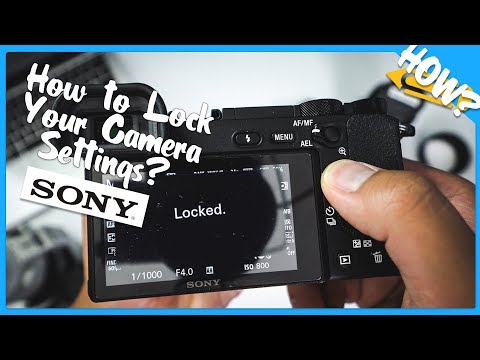
How to Lock????Your Sony a6500 Exposure Settings (a6000,a6300,a7ii)
Channelthat1cameraguyDescription from the creator
My Sony Sports Photography Gear: geni.us/EkwX
My Favorite Sony Accessories: geni.us/chNwEv
My YouTube Film Kit: geni.us/h1x8
In this episode, I do a quick tutorial on how to use the Lock/Unlock feature to prevent changing the exposure on your Sony camera.
SUPPORT MY WORK!
Consider using my affiliate links if you found the content useful.
Sony a6500: geni.us/ThoCrOO
Sony a6300: geni.us/Cl7Gvrx
Sony a6000: geni.us/JgDe
LET'S CONNECT! (Ask me questions)
Instagram: geni.us/wwF9
Facebook: geni.us/yBa0AK
Twitter: geni.us/dW0PDH
WEBSITE
that1cameraguy.com
Business Inquiry
[email protected]
Script:
Do you hate accidentally changing your settings on your Sony camera, let me show you how to quickly stop that.
What is good YouTube, it's that1cameraguy, back at it again with another video. In this quick episode, I want to show you how to keep your camera from having annoying changes. Don't worry, I'll show you how to change it on several Sony cameras.
Setup
On the Sony a6500, when you navigate to Tab 2, Page 9, you'll see an option called "Dial/Wheel Lock." By default, this will be set to "Unlock," go ahead and change it to "Lock."
Before you end the video, hold on. You'll notice that when you have it activated, you can still rotate the rear and back wheel, nothing happened. What gives?
Well, you actually have to hold the "Fn" button for 5 seconds to activate the feature. I know right? And then hold the same button again for 5 seconds to unlock it.
Compatibility
As far as my initial test, I think this will work on all Sony e-mount cameras, you can correct me if I'm wrong. On the Sony a6000, just navigate to Tab 2, Page 6.
Tab2, Page 8 on the Sony a6300
Tab2, Page 7 on the a7ii
I think you're picking up the pattern here, right? Stick to Tab2 and look towards the end.
Why Lock Your Camera?
As much as I like the Sony system, it is very easy to accidentally change the settings. Maybe you're doing portraits in a studio and need settings locked. Maybe you're handing the camera to someone who has no idea what their doing and don't want them to change the exposure settings. I've also had this happen when I was out shooting sports. I think I'm shooting at F2.8, and then quickly find out I'm at F3.2 or even F4. So having this lock function is really nice.
Issues
This doesn't really lock the camera down. It only prevents moving the back and rear wheel. For example, you could still change the ISO value by clicking on the button and rotating the wheel.
Question
Have you ever used this feature? What kind of situation would you find this helpful for your work? Let me know in the comment section below, where we can continue the conversation.
Special thanks to Philip Cunio who brought this up on my Facebook Page. I couldn't answer his exact question, but we found out you could at least lock the rotation of those dials.
If you found the the video helpful, consider giving it a like.
And if you're dying to see more content from me, feel free to click on the video over here. And if you'd like to know when the next video is out, don't forget to subscribe.
With that said, I'm your host that1cameraguy, and I'll see you on the next video.
My Favorite Sony Accessories: geni.us/chNwEv
My YouTube Film Kit: geni.us/h1x8
In this episode, I do a quick tutorial on how to use the Lock/Unlock feature to prevent changing the exposure on your Sony camera.
SUPPORT MY WORK!
Consider using my affiliate links if you found the content useful.
Sony a6500: geni.us/ThoCrOO
Sony a6300: geni.us/Cl7Gvrx
Sony a6000: geni.us/JgDe
LET'S CONNECT! (Ask me questions)
Instagram: geni.us/wwF9
Facebook: geni.us/yBa0AK
Twitter: geni.us/dW0PDH
WEBSITE
that1cameraguy.com
Business Inquiry
[email protected]
Script:
Do you hate accidentally changing your settings on your Sony camera, let me show you how to quickly stop that.
What is good YouTube, it's that1cameraguy, back at it again with another video. In this quick episode, I want to show you how to keep your camera from having annoying changes. Don't worry, I'll show you how to change it on several Sony cameras.
Setup
On the Sony a6500, when you navigate to Tab 2, Page 9, you'll see an option called "Dial/Wheel Lock." By default, this will be set to "Unlock," go ahead and change it to "Lock."
Before you end the video, hold on. You'll notice that when you have it activated, you can still rotate the rear and back wheel, nothing happened. What gives?
Well, you actually have to hold the "Fn" button for 5 seconds to activate the feature. I know right? And then hold the same button again for 5 seconds to unlock it.
Compatibility
As far as my initial test, I think this will work on all Sony e-mount cameras, you can correct me if I'm wrong. On the Sony a6000, just navigate to Tab 2, Page 6.
Tab2, Page 8 on the Sony a6300
Tab2, Page 7 on the a7ii
I think you're picking up the pattern here, right? Stick to Tab2 and look towards the end.
Why Lock Your Camera?
As much as I like the Sony system, it is very easy to accidentally change the settings. Maybe you're doing portraits in a studio and need settings locked. Maybe you're handing the camera to someone who has no idea what their doing and don't want them to change the exposure settings. I've also had this happen when I was out shooting sports. I think I'm shooting at F2.8, and then quickly find out I'm at F3.2 or even F4. So having this lock function is really nice.
Issues
This doesn't really lock the camera down. It only prevents moving the back and rear wheel. For example, you could still change the ISO value by clicking on the button and rotating the wheel.
Question
Have you ever used this feature? What kind of situation would you find this helpful for your work? Let me know in the comment section below, where we can continue the conversation.
Special thanks to Philip Cunio who brought this up on my Facebook Page. I couldn't answer his exact question, but we found out you could at least lock the rotation of those dials.
If you found the the video helpful, consider giving it a like.
And if you're dying to see more content from me, feel free to click on the video over here. And if you'd like to know when the next video is out, don't forget to subscribe.
With that said, I'm your host that1cameraguy, and I'll see you on the next video.
About this tutorial
that1cameraguy published this 4:21 video tutorial on October 26, 2017. It has been watched 50,331 times on YouTube.
- Channel
- that1cameraguy
- Category
- Education
- Duration
- 4:21
- Published
- October 26, 2017
- Views
- 50,331
- Likes
- 615
Tags
Share
This tutorial in other languages
- FRComment verrouiller ???? votre Sony A6500 Réglages de l'exposition (A6000, a6300, a7ii)
- ESCómo bloquear su Sony ???? A6500 ajustes de exposición (a6000, a6300, a7ii)
- PTComo bloquear ???? seus Sony A6500 Definições de exposição (A6000, a6300, a7ii)
- ITCome bloccare ???? vostro Sony a6500 impostazioni di esposizione (A6000, a6300, a7ii)
- DEWie zu sperren ???? Ihre Sony A6500 Belichtungseinstellungen (a6000, a6300, a7ii)
- NLHoe om Slot ???? Uw Sony a6500 Belichtingsinstellingen (A6000, a6300, a7ii)
- RUКак заблокировать ???? Вашей Sony a6500 Настройку экспозиции (A6000, a6300, a7ii)
- PLJak zablokować ???? swojego Sony a6500 ustawienia ekspozycji (A6000, a6300, a7ii)
- JAどのようにあなたのソニーA6500露出設定????ロックに(A6000、a6300、a7ii)
- ARكيفية قفل ؟؟؟؟ إعدادات التعرض لديك سوني a6500 (A6000، a6300، a7ii)
- HIकैसे बंद करने के लिए ???? आपका सोनी a6500 एक्सपोजर सेटिंग्स (A6000, a6300, a7ii)
- IDCara Lock ???? Anda Sony a6500 Pengaturan Exposure (A6000, a6300, a7ii)