Playback starts YouTube’s embedded player (privacy-enhanced mode).
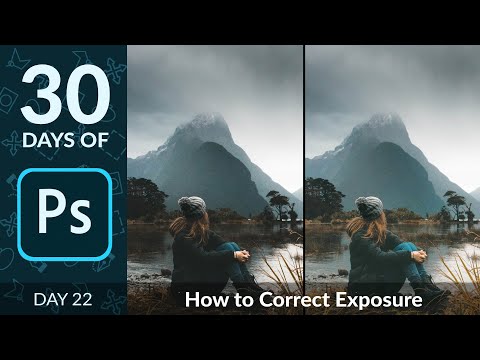
How to Correct Exposure in Photoshop | Day 22
ChannelPHLEARNChapters
Description from the creator
▶ Download the sample images and PDF guide for this tutorial (free with a PHLEARN account): phlearn.com/tutorial/30-days-photoshop-correct-…
Overexposed highlights and muddy shadows are two of the most common exposure problems, and in Day 22 of 30 Days of Photoshop, Aaron shows you how to fix both with a single technique. Using a Levels Adjustment Layer paired with the Blend If slider, you'll recover detail in blown-out highlights or dark shadows without affecting the rest of your image.
The key is targeting your adjustment to just the tonal range that needs it. With Blend If, you can make a Levels layer visible only in the shadows or only in the highlights, then push the contrast in that range as far as you want while the rest of the image stays untouched.
CHAPTERS
00:00 Intro to correcting exposure
00:50 Setting up a Levels Adjustment Layer
01:39 Using Blend If to target one tonal range
03:41 Refining shadow contrast with a layer mask
05:36 Correcting overexposed highlights
06:33 Applying Blend If to protect the shadows
07:16 Balancing contrast and opacity
08:33 Before and after, and wrap-up
THE STEPS
1. Add a Levels Adjustment Layer above your image
2. Drag the midtone slider to brighten shadows or darken highlights
3. Double-click the layer to open Blend If in Layer Style
4. Hold Alt/Option and drag the underlying layer sliders to isolate shadows or highlights
5. Fine-tune black and white points to add contrast in that range only
6. Use a layer mask to hide the effect from any areas where it looks unnatural
7. Lower the layer opacity to blend the correction in naturally
Join the 30 Days of Photoshop Challenge:
phlearn.com/30-days-of-photoshop-signup
―
PHLEARN PRO: every PRO tutorial, one membership
◦ 200+ in-depth courses and masterclasses on Photoshop, Lightroom and photography
◦ 1,000+ downloadable PSDs, RAW images and sample files to follow along
◦ Presets, Photoshop actions and LUTs included
◦ New PRO tutorials every month, streamed in 4K with captions and chapters
◦ Rated 4.93/5 by 3,900+ students
◦ Cancel anytime, 100% money-back guarantee
▶ phlearn.com/pro
―――――――――――――――
Follow PHLEARN:
Instagram: instagram.com/phlearn/
Facebook: facebook.com/phlearn
Twitter: twitter.com/phlearn
#Photoshop #ExposureCorrection #30DaysOfPhotoshop
Overexposed highlights and muddy shadows are two of the most common exposure problems, and in Day 22 of 30 Days of Photoshop, Aaron shows you how to fix both with a single technique. Using a Levels Adjustment Layer paired with the Blend If slider, you'll recover detail in blown-out highlights or dark shadows without affecting the rest of your image.
The key is targeting your adjustment to just the tonal range that needs it. With Blend If, you can make a Levels layer visible only in the shadows or only in the highlights, then push the contrast in that range as far as you want while the rest of the image stays untouched.
CHAPTERS
00:00 Intro to correcting exposure
00:50 Setting up a Levels Adjustment Layer
01:39 Using Blend If to target one tonal range
03:41 Refining shadow contrast with a layer mask
05:36 Correcting overexposed highlights
06:33 Applying Blend If to protect the shadows
07:16 Balancing contrast and opacity
08:33 Before and after, and wrap-up
THE STEPS
1. Add a Levels Adjustment Layer above your image
2. Drag the midtone slider to brighten shadows or darken highlights
3. Double-click the layer to open Blend If in Layer Style
4. Hold Alt/Option and drag the underlying layer sliders to isolate shadows or highlights
5. Fine-tune black and white points to add contrast in that range only
6. Use a layer mask to hide the effect from any areas where it looks unnatural
7. Lower the layer opacity to blend the correction in naturally
Join the 30 Days of Photoshop Challenge:
phlearn.com/30-days-of-photoshop-signup
―
PHLEARN PRO: every PRO tutorial, one membership
◦ 200+ in-depth courses and masterclasses on Photoshop, Lightroom and photography
◦ 1,000+ downloadable PSDs, RAW images and sample files to follow along
◦ Presets, Photoshop actions and LUTs included
◦ New PRO tutorials every month, streamed in 4K with captions and chapters
◦ Rated 4.93/5 by 3,900+ students
◦ Cancel anytime, 100% money-back guarantee
▶ phlearn.com/pro
―――――――――――――――
Follow PHLEARN:
Instagram: instagram.com/phlearn/
Facebook: facebook.com/phlearn
Twitter: twitter.com/phlearn
#Photoshop #ExposureCorrection #30DaysOfPhotoshop
About this tutorial
PHLEARN published this 9:19 video tutorial on February 3, 2020. It has been watched 127,053 times on YouTube.
Tags
Share
This tutorial in other languages
- FRComment corriger l'exposition dans Photoshop | jour 22
- ESCómo exposición correcta en Photoshop | día 22
- PTComo a exposição correcta no Photoshop | dia 22
- ITCome corretta esposizione in Photoshop | giorno 22
- DEWie man korrekte Belichtung in Photoshop | Tag 22
- NLHoe kan ik de juiste belichting in Photoshop | dag 22
- RUКак исправить экспозиции в Photoshop | День 22
- PLJak prawidłowej ekspozycji w Photoshopie | dzień 22
- JAどのようにPhotoshopの適正露出に| 22日目
- ARكيفية التعرض الصحيح في فوتوشوب | يوم 22
- HIकैसे Photoshop में सही एक्सपोजर के लिए | 22 वें दिन
- IDCara Paparan Benar di Photoshop | hari 22