Playback starts YouTube’s embedded player (privacy-enhanced mode).
How to Make a Flow Chart in Excel - Tutorial
ChannelYAcosta SolutionsDescription from the creator
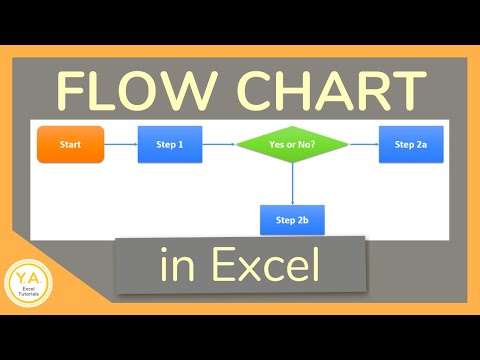
Excel tutorial on how to make a Flow Chart in Excel. We'll review how to create a flowchart using Shapes. We'll add arrows to connect each step in the process and format each step so that the flow chart is easier to follow. We'll also add a hyperlink to a process step.
It's important to know that you can make a flow chart in other programs, like Word and PowerPoint. The benefit of using Excel is that you're not as limited by reaching the end of the page or end of the slide.
And make sure to get your FREE pdf list of top Excel keyboard shortcuts: yacostasolutions.com/newsletter/
*FYI:
This tutorial was created using the desktop version of Excel in Microsoft 365. You can upgrade to this version here: yacostasolutions.com/MS365
The screen recording + editing was done using Techsmith Camtasia. You can check it out here: yacostasolutions.com/camtasia
Thanks for watching this Microsoft Excel tutorial and, don’t forget, if you like this video, please “Like” and “Share” with your friends – it really helps us out 😊
To catch our Excel tutorials as they come out, subscribe to this channel by clicking: yacostasolutions.com/youtube
Thanks!
*DISCLAIMER: This video description contains affiliate links, which means that if you click on one of the product links, I’ll receive a small commission. As an Amazon Associate I earn from qualifying purchases. This helps support the channel and allows us to continue to make tutorials like this. Thank you for your support!
#YAcostaTutorials
It's important to know that you can make a flow chart in other programs, like Word and PowerPoint. The benefit of using Excel is that you're not as limited by reaching the end of the page or end of the slide.
And make sure to get your FREE pdf list of top Excel keyboard shortcuts: yacostasolutions.com/newsletter/
*FYI:
This tutorial was created using the desktop version of Excel in Microsoft 365. You can upgrade to this version here: yacostasolutions.com/MS365
The screen recording + editing was done using Techsmith Camtasia. You can check it out here: yacostasolutions.com/camtasia
Thanks for watching this Microsoft Excel tutorial and, don’t forget, if you like this video, please “Like” and “Share” with your friends – it really helps us out 😊
To catch our Excel tutorials as they come out, subscribe to this channel by clicking: yacostasolutions.com/youtube
Thanks!
*DISCLAIMER: This video description contains affiliate links, which means that if you click on one of the product links, I’ll receive a small commission. As an Amazon Associate I earn from qualifying purchases. This helps support the channel and allows us to continue to make tutorials like this. Thank you for your support!
#YAcostaTutorials
About this tutorial
YAcosta Solutions published this 7:57 video tutorial on November 2, 2018. It has been watched 456,637 times on YouTube.
- Channel
- YAcosta Solutions
- Category
- Education
- Duration
- 7:57
- Published
- November 2, 2018
- Views
- 456,637
- Likes
- 4,403
Tags
Share
This tutorial in other languages
- FRComment faire un diagramme de flux dans Excel - Tutorial
- ESCómo hacer un diagrama de flujo en Excel - Tutorial
- PTComo fazer um fluxograma em Excel - Tutorial
- ITCome fare un diagramma di flusso in Excel - Tutorial
- DEWie ein Flussdiagramm in Excel Make - Tutorial
- NLHoe maak je een stroomdiagram in Excel maken - Tutorial
- RUКак сделать диаграмму потока в Excel - Учебник
- PLJak zrobić schemat blokowy w programie Excel - Tutorial
- JAチュートリアル - Excelでフローチャートを作成する方法
- ARكيفية جعل مخطط التدفق في Excel - دروس
- HIकैसे Excel में एक प्रवाह चार्ट बनाने के लिए - ट्यूटोरियल
- IDCara Membuat Bagan Arus di Excel - Tutorial