Playback starts YouTube’s embedded player (privacy-enhanced mode).
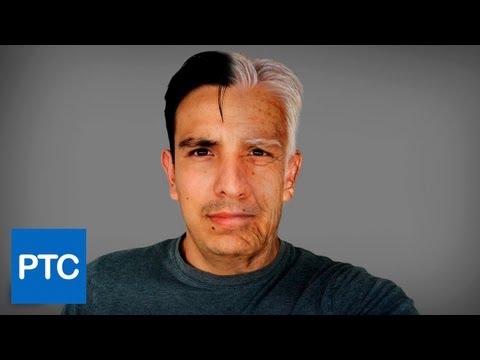
How to Make Someone OLDER in Photoshop - Young To Old Tutorial
ChannelPhotoshop Training ChannelChapters
Description from the creator
Photoshop CS6 tutorial showing how to go from young to old using Photoshop. This aging tutorial will use various techniques that will work with pretty much any image.
Tutorial Files Here:
photoshoptrainingchannel.com/how-to-make-someon…
In This Tutorial You Will Learn How To:
00:00 -- Introduction
00:43 -- Use the quick selection tool to remove the foreground from the background.
01:19 -- Use the "refine mask" panel to refine your mask.
07:50 -- Use the patch tool to add wrinkles to your image.
12:43 -- Use the liquify tool to make a face look older.
14:40 -- Create "old-looking" ears.
17:50 -- Add "old" eyebrows to your image.
19:25 -- Create a brush to paint facial hair.
24:49 -- Add white hair to your image.
Like Our Facebook Page!
facebook.com/PhotoshopTrainingChannel
===================================
LINKS
This Tutorial on Our Site:
photoshoptrainingchannel.com/how-to-make-someon…
Facebook:
facebook.com/PhotoshopTrainingChannel
This Video's Youtube Link:
youtu.be/UD_BqknfhME
RSS Feed:
feeds.feedburner.com/PhotoshopTrainingChannel
Tutorial Files Here:
photoshoptrainingchannel.com/how-to-make-someon…
In This Tutorial You Will Learn How To:
00:00 -- Introduction
00:43 -- Use the quick selection tool to remove the foreground from the background.
01:19 -- Use the "refine mask" panel to refine your mask.
07:50 -- Use the patch tool to add wrinkles to your image.
12:43 -- Use the liquify tool to make a face look older.
14:40 -- Create "old-looking" ears.
17:50 -- Add "old" eyebrows to your image.
19:25 -- Create a brush to paint facial hair.
24:49 -- Add white hair to your image.
Like Our Facebook Page!
facebook.com/PhotoshopTrainingChannel
===================================
LINKS
This Tutorial on Our Site:
photoshoptrainingchannel.com/how-to-make-someon…
Facebook:
facebook.com/PhotoshopTrainingChannel
This Video's Youtube Link:
youtu.be/UD_BqknfhME
RSS Feed:
feeds.feedburner.com/PhotoshopTrainingChannel
About this tutorial
Photoshop Training Channel published this 31:19 video tutorial on November 9, 2012. It has been watched 400,801 times on YouTube.
- Channel
- Photoshop Training Channel
- Category
- Education
- Duration
- 31:19
- Published
- November 9, 2012
- Views
- 400,801
- Likes
- 2,212
Tags
Share
This tutorial in other languages
- FRComment faire quelqu'un dans Photoshop ANCIENS - Young To Old Tutorial
- ESCómo hacer que una persona mayor en Photoshop - Tutorial de joven a viejo
- PTComo fazer alguém mais velho no Photoshop - jovens de idade Tutorial
- ITCome fare qualcuno più in Photoshop - Tutorial giovani agli anziani
- DEWie man Jemand äLTERE in Photoshop - Jung bis Alt Tutorial
- NLJong tot oud Tutorial - Hoe kan een ouder iemand in Photoshop maken
- RUКак сделать кто-то СТАРШЕ в Photoshop - Молодые Старый учебник
- PLJak zrobić kogoś starszego w programie Photoshop - młodych do starych Tutorial
- JAヤング古いチュートリアル - Photoshopで誰かが古い作成する方法
- ARكيفية جعل أقدم شخص في فوتوشوب - يونغ إلى قديم تعليمي
- HIयुवा करने के लिए पुराने ट्यूटोरियल - कैसे किसी में फ़ोटोशॉप पुराने बनाने के लिए
- IDCara Membuat Seseorang TUA di Photoshop - Muda Untuk Old Tutorial