Playback starts YouTube’s embedded player (privacy-enhanced mode).
How to Ping any IP Address or Website on macOS | SYSNETTECH Solutions
ChannelSYSNETTECH SolutionsDescription from the creator
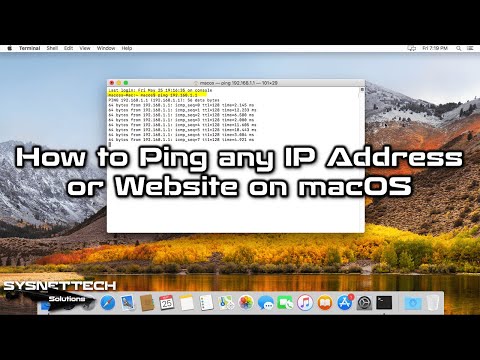
This video shows how to ping any IP address or website on all macOS operating systems running on Apple's Mac computers.
✅ S U B S C R I B E ► goo.gl/8d0iG9
✅ Article ► sysnettechsolutions.com/en/what-is-ping-and-how…
We will use Terminal and Network Utility to ping via the macOS operating system.
To #ping on macOS:
Step 1: Press the Command + Spacebar key to open a terminal on #macOS systems and then type terminal in the search box and run it.
Step 2: To ping any IP address, use the following command in Terminal.
➦ ping [IP Address]
➦ ping 192.168.1.1
Step 3: Use the following command to ping any website.
➦ ping [Domain Name]
➦ ping www.google.com
➦ ping google.com
Step 4: If you want to ping the specified amount, you need to add [-c number] to the ping command as follows.
➦ ping -c [number] 192.168.1.1
➦ ping -c 3 192.168.1.1
Step 5: If you find it difficult to use the terminal, another way to ping is to use the Network Utility. To open this program, press Command + Spacebar and type Network Utility in the search box.
Step 6: After running the program, you can easily ping an IP address or a website from the Ping tab.
Step 7: Do not forget to subscribe to our YouTube channel for more macOS training videos!
───────BEST PRODUCT FOR MACOS───────
✅ Buy ► bit.ly/MacOSBook
───────────────RELATED VIDEOS───────────────
➊ How to Use Ping on Windows
➦ youtube.com/watch?v=jJqAtbmuoAA
➋ How to Turn on WiFi on Lenovo Laptop
➦ youtube.com/watch?v=C8rdfeC7Y6Q
➌ How to Use Ping on Linux
➦ youtube.com/watch?v=wmwjQbjWlqY
➍ How to Clear DNS Cache on Windows 10
➦ youtube.com/watch?v=mTvYJ7Uo36s
➎ How to Install VMware 14 Pro
➦ youtube.com/watch?v=-Uf9-6SPiMY
───────────────FOLLOW US───────────────────
✔ Facebook
➦ facebook.com/SysnettechSolutions/
✔ Twitter
➦ twitter.com/SysnettechS/
✔ Pinterest
➦ pinterest.com/SysnettechS/
✔ Instagram
➦ instagram.com/sysnettech_solutions/
✔ LinkedIn
➦ linkedin.com/in/tolqabaqci/
███████████████████████████████████████████
✅ S U B S C R I B E ► goo.gl/8d0iG9
✅ Article ► sysnettechsolutions.com/en/what-is-ping-and-how…
We will use Terminal and Network Utility to ping via the macOS operating system.
To #ping on macOS:
Step 1: Press the Command + Spacebar key to open a terminal on #macOS systems and then type terminal in the search box and run it.
Step 2: To ping any IP address, use the following command in Terminal.
➦ ping [IP Address]
➦ ping 192.168.1.1
Step 3: Use the following command to ping any website.
➦ ping [Domain Name]
➦ ping www.google.com
➦ ping google.com
Step 4: If you want to ping the specified amount, you need to add [-c number] to the ping command as follows.
➦ ping -c [number] 192.168.1.1
➦ ping -c 3 192.168.1.1
Step 5: If you find it difficult to use the terminal, another way to ping is to use the Network Utility. To open this program, press Command + Spacebar and type Network Utility in the search box.
Step 6: After running the program, you can easily ping an IP address or a website from the Ping tab.
Step 7: Do not forget to subscribe to our YouTube channel for more macOS training videos!
───────BEST PRODUCT FOR MACOS───────
✅ Buy ► bit.ly/MacOSBook
───────────────RELATED VIDEOS───────────────
➊ How to Use Ping on Windows
➦ youtube.com/watch?v=jJqAtbmuoAA
➋ How to Turn on WiFi on Lenovo Laptop
➦ youtube.com/watch?v=C8rdfeC7Y6Q
➌ How to Use Ping on Linux
➦ youtube.com/watch?v=wmwjQbjWlqY
➍ How to Clear DNS Cache on Windows 10
➦ youtube.com/watch?v=mTvYJ7Uo36s
➎ How to Install VMware 14 Pro
➦ youtube.com/watch?v=-Uf9-6SPiMY
───────────────FOLLOW US───────────────────
➦ facebook.com/SysnettechSolutions/
➦ twitter.com/SysnettechS/
➦ pinterest.com/SysnettechS/
➦ instagram.com/sysnettech_solutions/
➦ linkedin.com/in/tolqabaqci/
███████████████████████████████████████████
About this tutorial
SYSNETTECH Solutions published this 4:31 video tutorial on October 29, 2018. It has been watched 2,719 times on YouTube.
- Channel
- SYSNETTECH Solutions
- Category
- Education
- Duration
- 4:31
- Published
- October 29, 2018
- Views
- 2,719
- Likes
- 28
Tags
Share
This tutorial in other languages
- FRComment Ping une adresse IP ou un site Web sur macOS | SYSNETTECH Solutions
- ESCómo Ping cualquier dirección IP o el sitio web en MacOS | SYSNETTECH Soluciones
- PTComo Ping qualquer endereço IP ou site no MacOS | SYSNETTECH Solutions
- ITCome Ping qualsiasi indirizzo IP o sito web su MacOS | SYSNETTECH Solutions
- DEWie man Ping jede IP-Adresse oder Webseite auf macOS | SYSNETTECH Lösungen
- NLHoe wordt Ping een IP-adres of Website op MacOS | SYSNETTECH Solutions
- RUКак Ping любой IP-адрес или веб-сайта на MacOS | SYSNETTECH Solutions
- PLJak Ping dowolny adres IP lub strony internetowej, na MacOS | SYSNETTECH Solutions
- JAMacOSの上の任意のIPアドレスやWebサイトにpingを実行する方法| SYSNETTECHソリューション
- ARكيفية بينغ أي عنوان IP أو موقع على ماك | SYSNETTECH حلول
- HIकैसे पिंग किसी भी आईपी पता या वेबसाइट MacOS पर करने के लिए | SYSNETTECH समाधान
- IDCara Ping setiap alamat IP atau Website di MacOS | SYSNETTECH Solusi