Playback starts YouTube’s embedded player (privacy-enhanced mode).
How to place a financial spread bet
ChannelSpreadexDescription from the creator
Spreadex was started over 10 years ago, with the goal of making spread betting more user friendly. That's why Spreadex doesn't make you download and install special software, or make you trade through a tiny pop-up window -- you can start betting right from the carefully designed Spreadex homepage.
Just log in, and you'll see an overview of the most popular instruments and markets.
Right away you can see your account balance, how your open positions are performing, and the total balance you currently have available to trade with. This includes any unused credit you may have available with Spreadex.
To make a trade, click one of the markets in the left-hand navigation.
Hover over the information symbol next to the product. You can see what Spreadex's definition is of a point on this product
Click the charting tool next to each product to bring up Spreadex's comprehensive charting suite. See detailed price data going back years, and perform advanced technical analysis with powerful charting tools.
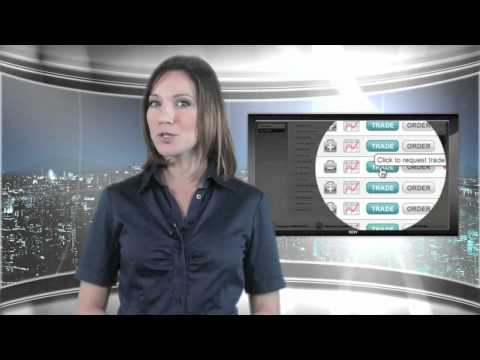
When you're ready to trade a product, click trade. You have the option to either buy or sell -- click buy if you expect the product to rise, and sell if you're expecting it to fall. Enter how much you want to bet per point, and set a stop to automatically exit the trade if it goes against you.
If you aren't ready to make a trade, with one click you can add the product to your watchlist. Alternatively, you can submit an order. This is very similar to executing a live trade, except you can choose the price at which your trade will be carried out.
For example, you might wait for a share to rise or fall before you hop on board.
You can choose to have your order expire at the end of the day, or let it remain on the system until you cancel it.
Just log in, and you'll see an overview of the most popular instruments and markets.
Right away you can see your account balance, how your open positions are performing, and the total balance you currently have available to trade with. This includes any unused credit you may have available with Spreadex.
To make a trade, click one of the markets in the left-hand navigation.
Hover over the information symbol next to the product. You can see what Spreadex's definition is of a point on this product
Click the charting tool next to each product to bring up Spreadex's comprehensive charting suite. See detailed price data going back years, and perform advanced technical analysis with powerful charting tools.
When you're ready to trade a product, click trade. You have the option to either buy or sell -- click buy if you expect the product to rise, and sell if you're expecting it to fall. Enter how much you want to bet per point, and set a stop to automatically exit the trade if it goes against you.
If you aren't ready to make a trade, with one click you can add the product to your watchlist. Alternatively, you can submit an order. This is very similar to executing a live trade, except you can choose the price at which your trade will be carried out.
For example, you might wait for a share to rise or fall before you hop on board.
You can choose to have your order expire at the end of the day, or let it remain on the system until you cancel it.
About this tutorial
Spreadex published this 1:49 video tutorial on November 1, 2011. It has been watched 3,248 times on YouTube.
Tags
Share
This tutorial in other languages
- FRComment placer un pari de propagation financière
- ESCómo hacer una apuesta de expansión financiera
- PTComo fazer uma aposta propagação financeira
- ITCome piazzare una scommessa finanziaria
- DEWie eine finanzielle Spread Wette platzieren
- NLHoe maak je een financiële spread weddenschap te plaatsen
- RUКак сделать ставку финансового спреда
- PLJak postawić zakład finansowej spread
- JA金融スプレッドベットを配置する方法
- ARكيفية وضع انتشار الرهان المالي
- HIएक वित्तीय फैल शर्त जगह कैसे
- IDCara menempatkan penyebaran keuangan taruhan