Playback starts YouTube’s embedded player (privacy-enhanced mode).
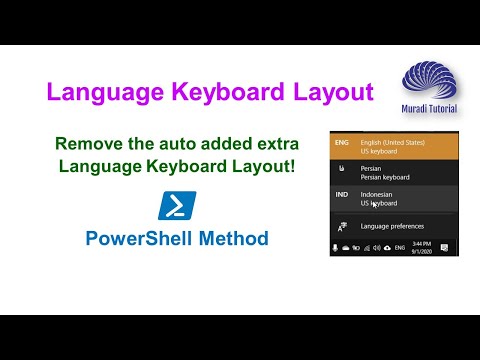
How to remove the extra unwanted language keyboard layout on the taskbar-Solved!
ChannelMuradi TutorialDescription from the creator
Story 1:
United Kingdom keyboard (language) is added automatically
I've set keyboard languages: ENGLISH-US (not the United Kingdom!) and (my local language).
Sometimes, I see that "ENGLISH (UNITED KINGDOM) [now "United States-International"]
However, in Control Panel/Languages, it is not listed, neither shows in PowerShell using command “Get-WinUserLanguageList”
So, I can't even remove it! Even adding/removing doesn’t help!
It has become overly annoying, I can't stop it, can't uninstall, can't find any way.
Story 1:
I have a problem with my language setting. I have somehow added a third language that I did not speak. Unfortunately, I could not see this language in the language setting. While I use my laptop, I sometimes accidentally switch to the third language and it's very annoying. I really want to know how to delete this language keyboard layout on the taskbar. Anyone has experience?
Solution:
The easy way to solve this issue, you need to simply type these three commands in the PowerShell window.
Open PowerShell as an administrator & type these commands.
Get-WinUserLanguageList
New-WinUserLanguageList en-US
Set-WinUserLanguageList en-US
After that, you can add your local language and language keyboard layout later.
Please leave a comment if it helped you or you have any questions.
Recommended Playlist for you,
Click on the link below to watch more videos on Windows and Internet Issues Tutorials
shorturl.at/mFKO2
We hope you enjoy this video and find it useful! Honestly, we need your kind supports by subscribing to our channel, liking, commenting and sharing the video with your friends who need it. You can also hit the bell button as “All” to get notified for future videos.
Thanks and good luck!
_______________________
#languagekeyboard #languagesetting #keyboard layout
________________________________________________________________________________________________________
Do you want to learn computer programs?
Do you need On-The-Job Training (HRM, Accounting and Procurement Management)?
Do you want to modify or create a professional CV? OR
Do you need consultancy for the setup of your company’s Admin/Finance systems?
For more info, business query, consultancy services or face to face Online Coaching Sessions
Email us: [email protected]
Visit our Facebook Page: facebook.com/www.youtube.com.c.MuradiTutorial/
More info: youtube.com/c/MuradiTutorial/about
About this tutorial
Muradi Tutorial published this 8:01 video tutorial on September 26, 2020. It has been watched 162,444 times on YouTube.
- Channel
- Muradi Tutorial
- Category
- Education
- Duration
- 8:01
- Published
- September 26, 2020
- Views
- 162,444
- Likes
- 3,805
Tags
Share
Further reading
-
how to remove keyboard layout on Windows 10? - Microsoft ...
answers.microsoft.com
Follow either of the steps below to remove the keyboard layout and check if the issue is resolved. Step 1: System Settings window. Press Windows logo + I keys on the keyboard to open Settings page. Click on Time & langu…
-
Can't remove extra language in language bar - Microsoft Community
answers.microsoft.com
Note: The most notable effect of having multiple related languages in the Preferred languages list is additional entries in the text input selector. You can remove unwanted language list entries using these steps: 1. Fr…
-
Unwanted keyboard layouts I can't delete Solved - Windows 10 ...
tenforums.com
Go to Settings > Time & language > Region & language. Here you will see your Windows display language, presumably in your case 'English (United Kingdom)'. Click on it to reveal the 'Options' button. Click the button and…
This tutorial in other languages
- FRComment supprimer la disposition supplémentaire du clavier de langue non désirée sur la barre des tâches-Résolu!
- ES¿Cómo eliminar la disposición del teclado idioma deseado adicional en la barra de tareas Resuelto-!
- PTComo remover o layout de teclado do idioma indesejado extra na barra de tarefas-resolvido!
- ITCome rimuovere il layout di tastiera lingua indesiderata in più sulla barra delle applicazioni-risolto!
- DEWie das zusätzliche unerwünschte Sprache Tastaturlayout auf der Taskleiste-Gelöst entfernen!
- NLHoe de extra ongewenste taal toetsenbordindeling te verwijderen op de taakbalk-Opgelost!
- RUКак удалить дополнительный нежелательный язык раскладки клавиатуры на панели задач, решаемая!
- PLJak usunąć dodatkowy układ klawiatury niechciane języka na pasku zadań, rozwiązany!
- JAタスクバー-解決に余分な不要な言語のキーボードレイアウトを削除する方法!
- ARكيفية إزالة تخطيط إضافي لوحة المفاتيح لغة غير المرغوب فيها على-محلولة شريط المهام!
- HIटास्कबार-हल पर अतिरिक्त अवांछित भाषा कीबोर्ड लेआउट निकालने का तरीका!
- IDBagaimana menghapus layout keyboard bahasa yang tidak diinginkan ekstra pada taskbar-Soal!