Playback starts YouTube’s embedded player (privacy-enhanced mode).
How to turn off notification sound Windows 10
ChannelLeszek BurdaDescription from the creator
You can turn off notification sound of one specific app or program, and you can turn off sound for all notifications.
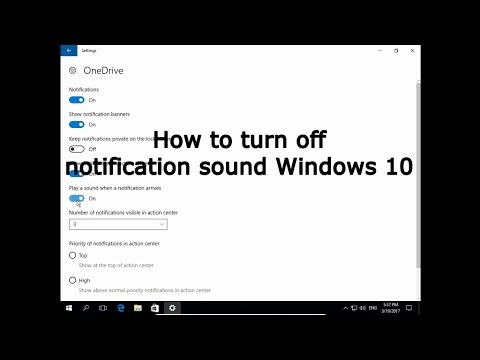
If you want to turn off notification sound for a specific program open Settings, System and Notifications & Actions, scroll down to Get notifications from these senders and choose app you want to turn off notification sound, click on it to open app settings. Here you can disable / enable on this particular notification, you can turn on / turn off to show notification banner, keep notifications private on the lock screen, show notifications in action center and turn off or turn on play a sound when a notification arrives.
To disable all notification sounds open Control Panel and Sound. IN the Sounds section find Notifications in Program Events and in Sounds you can change a notification sound or disable sound for notification by set it to None.
youtube.com/c/LeszekBurda
itesbjerg.com/
If you want to turn off notification sound for a specific program open Settings, System and Notifications & Actions, scroll down to Get notifications from these senders and choose app you want to turn off notification sound, click on it to open app settings. Here you can disable / enable on this particular notification, you can turn on / turn off to show notification banner, keep notifications private on the lock screen, show notifications in action center and turn off or turn on play a sound when a notification arrives.
To disable all notification sounds open Control Panel and Sound. IN the Sounds section find Notifications in Program Events and in Sounds you can change a notification sound or disable sound for notification by set it to None.
youtube.com/c/LeszekBurda
itesbjerg.com/
About this tutorial
Leszek Burda published this 2:52 video tutorial on November 11, 2017. It has been watched 17,320 times on YouTube.
- Channel
- Leszek Burda
- Category
- Education
- Duration
- 2:52
- Published
- November 11, 2017
- Views
- 17,320
- Likes
- 85
Tags
Share
This tutorial in other languages
- FRComment désactiver Windows 10 du son de notification
- ESCómo desactivar el sonido de notificación de Windows 10
- PTComo desligar o som de notificação do Windows 10
- ITCome disattivare il suono di notifica di Windows 10
- DEWie deaktivieren Benachrichtigung Sound von Windows 10
- NLHoe uit te schakelen notificatie geluid Windows 10
- RUКак отключить звук уведомления Windows 10
- PLJak wyłączyć dźwięk powiadomień systemu Windows 10
- JA通知音のWindows 10をオフにする方法
- ARكيفية إيقاف إخطار الصوت ويندوز 10
- HIकैसे सूचना ध्वनि Windows 10 बंद करने के लिए
- IDCara mematikan suara pemberitahuan Windows 10