Playback starts YouTube’s embedded player (privacy-enhanced mode).
How To Update Firefox
ChannelWebPro EducationDescription from the creator
Firefox Update Read more: webproeducation.org/how-to/firefox/how-to-updat…
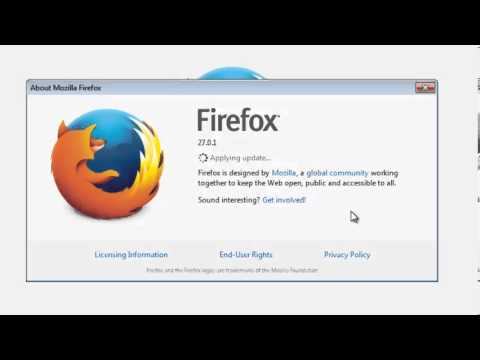
By default, Firefox is set to automatically update itself but you can always do a manual update. This video will show how.
Running the latest version of Firefox is important because it also comes with the latest security features and functionality.
To manually update your browser, Click the Firefox menu in the top left corner of your browser window. Hover your mouse pointer over the Help menu and select About Firefox. If there are updates available for Firefox, they will be automatically downloaded and installed.
Configuring Mozilla Firefox Update
Go to the Firefox menu in the top left hand corner of your browser window. Hover your mouse pointer over the Options menu ans select Options. The options windows will pop up. Select the Advanced category on the extreme right hand side and then click on the Update tab.
Reinstall Firefox
Your Mozilla Firefox browser might have broken down to a point where it is impossible to update. You can force an update by re-installing the browser.
By default, Firefox is set to automatically update itself but you can always do a manual update. This video will show how.
Running the latest version of Firefox is important because it also comes with the latest security features and functionality.
To manually update your browser, Click the Firefox menu in the top left corner of your browser window. Hover your mouse pointer over the Help menu and select About Firefox. If there are updates available for Firefox, they will be automatically downloaded and installed.
Configuring Mozilla Firefox Update
Go to the Firefox menu in the top left hand corner of your browser window. Hover your mouse pointer over the Options menu ans select Options. The options windows will pop up. Select the Advanced category on the extreme right hand side and then click on the Update tab.
Reinstall Firefox
Your Mozilla Firefox browser might have broken down to a point where it is impossible to update. You can force an update by re-installing the browser.
About this tutorial
WebPro Education published this 2:24 video tutorial on October 29, 2014. It has been watched 177,184 times on YouTube.
- Channel
- WebPro Education
- Category
- Education
- Duration
- 2:24
- Published
- October 29, 2014
- Views
- 177,184
- Likes
- 369
Tags
Share
This tutorial in other languages
- FRComment mettre à jour Firefox
- ESCómo actualizar Firefox
- PTComo atualizar o Firefox
- ITCome aggiornare Firefox
- DESo aktualisieren Sie Firefox
- NLHoe updaten Firefox
- RUКак обновить Firefox
- PLJak zaktualizować Firefoksa
- JAどのように更新してFirefoxの
- ARكيفية تحديث فايرفوكس
- HIकैसे करने के लिए Firefox अपडेट करें
- IDCara Perbarui Firefox