Playback starts YouTube’s embedded player (privacy-enhanced mode).
Photoshop Tutorial: Boost Depth & Make Photo “Pop” (Look More 3D!) | Portrait Photography
ChannelJustin LaurensDescription from the creator
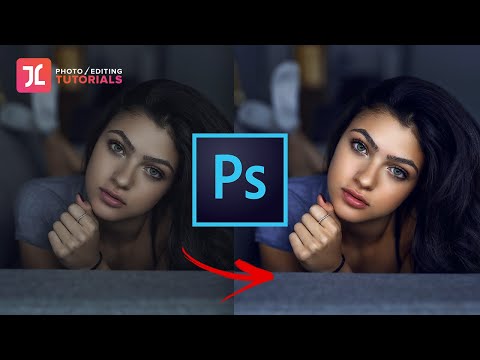
In this tutorial, you'll learn how to make your photo "pop", stand out and become more eye-catching by boosting your photo's depth & dimension (make look 3D!)
This will be accomplished using 3 'Subject Separation' editing techniques in Photoshop: 1.) Tonal Contrast Differentials, 2.) Complementary Color Palettes & 3.) Color Saturation Differentials.
If you're looking to step up your editing game with Photoshop - this video is for you (Beginner-friendly!)
***My Full Portrait Editing Course: go.justinlaurens.com/access
Follow Me:
- Instagram: instagram.com/justinlaurens
My Gear:
- Camera: amzn.to/3bthPAG
- Lens: amzn.to/3bx5LOY
* SUBSCRIBE for more videos like this - new video every week!
* Music via SoundStripe: Peppermint Mocha by Mala
This will be accomplished using 3 'Subject Separation' editing techniques in Photoshop: 1.) Tonal Contrast Differentials, 2.) Complementary Color Palettes & 3.) Color Saturation Differentials.
If you're looking to step up your editing game with Photoshop - this video is for you (Beginner-friendly!)
***My Full Portrait Editing Course: go.justinlaurens.com/access
Follow Me:
- Instagram: instagram.com/justinlaurens
My Gear:
- Camera: amzn.to/3bthPAG
- Lens: amzn.to/3bx5LOY
* SUBSCRIBE for more videos like this - new video every week!
* Music via SoundStripe: Peppermint Mocha by Mala
About this tutorial
Justin Laurens published this 9:48 video tutorial on April 5, 2020. It has been watched 207,800 times on YouTube.
- Channel
- Justin Laurens
- Category
- Education
- Duration
- 9:48
- Published
- April 5, 2020
- Views
- 207,800
- Likes
- 6,434
Tags
Share
This tutorial in other languages
- FRTutoriel Photoshop: Boost profondeur & Make Photo « Pop » (look plus 3D!) | Photographie de portrait
- ESTutorial Photoshop: Boost profundidad y hacen Photo “pop” (look más 3D!) | Fotografía de retrato
- PTPhotoshop Tutorial: Impulso Profundidade & Make Foto “Pop” (Veja Mais 3D!) | Fotografia de retrato
- ITTutorial Photoshop: Boost di profondità e fare fotografia “Pop” (look più 3D!) | Ritratto
- DEPhotoshop Tutorial: Boost Tiefe & Make-Foto „Pop“ (Mehr 3D-Look!) | Portraitfotografie
- NLPhotoshop Tutorial: Boost Diepte & Make Foto “Pop” (er meer 3D!) | Portret fotografie
- RUPhotoshop Учебник: Повышение глубины и сделать фото «Pop» (Смотри больше 3D!) | Фотопортреты
- PLPhotoshop Tutorial: Zwiększ Głębokość & Make Foto „Pop” (wyglądają bardziej 3D!) | Fotografia portretowa
- JAPhotoshopのチュートリアル:ブースト・深&写真(ルックもっと3Dを!)「ポップ」してください|ポートレートの写真
- ARدروس فوتوشوب: تفعيل العمق وجعل صور "البوب" (انظر المزيد 3D!) | التصوير الفوتوغرافي صورة
- HIफ़ोटोशॉप ट्यूटोरियल: बूस्ट गहराई और फ़ोटो "पॉप" (देखो अधिक 3 डी!) बनाओ | पोर्ट्रेट फोटोग्राफ़ी
- IDPhotoshop Tutorial: Meningkatkan Kedalaman & Membuat Foto “Pop” (Terlihat Lebih 3D!) | potret Fotografi