Playback starts YouTube’s embedded player (privacy-enhanced mode).
Select Transparent Stuff with Blend Modes! - Photoshop Tutorial
ChannelPiXimperfectDescription from the creator
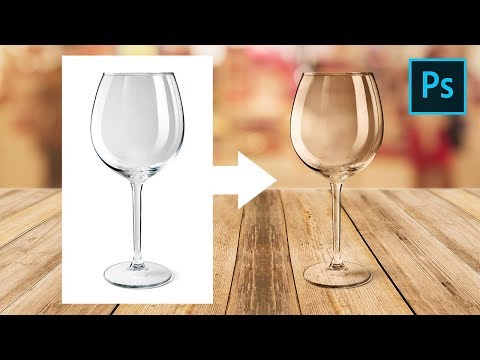
Easily Mask Transparent Objects by Using Simple Blend Modes and Change the Background in Photoshop! In this video, we will mask a wine glass on a white background by using the concepts of how Blending Modes work, along with Blend-If.
Also in this tutorial, we will learn to create realistic reflections on the glass along with techniques to match it with the background. Then, we will also create a shadow to make the composite natural.
Hope this video helps, thank you for watching :)
► RECOMMENDED TUTORIAL:
2 Ways to Select Transparent Objects in Photoshop: youtu.be/jp6c9SjuFvk
► DOWNLOADS:
1. Sample Image of Glass (Stock): shutr.bz/2CXhl8C
2. Background Image: bit.ly/2J7qrQn
3. Finished PSD: bit.ly/2qb9aNT (Only for our Patreon Family)
► HELP US CREATE MORE FREE VIDEOS:
Support us at Patreon: patreon.com/piximperfect
► SHARE: goo.gl/IUhnUl
► LET'S CONNECT:
Facebook: facebook.com/piximperfect
Twitter: twitter.com/piximperfect
Instagram: instagram.com/piximperfect
Google+: plus.google.com/+UnmeshDinda
Also in this tutorial, we will learn to create realistic reflections on the glass along with techniques to match it with the background. Then, we will also create a shadow to make the composite natural.
Hope this video helps, thank you for watching :)
► RECOMMENDED TUTORIAL:
2 Ways to Select Transparent Objects in Photoshop: youtu.be/jp6c9SjuFvk
► DOWNLOADS:
1. Sample Image of Glass (Stock): shutr.bz/2CXhl8C
2. Background Image: bit.ly/2J7qrQn
3. Finished PSD: bit.ly/2qb9aNT (Only for our Patreon Family)
► HELP US CREATE MORE FREE VIDEOS:
Support us at Patreon: patreon.com/piximperfect
► SHARE: goo.gl/IUhnUl
► LET'S CONNECT:
Facebook: facebook.com/piximperfect
Twitter: twitter.com/piximperfect
Instagram: instagram.com/piximperfect
Google+: plus.google.com/+UnmeshDinda
About this tutorial
PiXimperfect published this 18:24 video tutorial on October 31, 2018. It has been watched 2,042,701 times on YouTube.
- Channel
- PiXimperfect
- Category
- Education
- Duration
- 18:24
- Published
- October 31, 2018
- Views
- 2,042,701
- Likes
- 65,551
Tags
Share
This tutorial in other languages
- FRSélectionnez Stuff transparent avec les modes de fusion! - Photoshop Tutorial
- ESSeleccione Transparente cosas con los modos de mezcla! - Tutorial de Photoshop
- PTSelecione Transparente Material com Blend Modes! - Photoshop Tutorial
- ITSelezionare Trasparente Stuff con metodi di fusione! - Photoshop Tutorial
- DEWählen Sie Transparent Stuff mit Blend-Modi! - Photoshop Tutorial
- NLSelecteer Transparant Stuff met Blend Modes! - Photoshop Tutorial
- RUВыберите прозрачный материал с режимами наложения! - Photoshop Tutorial
- PLWybierz Transparent rzeczy z trybów mieszania! - Photoshop Tutorial
- JAブレンドモードと透明なものを選択します! - Photoshopのチュートリアル
- ARاختر شفاف الاشياء مع وسائط مزيج! - دروس فوتوشوب
- HIमिश्रण मोड के साथ पारदर्शी सामग्री का चयन करें! - फ़ोटोशॉप ट्यूटोरियल
- IDPilih Transparan Stuff dengan Mode Blend! - Photoshop Tutorial